

Hotel TV Stay-stage Content: Match the Message to Your Guest's Next Task
· Yiannis Yiasemis
A breakfast message can be accurate and still arrive too late to help. If the guest sees it after breakfast closes, the screen has delivered information without supporting the decision it was meant to influence. Your hotel TV stay-stage content should begin with the task your guest needs to complete next, then choose the clearest message and a working route to act on it.
Jasmine TV provides a branded welcome screen with hotel information, local sights and access to supported streaming apps. Your content plan can make that screen more useful across arrival, the stay and departure, without assuming automatic personalisation or scheduling. Start with a small set of current, practical messages your team can keep accurate and your guests can understand from the room.
Key Takeaways
- Organise content around the guest's next task.
- Keep essential information easy to find throughout the stay.
- Give promotions a supported, current next step.
- Demonstrate scheduling or personalisation before promising it.
- Test readability and navigation in a real room.
Plan hotel TV stay-stage content from tasks rather than promotions
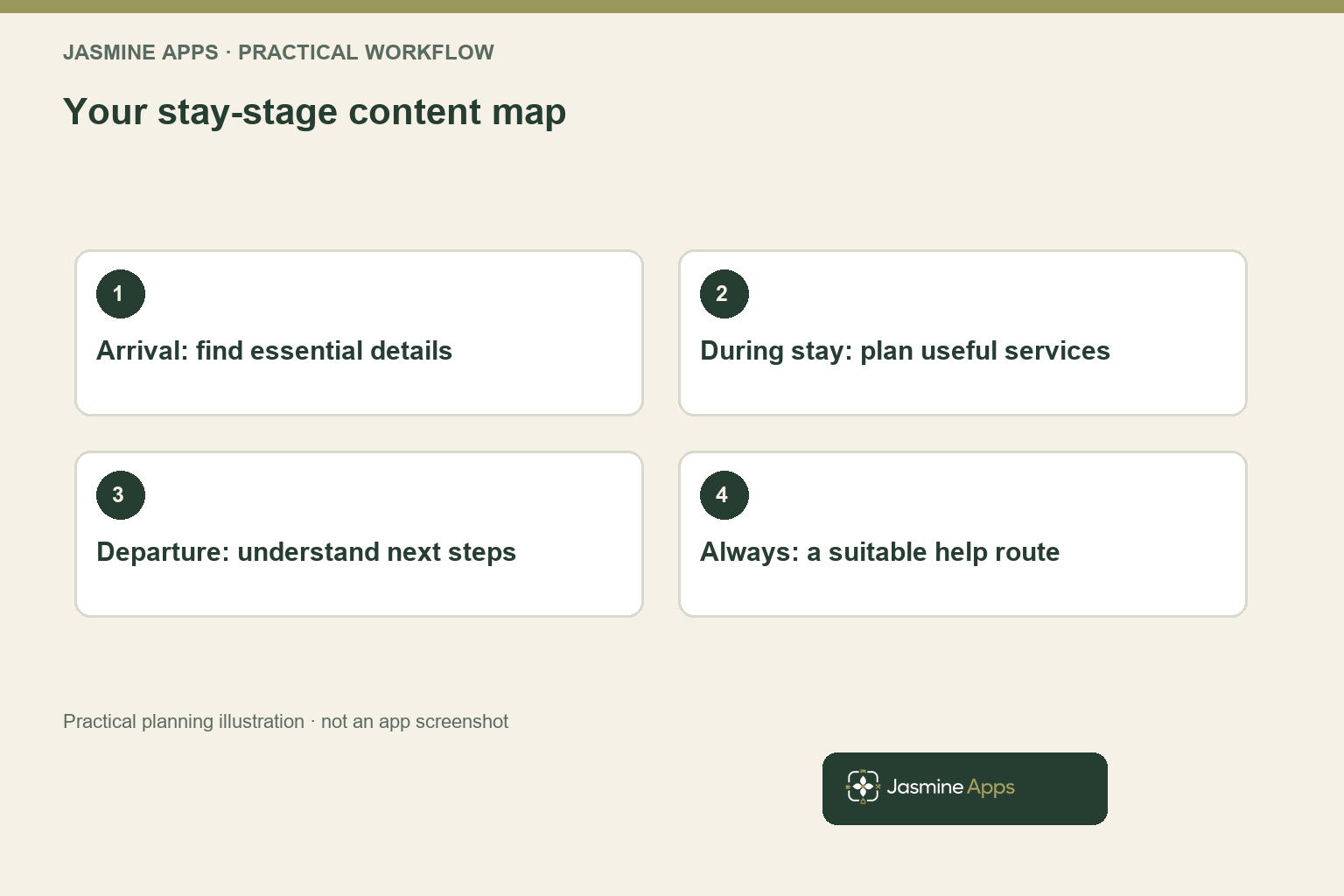
List the questions a guest needs to answer at each part of the stay. On arrival, that may include finding essential hotel information and deciding where to eat. During the stay, the guest may need opening times or local options. Before departure, the useful task may be understanding checkout arrangements and how to ask about an available extension.
Keep the task separate from the message format. A dinner promotion is one way to help someone decide where to eat, but the guest also needs current opening times, an understandable offer and the actual reservation route. Your screen should complete enough of that information to make the next step clear, rather than present an attractive image that sends the guest to reception with the same basic questions.
The GOV.UK experience-mapping guidance provides a useful method for understanding steps and needs across a journey. Apply the principle to your hotel with observation and appropriate feedback, not a generic assumption that every guest follows the same schedule or wants the same service at the same point in the day.
Distinguish essential information from an optional commercial suggestion. Guests should be able to find the practical details they need without navigating a long sequence of offers. Your content hierarchy can preserve a clear hotel-information route while highlighting a small relevant choice, making the screen feel helpful and giving a promotion a more credible place within the experience.
Use your existing hotel TV directory article for the wider information inventory. This stay-stage plan adds a reason for the order and emphasis of the content. Your first deliverable is a task map with a message, owner and next action, rather than a larger slideshow assembled from every service the hotel could possibly sell.
Make arrival the clearest part of your hotel TV stay-stage content
Your arrival content should reduce immediate uncertainty. Give the guest a recognisable welcome and a clear route to essential hotel details, with the information your venue is prepared to maintain. If a service requires a reservation or has a meaningful restriction, explain the relevant next step rather than allowing the guest to infer that every advertised option is immediately available.
Jasmine TV's public description includes the branded welcome screen and venue-set hotel information. Demonstrate how your actual greeting, section names and navigation appear on the supported room hardware. A design that looks clear on a laptop may be difficult from the bed with a remote, so use the actual viewing distance and input method when judging the first screen.
Choose a restrained amount of arrival content. A guest carrying luggage may not want to read a long menu or watch several promotions before finding a basic answer. Keep the next useful decision prominent and let the information structure carry the detail. Your staff can still offer personal assistance where the question depends on the guest's circumstances or a live operational decision.
For a practical example, an arrival section could explain where current dining information is found and how to request a table through the supported route. The message should state any relevant booking requirement and current operating window. Do not imply that the television directly books, charges or confirms a table unless that exact function has been demonstrated in the proposed setup.
Review the wording with reception and the restaurant lead. Both should recognise the offer and the process the guest will encounter after acting on it. Your guest-information accuracy article explains the risk of sending someone towards an unavailable service; your arrival plan prevents that problem by matching the screen with the venue's current practical instruction.
Keep hotel TV stay-stage content useful during the stay
During the stay, your screen can support planning without repeatedly interrupting entertainment. Prioritise the information guests look for in the room, such as the current route to hotel services or useful local sights. A clearly labelled section can remain available when needed, while the guest retains a straightforward way to use the supported television and streaming options.
Select commercial messages that fit an actual opportunity. A dining reminder is useful when the restaurant is open, the offer is current and the booking route can respond. The same message can create frustration when availability is gone or the advertised condition no longer applies. Your content owner needs a practical update route with reception and the relevant service team.
Keep the distinction between content planning and automation explicit. You can organise messages for arrival, during-stay and departure needs without claiming the system recognises an individual guest's stage or changes the screen automatically. If you require timed content, personal entitlement recognition or another automated behaviour, demonstrate it and obtain the required scope in writing before building the campaign around it.
Give local information a maintenance owner as well. An external attraction may change hours, booking requirements or its own website, so link or refer through a route your team can review and explain appropriately. Your hotel should avoid presenting a third-party activity as guaranteed availability simply because a photograph and description have remained in the information section since last season.
Use the existing business-guest TV article for that particular audience's practical needs. Your broader stay-stage plan should remain useful to different guests, with clear optional detail rather than an assumption that every room is occupied by the same traveller. The result is a screen that supports the stay without turning every visit to hotel information into another sales pitch.
Prepare departure messages without implying unconfirmed entitlements
Your departure information should make the ordinary checkout process understandable. Explain the current time, the relevant route for questions and any practical arrangement your venue wants guests to know. Keep the wording compatible with reception's actual process so the screen supports the next conversation rather than introduces a new rule the team has not agreed.
If you promote late checkout, distinguish an enquiry from a confirmed extension. Availability can depend on arrivals, housekeeping and room condition, so a generic room-screen message should not imply that every guest can buy another two hours automatically. Give the guest the supported request route and make the confirmation step clear before they plan their departure around the offer.
Show the relevant price and conditions through an appropriate clear consumer-information process. The CMA price-transparency guidance is a useful reference when presenting charges. Your guest should understand the complete applicable price and any mandatory conditions at the appropriate stage, rather than discover an unavoidable fee only after requesting the service.
Test a guest who needs help outside the ordinary screen journey. Someone may not read the language confidently, may have a visual or motor impairment or may prefer a staff conversation. Keep a suitable alternative route and test the supported interface appropriately, without treating a television as the only way someone can obtain essential departure information.
Connect this content with the late-checkout promotion plan for the operational capacity discussion. Your departure message is the front of that process, so it should promise only what the approval and delivery route can support. A clear request and confirmation can be more persuasive than a larger banner that leaves reception correcting the guest's expectation.
Test content readability and the complete next step
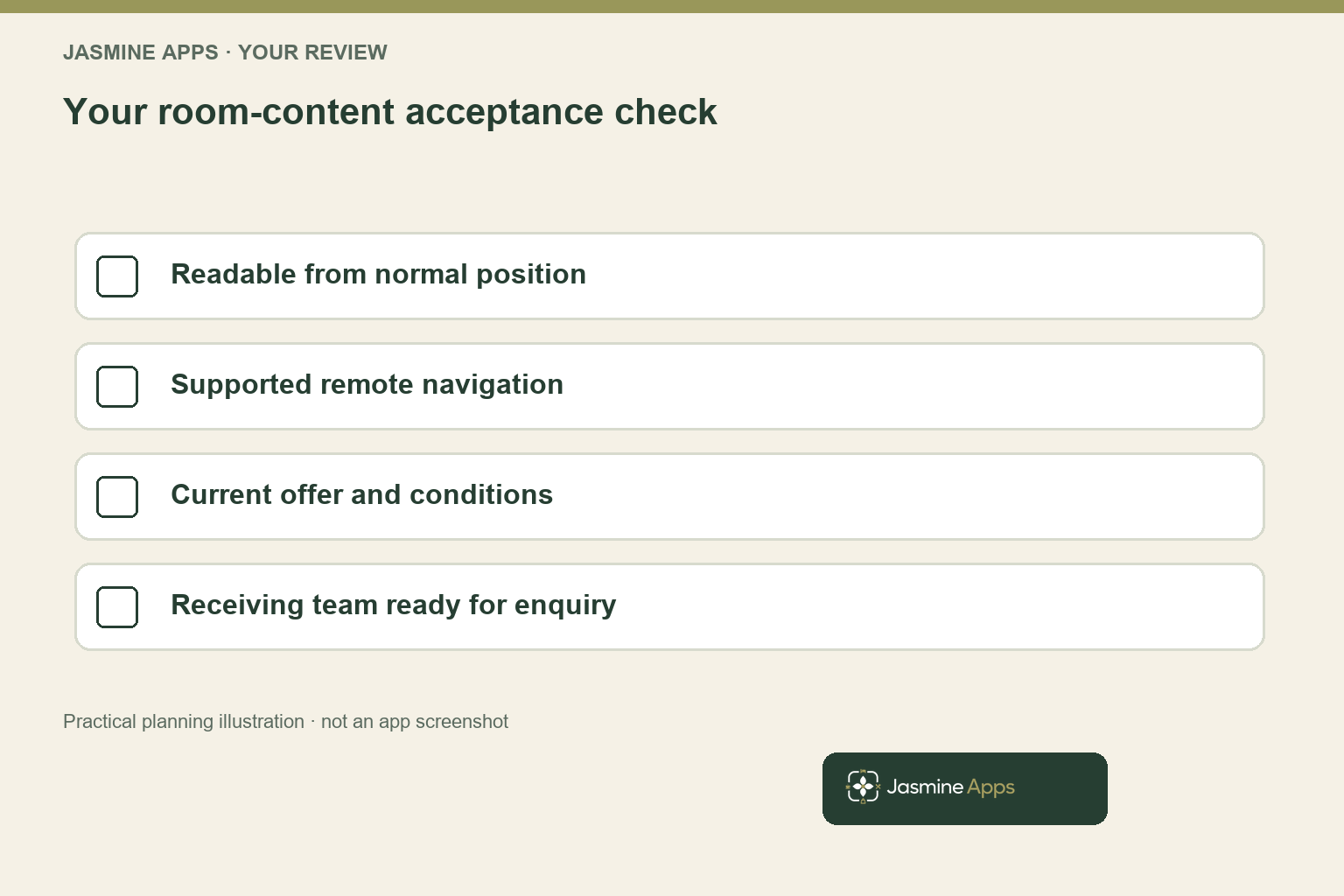
Use a real room or an approved representative setup. Ask a tester to complete an ordinary task from the normal viewing position with the supported remote. Observe the route without pointing to the correct section first, then ask what the person understood and what action they believe they can take next.
Check text size, contrast, image meaning and the amount of detail on each screen. Your brand colours should support readability rather than require tiny pale text over a busy photograph. Keep essential information in text as well as relying on an image, and confirm the accessibility features actually supported by the chosen devices and interface rather than assuming a visual design solves every need.
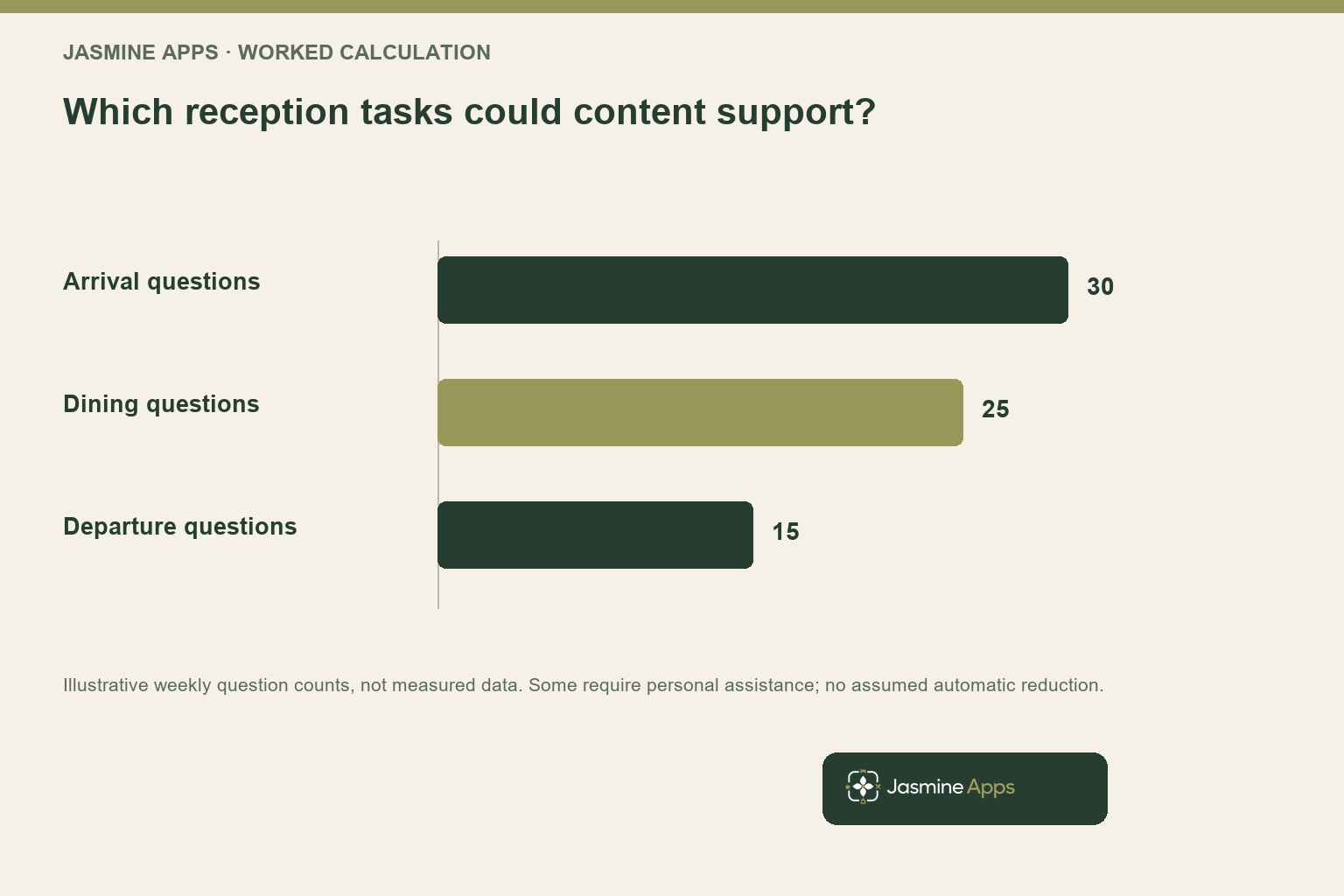
For a hypothetical usability sample, suppose eight of ten task attempts succeed without help, while two require reception assistance. That is an eighty per cent unassisted completion rate for the specific tasks and sample. It is not proof of an eighty per cent hotel-wide adoption rate, and the two assisted attempts deserve investigation before you simply increase the number of messages.
Follow the next step outside the screen. If the content directs the guest to contact reception, the receiving colleague should understand the offer and the required approval. If it points to a web route, test that route on an appropriate device. Your content is only as dependable as the handover it creates, so include unavailable and changed-service cases in the check.
Jasmine TV is currently listed at £5 per room monthly with a £40 monthly minimum, or £50 per room annually. Confirm hardware compatibility, setup, annual terms, tax and any additional services in your quotation. Your demonstration should show the information and navigation on your proposed televisions, making the purchase about a usable guest task rather than a promise based on screen size alone.
Maintain a small content plan that stays accurate
Give each content item an owner, source of truth and review trigger. Restaurant times belong with the person who can confirm them; checkout rules need reception and operations agreement. A single content editor may publish the update, but they should not be expected to infer an operational change from a passing conversation or an outdated seasonal document.
Use a simple content matrix: guest task, relevant stage, approved message, next step and responsible owner. Add an expiry or review point where the offer changes. This gives your team a practical way to decide what remains useful, with fewer pages to maintain and a clearer response when a guest reports that the information on the screen differs from what staff have said.
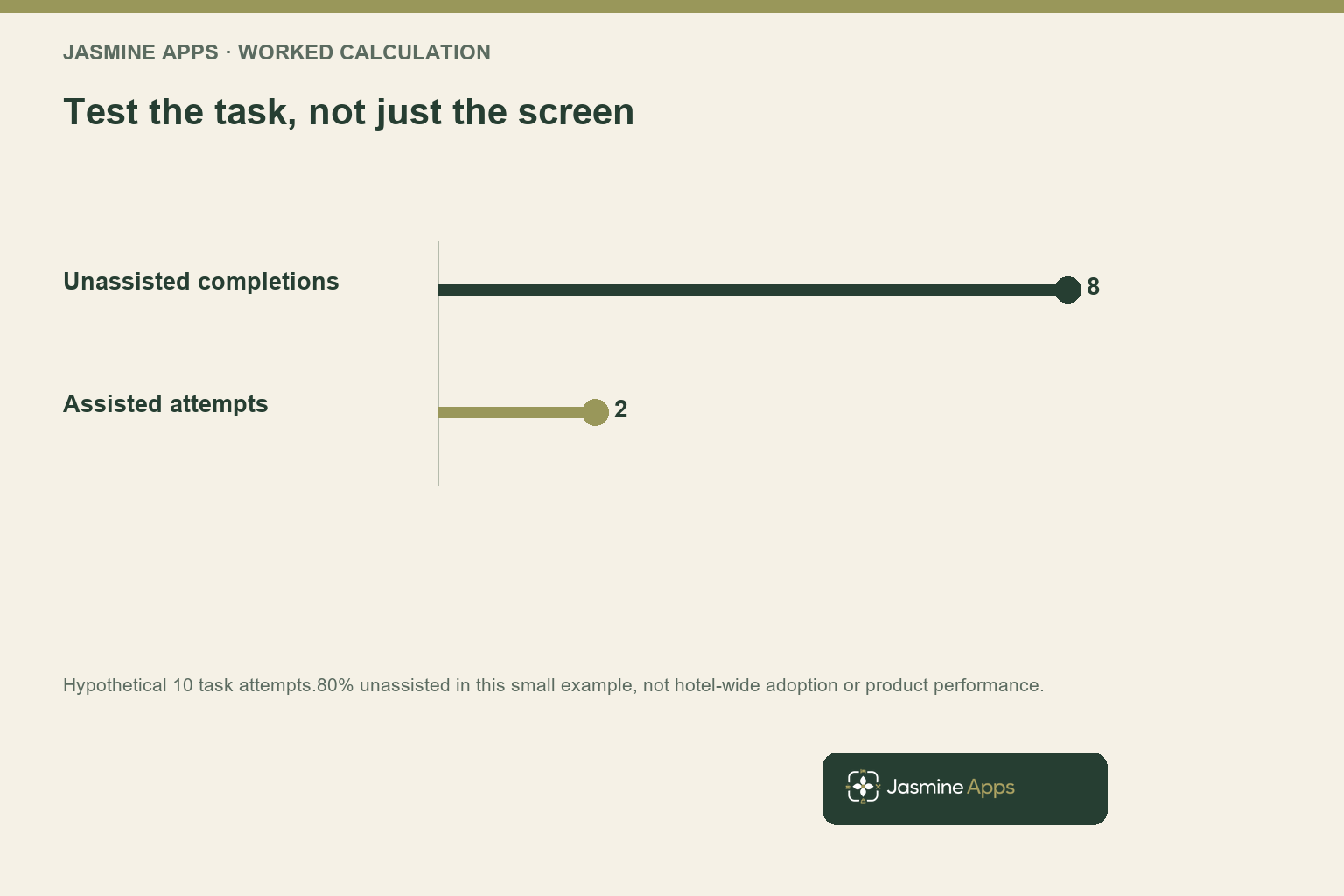
Review recurring questions after the content changes. For an illustrative week, assume thirty arrival questions, twenty-five dining questions and fifteen departure questions reach reception. Those counts identify possible tasks to investigate; they do not prove every question can disappear through a screen. Some require personal judgement or reassurance, so value appropriate self-service and useful staff support separately.
Keep the commercial outcome tied to completed service. A guest viewing a dining section does not establish a reservation, fulfilled meal or additional sale caused by the content. Use the hotel TV ancillary-sales framework where you need the contribution calculation, with a supported evidence route and explicit assumptions rather than equating screen activity with revenue.
At the next review, remove redundant content, repair unclear next steps and retain messages that answer a real task. Your hotel can present a more confident welcome with less clutter because the information has an operational purpose and a person responsible for it. The lasting benefit is a guest who knows what to do next and a team prepared to deliver what the screen describes.
Pro Tips
Test from the bed. Judge readability and navigation at the normal viewing distance with the actual supported remote. A laptop preview cannot establish that the room experience works.
Give every offer an exit condition. Record when a message should be changed or withdrawn and who can trigger the update. An attractive expired promotion still creates avoidable enquiries.
Keep the next step testable. Ask the receiving team to act on the same fictional enquiry the screen invites. Your message and the operational response should describe one process.
Common Mistakes
Assuming stay-stage automation. You can promise personalisation or scheduling that has not been shown. Confirm the exact behaviour before designing the content around it.
Making every screen a promotion. You obscure essential information and reduce usefulness. Prioritise the task, then choose a relevant optional offer.
Counting views as completed sales. You overstate the commercial effect. Follow the supported route to fulfilment and assess additional demand separately.
Frequently Asked Questions
What should you show on a hotel room television welcome screen?
You should provide a recognisable welcome and a clear route to current essential hotel information, with a small relevant next step where useful. Test what guests need on arrival rather than fill the screen with every service you sell. Make operating times, booking requirements and assistance routes understandable in the supported interface. Your content should match what reception and the service team can deliver, including when availability or an offer changes during the stay.
Should hotel TV content change during a guest stay?
You can plan information around arrival, during-stay and departure tasks, but you should confirm the scheduling or personalisation functions actually available before promising automatic changes. Essential information should remain easy to find, while optional messages reflect current service conditions. A small, maintained content structure can be useful even without automated stage recognition. Your buying demonstration should show the intended behaviour on the proposed hardware and explain the manual update responsibility wherever it remains.
How can you make hotel TV promotions more useful?
You should connect the message with a practical guest decision, a current offer and a supported next step. State relevant conditions clearly and ensure the receiving team understands the same process. Test an unavailable-service case so the screen does not continue promising something the venue cannot provide. Measure completed enquiries or fulfilment where supported, keeping any additional-sales claim separate from simple views or interactions that do not establish a purchase.
Can Jasmine TV automatically confirm late checkout or restaurant bookings?
You should demonstrate those exact functions before relying on them. Jasmine TV's public description covers a branded welcome, venue-set hotel information, local sights and supported streaming apps; that does not by itself establish live booking, payment or entitlement confirmation. Your content can direct a guest to the approved request route, with the relevant team confirming availability. Keep that distinction clear so a room-screen message does not create an expectation your operational process cannot fulfil.
How do you check whether hotel TV information is easy to use?
You should ask suitable testers to complete realistic tasks from the normal room position with the supported remote, without showing the answer first. Observe readability, section names, navigation and what the person believes happens next. Include guests who need an alternative assistance route where appropriate. Your sample can reveal practical problems without establishing a universal adoption percentage, so use the findings to simplify the content and repeat the check after meaningful changes.
Hotel TV stay-stage content: your next step
Your hotel TV stay-stage content should help guests make the next useful decision with confidence. Arrange a Jasmine TV demonstration with three tasks from arrival, during the stay and departure. You can test the room experience, confirm the supported features and build a clearer content plan your team can keep accurate.