

TutorialIn-app guide
Jasmine TV: preview the welcome screen
· Jasmine Apps
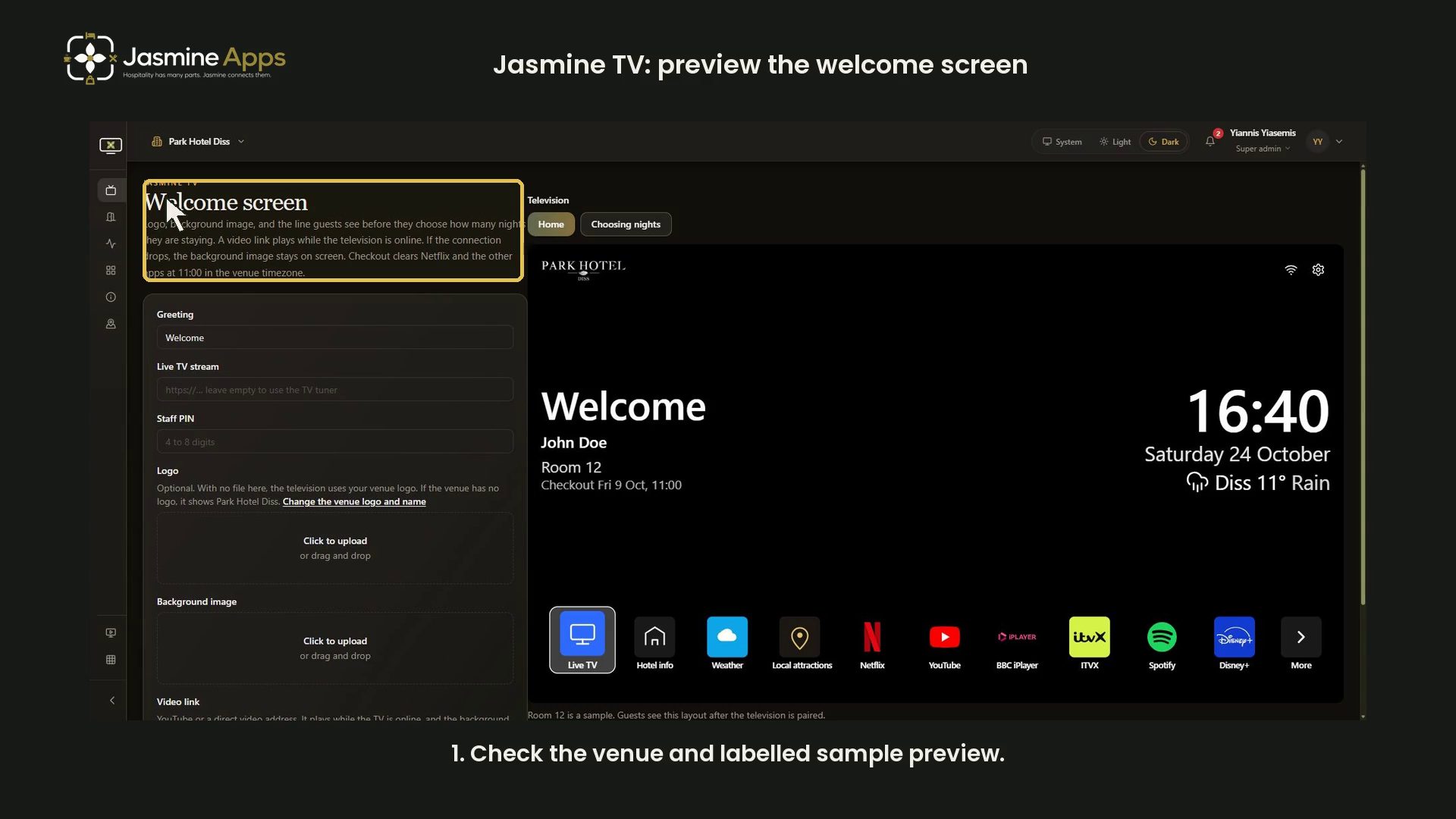
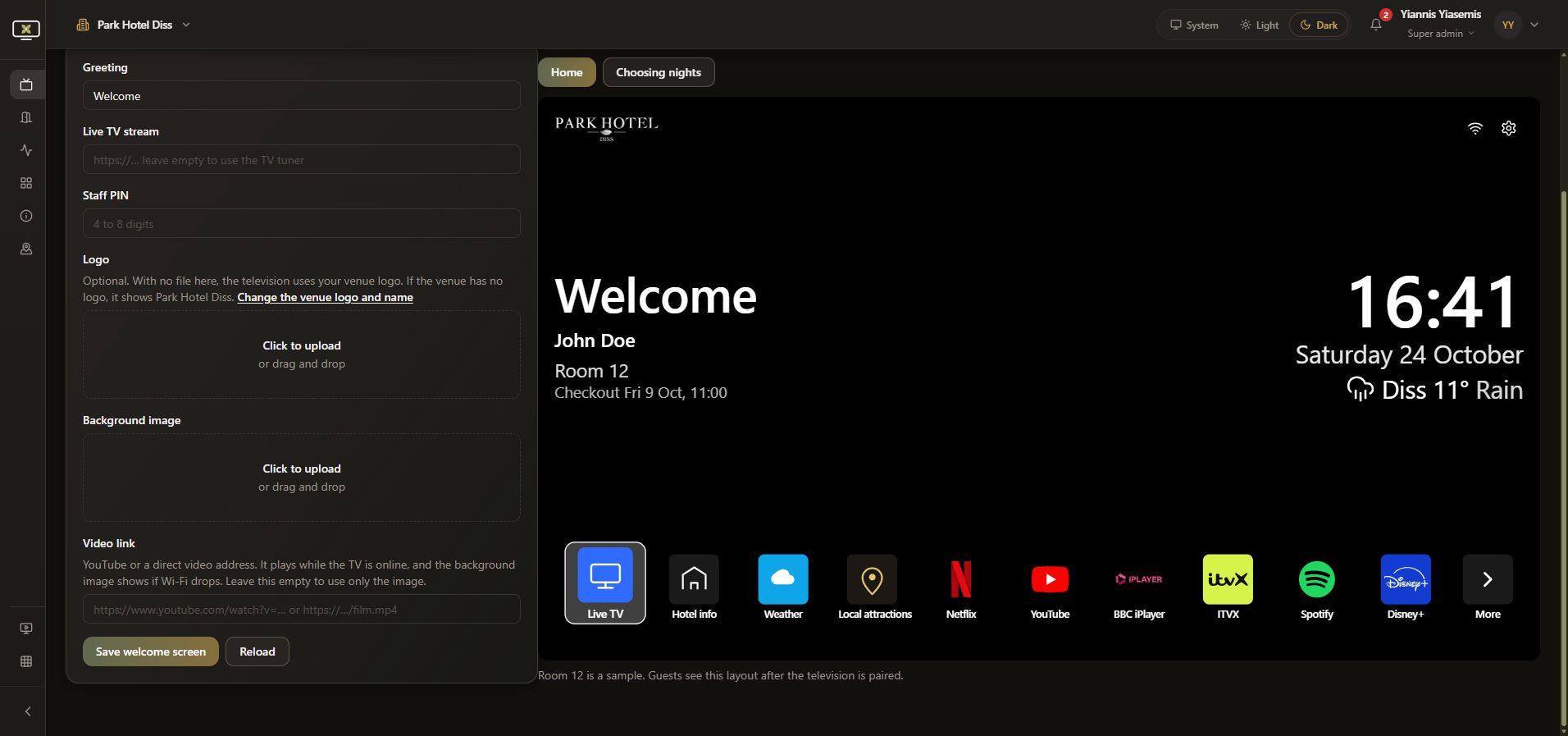
Jasmine TV's Welcome screen combines venue branding and a greeting with a labelled sample television preview. This dark-mode walkthrough changes an unsaved greeting, reviews the preview and restores the original page.
Watch the walkthrough
Check the venue and sample preview
Open Welcome screen. The example uses Park Hotel Diss. The page explicitly labels Room 12 as a sample; John Doe and the sample checkout are demonstration details.
Preview an unsaved greeting
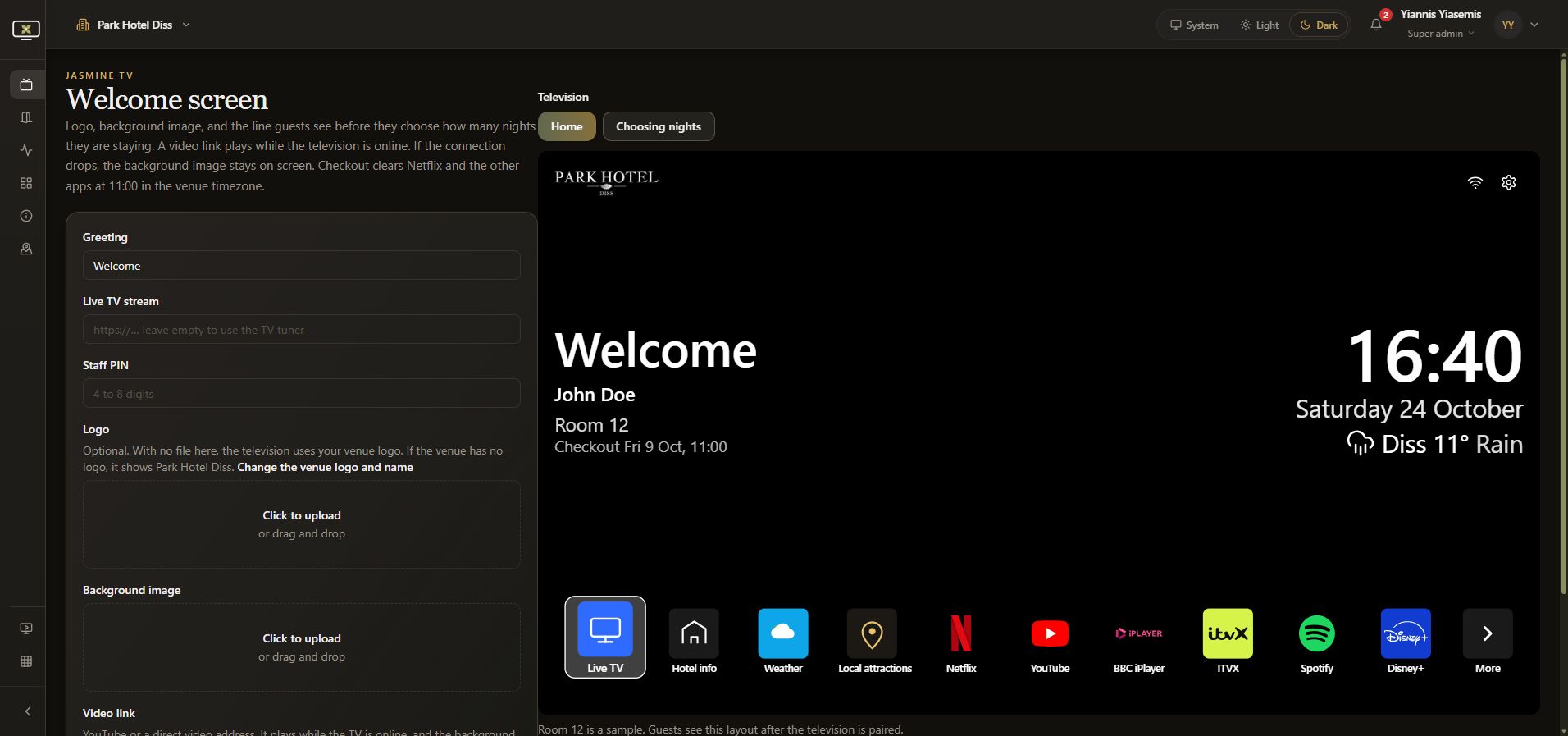
Change Greeting to the training example Welcome to Park Hotel Diss. The sample television updates immediately. The walkthrough does not press Save welcome screen.
Review branding and media fields
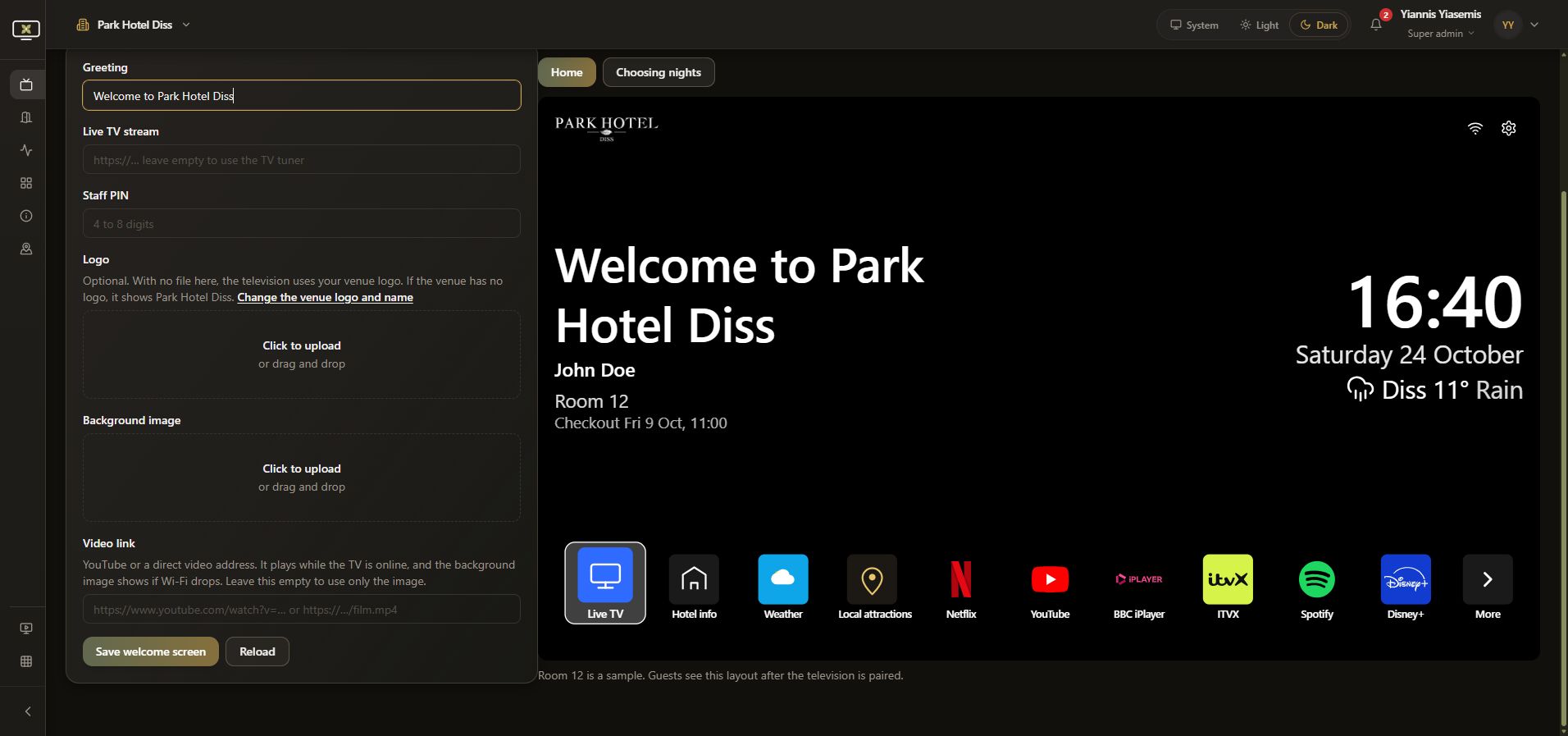
The Logo helper says the television uses the venue logo when no separate logo file is provided. Background image is the fallback when online video cannot play. Video link accepts YouTube or a direct video address. The demonstration uploads no file and leaves Live TV stream, Staff PIN and Video link untouched.
Inspect Choosing nights
Choose Choosing nights to review the sample prompt. Its note describes apps remaining signed in until the displayed 11:00 checkout, then being cleared. The preview shows two nights; no guest stay is altered.
Discard the example
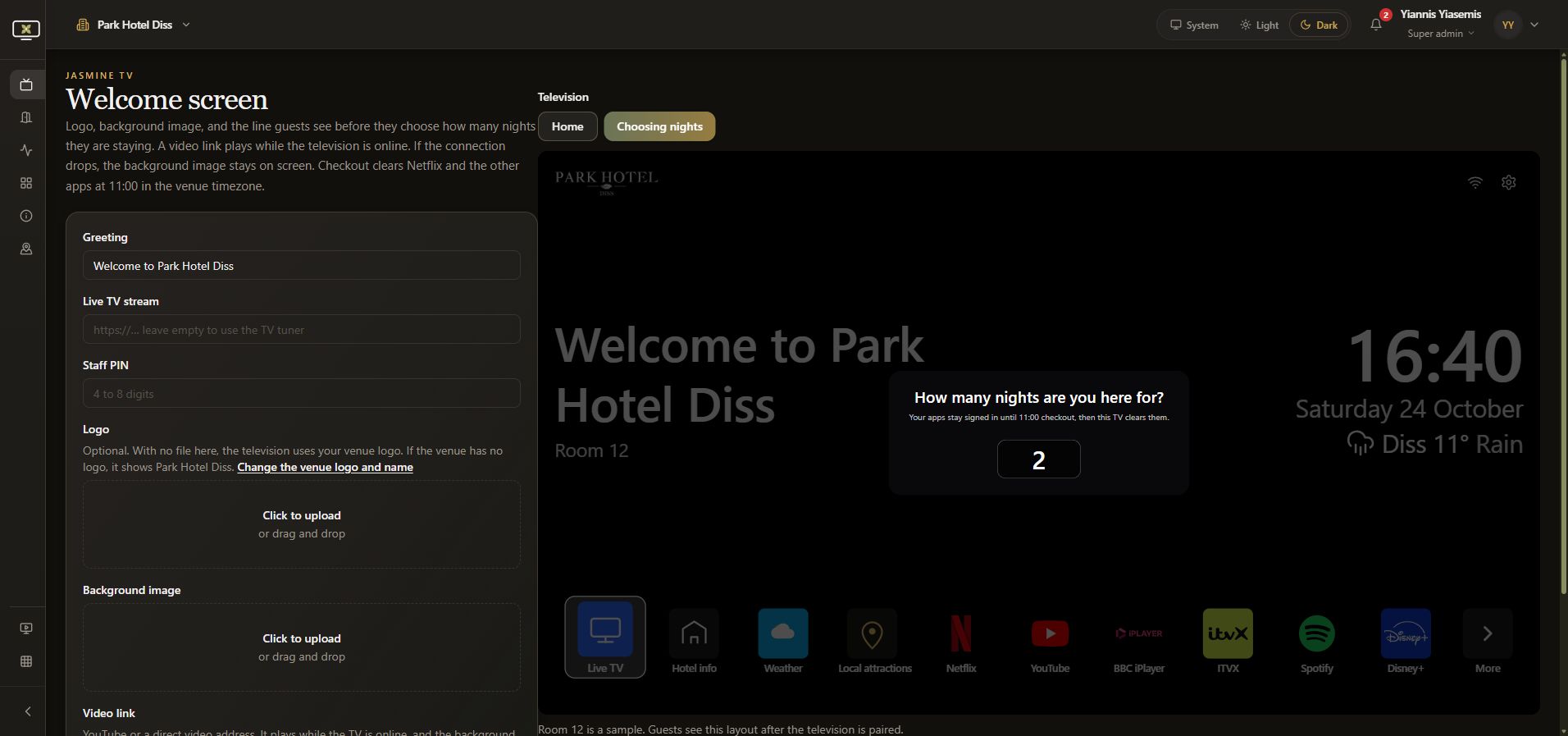
Reload the page. Welcome returns, confirming the unsaved greeting was discarded. No welcome settings, PIN, room or television command was saved.
For room configuration, see Jasmine TV Rooms.