

TutorialIn-app guide
Spa Booking: prepare an appointment
· Jasmine Apps
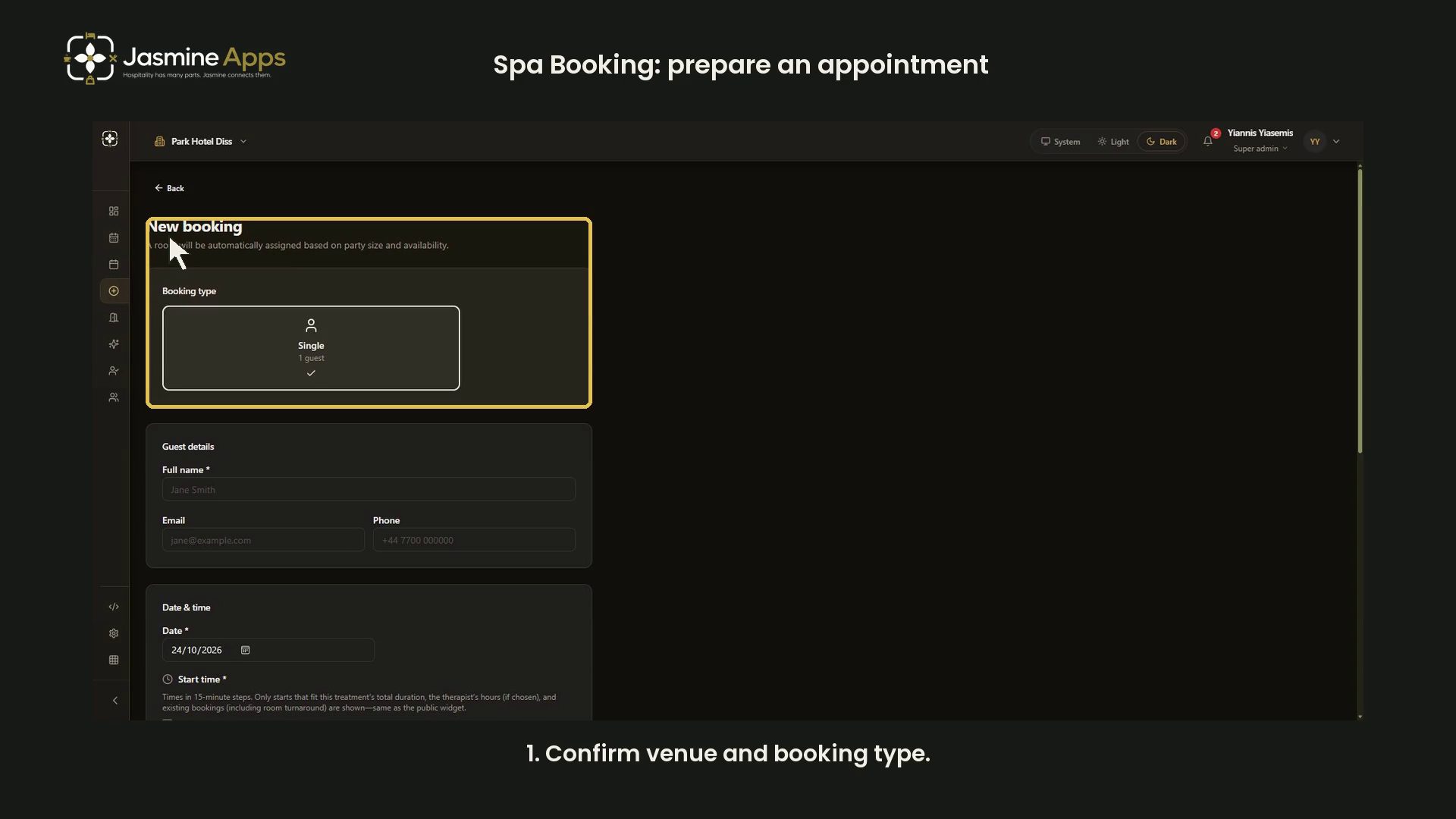
Spa Booking's New Booking form combines guest details, treatment choice and available start times. This dark-mode walkthrough prepares an unsaved selection and stops before creating an appointment.
Watch the walkthrough
Confirm venue and booking type
Open New Booking. The page says a room is assigned according to party size and availability. This example shows Single — 1 guest.
Full name, Email and Phone are separate guest fields. Verify the intended guest's details for real work. The demonstration leaves them blank and enters no personal or health information.
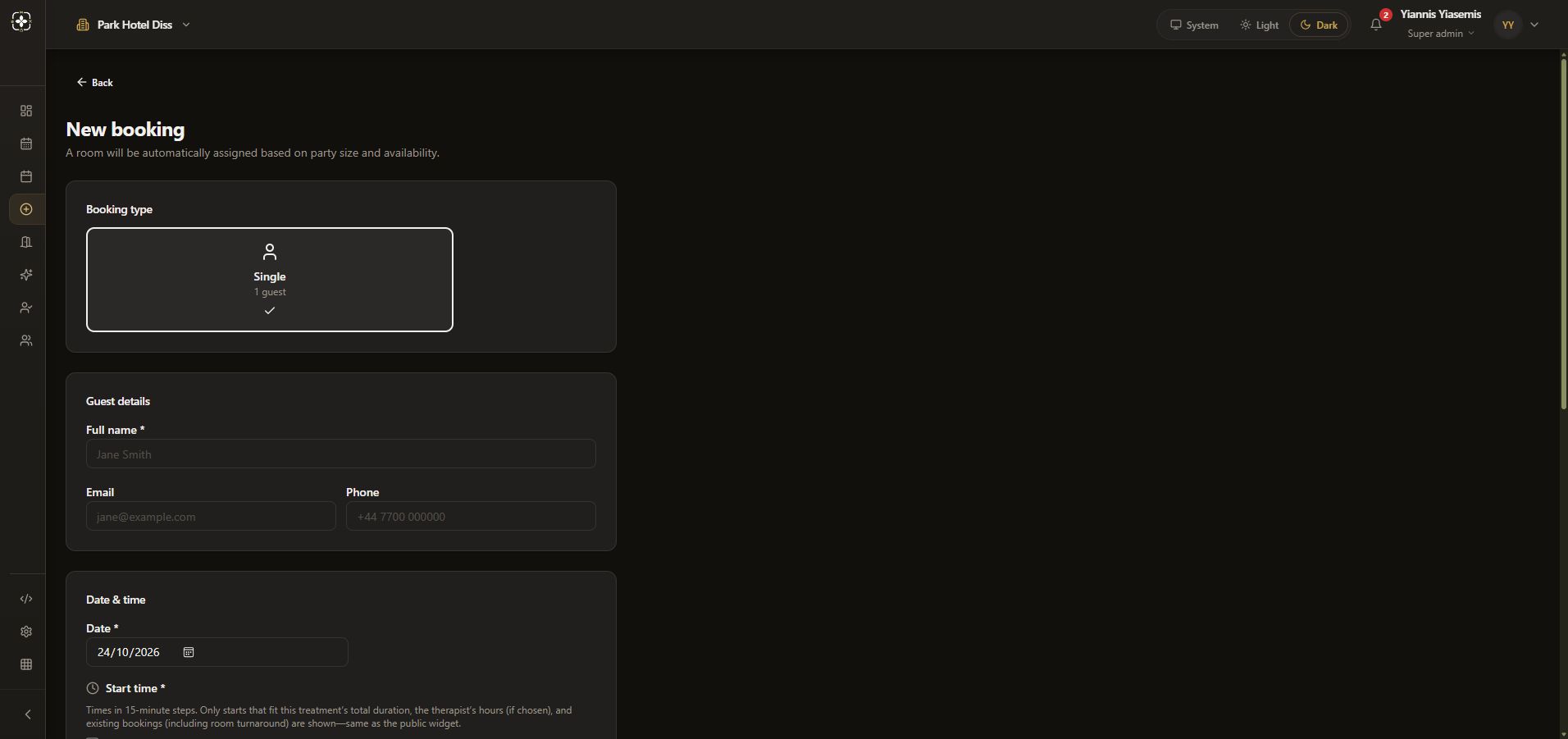
Choose treatment and date
Review Date, then choose a treatment to load available starts. This example selects Indian Head Massage (30min · £45.00) and leaves Therapist (optional) as Any available.
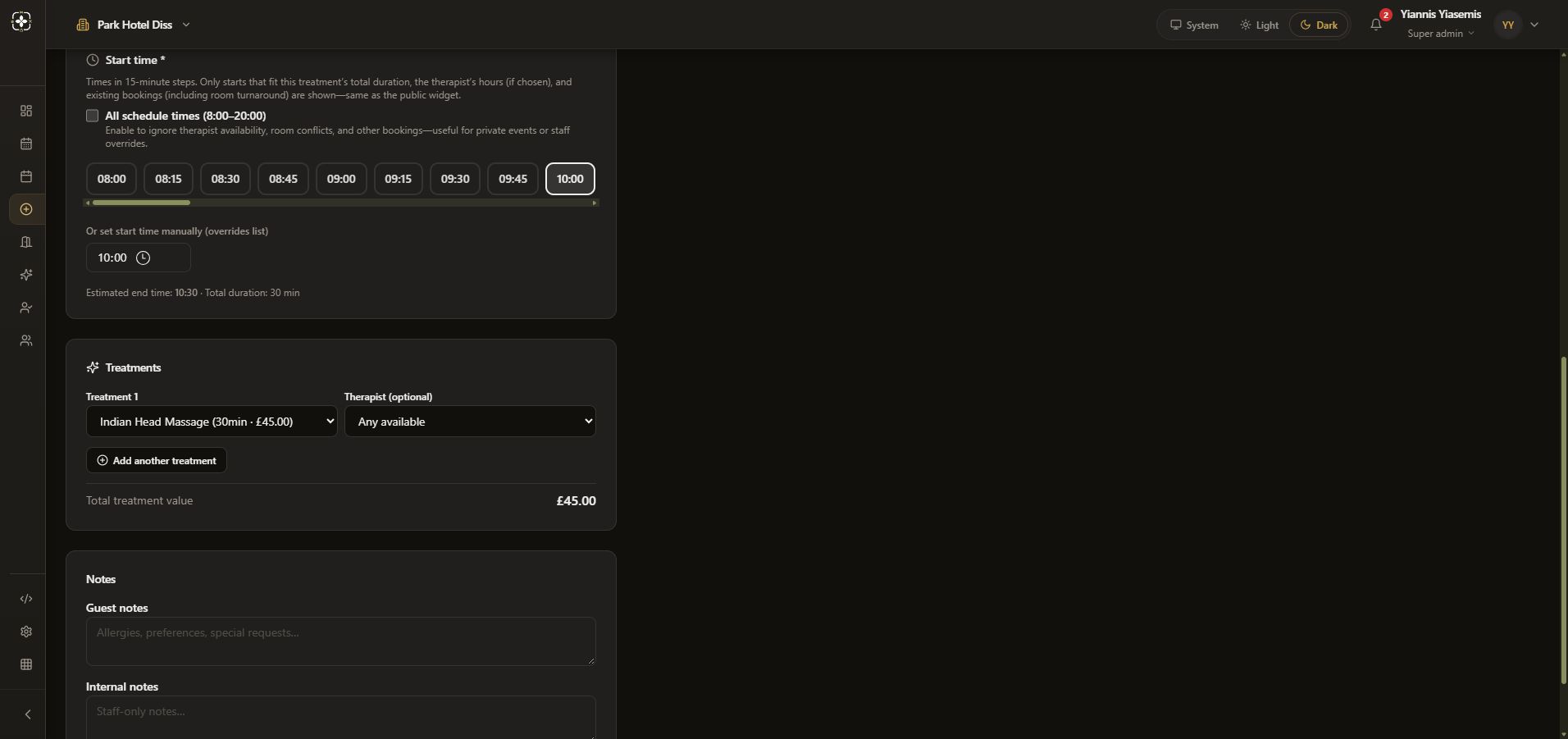
Review the timing rules
The page says starts use 15-minute steps and account for treatment duration, therapist hours and existing bookings, including room turnaround.
All schedule times (8:00–20:00) is an override that ignores those availability checks. It stays off in the walkthrough. The manual start-time field also overrides the list.
The example shows a 10:00 start and 10:30 estimated end for a 30-minute treatment. Review those values for each real appointment.
Check notes before creating a booking
Guest notes and Internal notes are separate fields. Both remain blank here. Create booking saves an actual appointment and is not pressed.
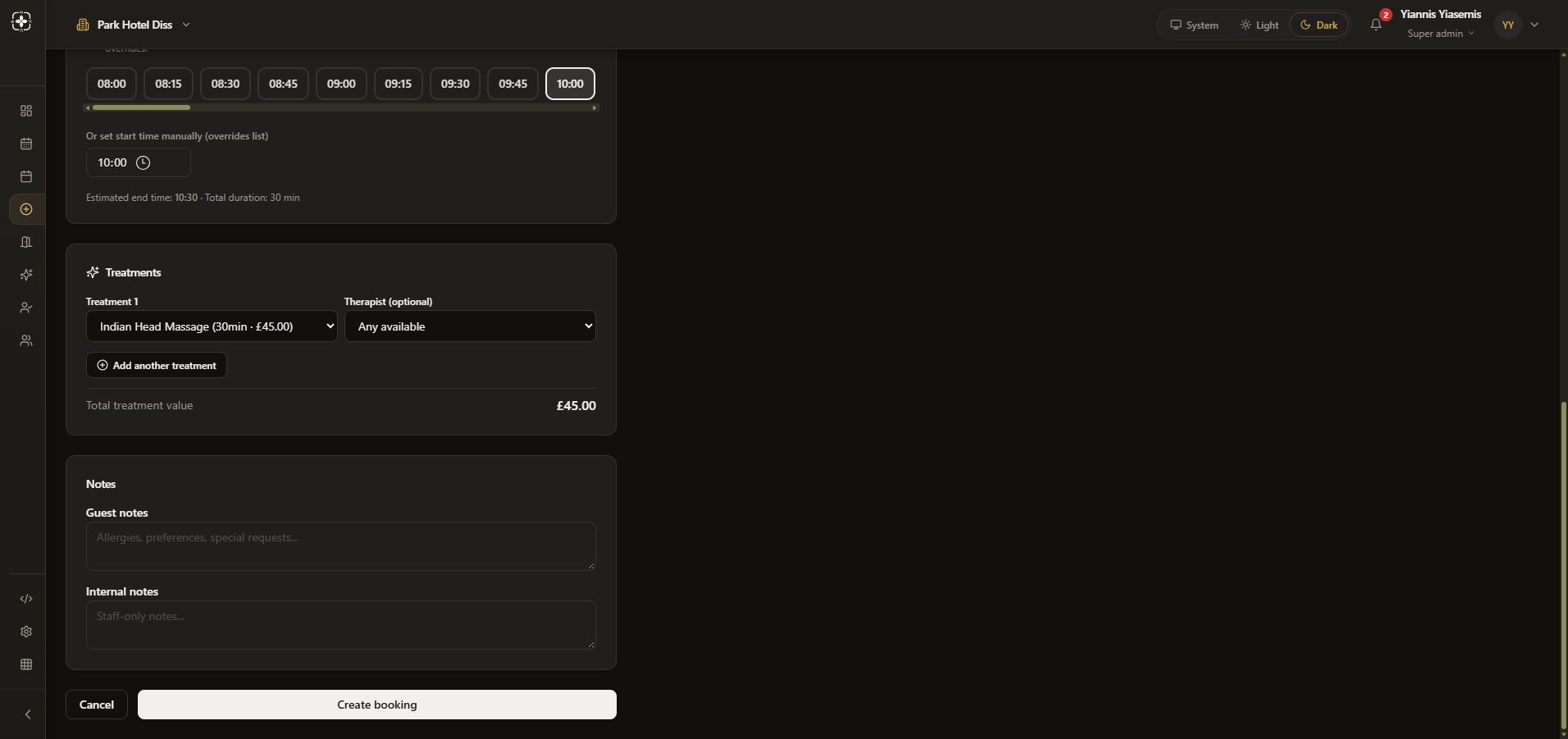
Reloading discards the unsaved selection. No guest booking, note, payment or availability change was created.
See treatments, rooms or the widget review.