

TutorialIn-app guide
Spa Booking: review widget settings and preview
· Jasmine Apps
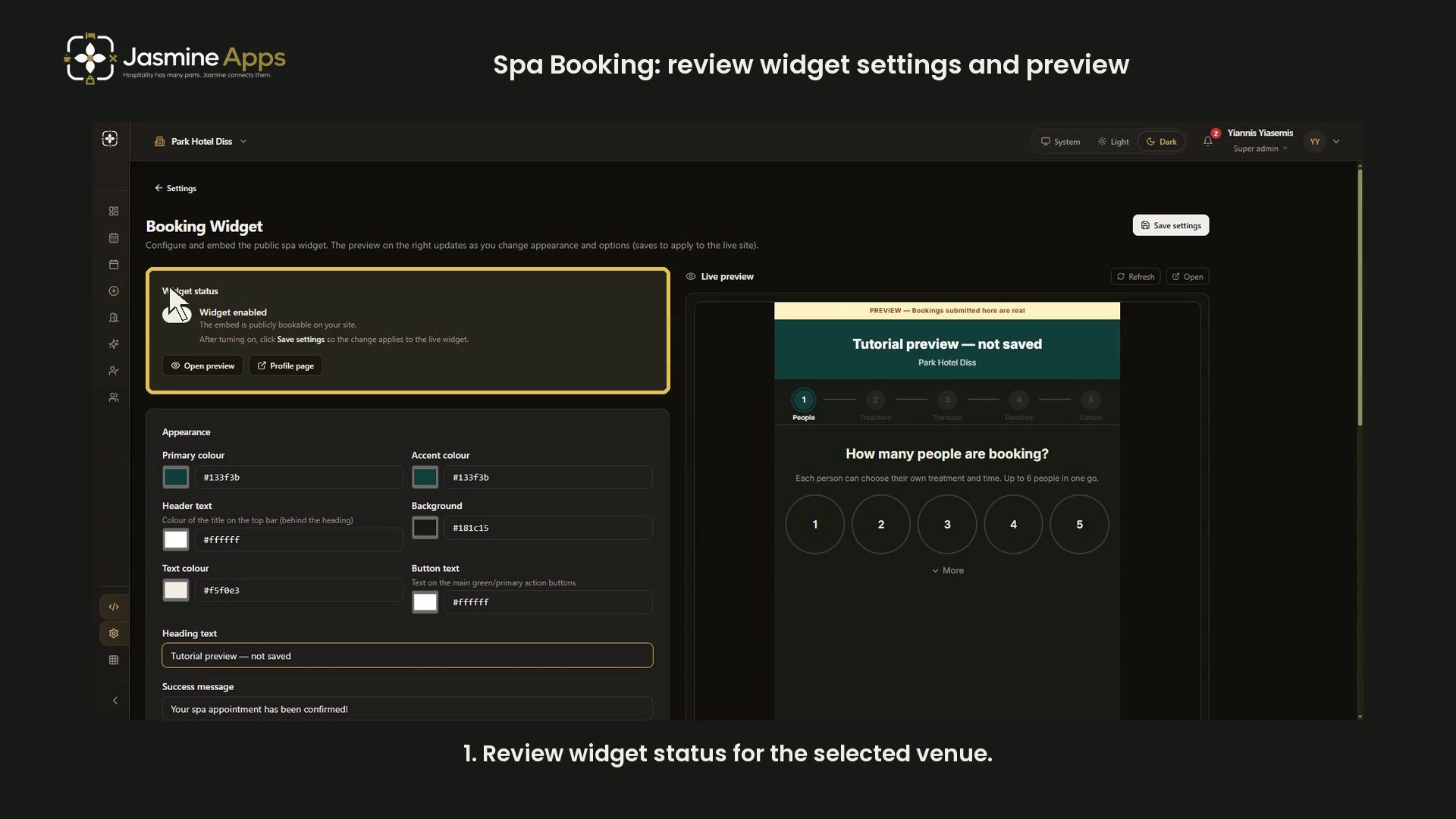
Spa Booking's Booking Widget page controls the guest-facing embed. This dark-mode guide reviews status, appearance, booking options and embedding with an unsaved dark preview. It does not change the live widget or payment settings.
Watch the walkthrough
Check widget status and appearance
Open Booking Widget and confirm the venue. Widget status indicates whether the embed is publicly bookable.
Appearance provides primary and accent colours, header text, background, text colour, button text colour, heading text and a success message. The training example adjusts the preview background and text, and labels the heading “Tutorial preview — not saved”.
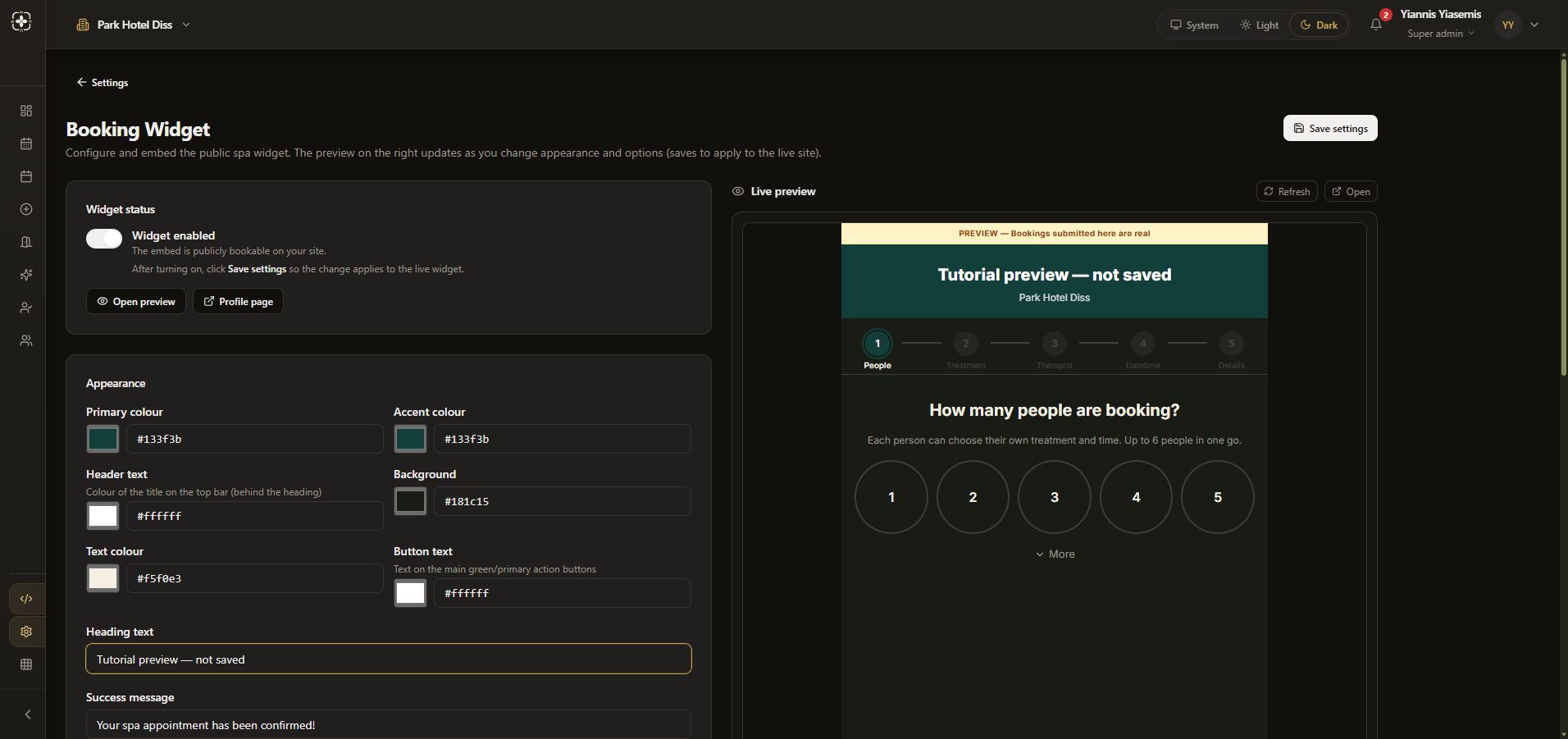
The preview updates before changes are stored. Its warning says bookings submitted here are real. Do not submit a test booking into a live venue.
Review booking and payment options
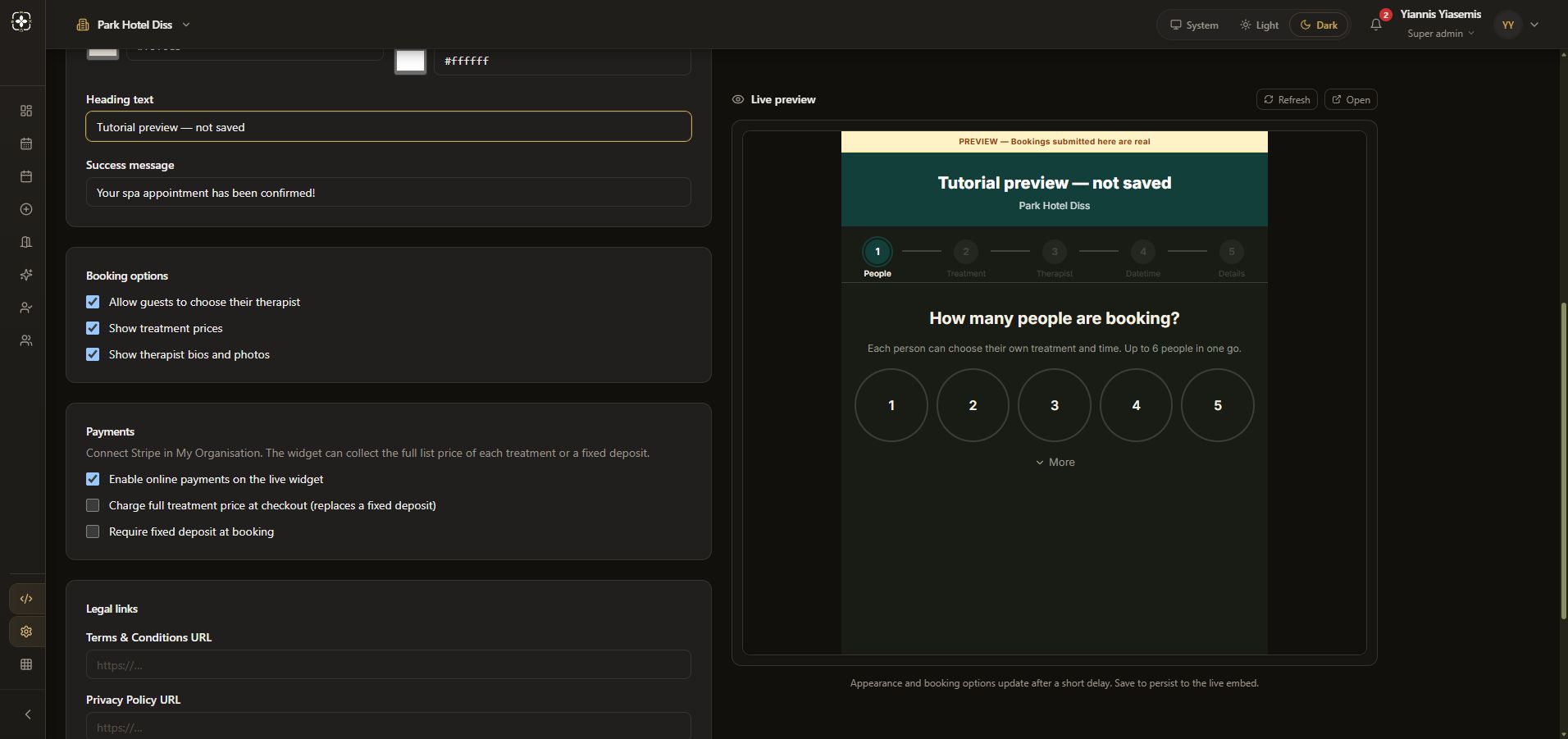
Booking options controls therapist choice, treatment prices, and therapist bios/photos. The walkthrough reviews the existing selections without changing them.
Payments is separate. It includes online payments, full treatment price and fixed deposit controls. Existing settings are shown for context; no payment option is toggled, no Stripe connection is made and no money is collected.
Review legal links and embed code
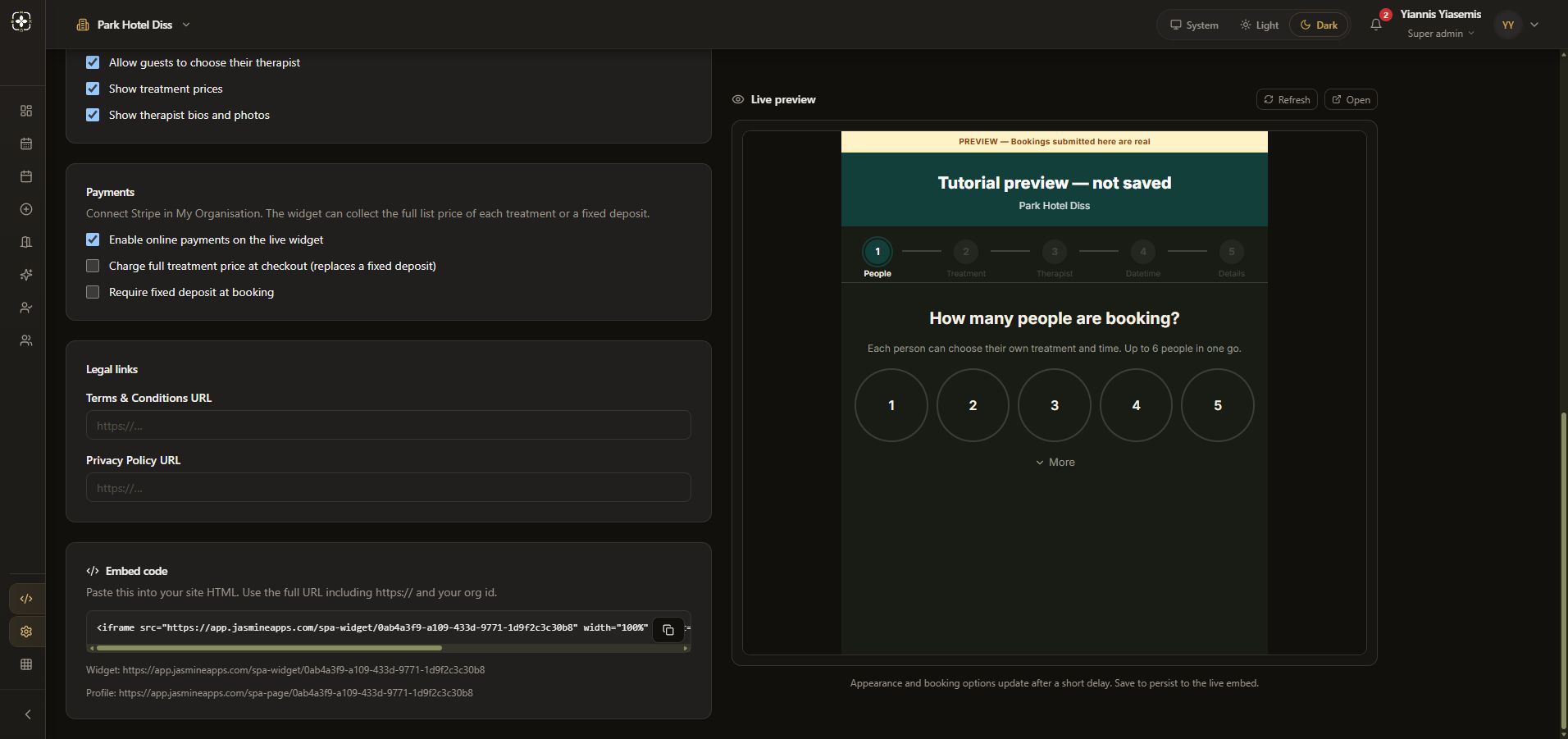
The page includes Terms & Conditions URL and Privacy Policy URL fields. Embed code supplies an iframe plus widget and profile links for the selected organisation. Use your own venue's generated code on your website.
Save only an intended live change
Save settings applies changes to the live embed. This walkthrough does not press it. Reloading restores the original colours and heading, discarding the unsaved dark preview.