

TutorialIn-app guide
Spa Booking: prepare a therapist from the team
· Jasmine Apps
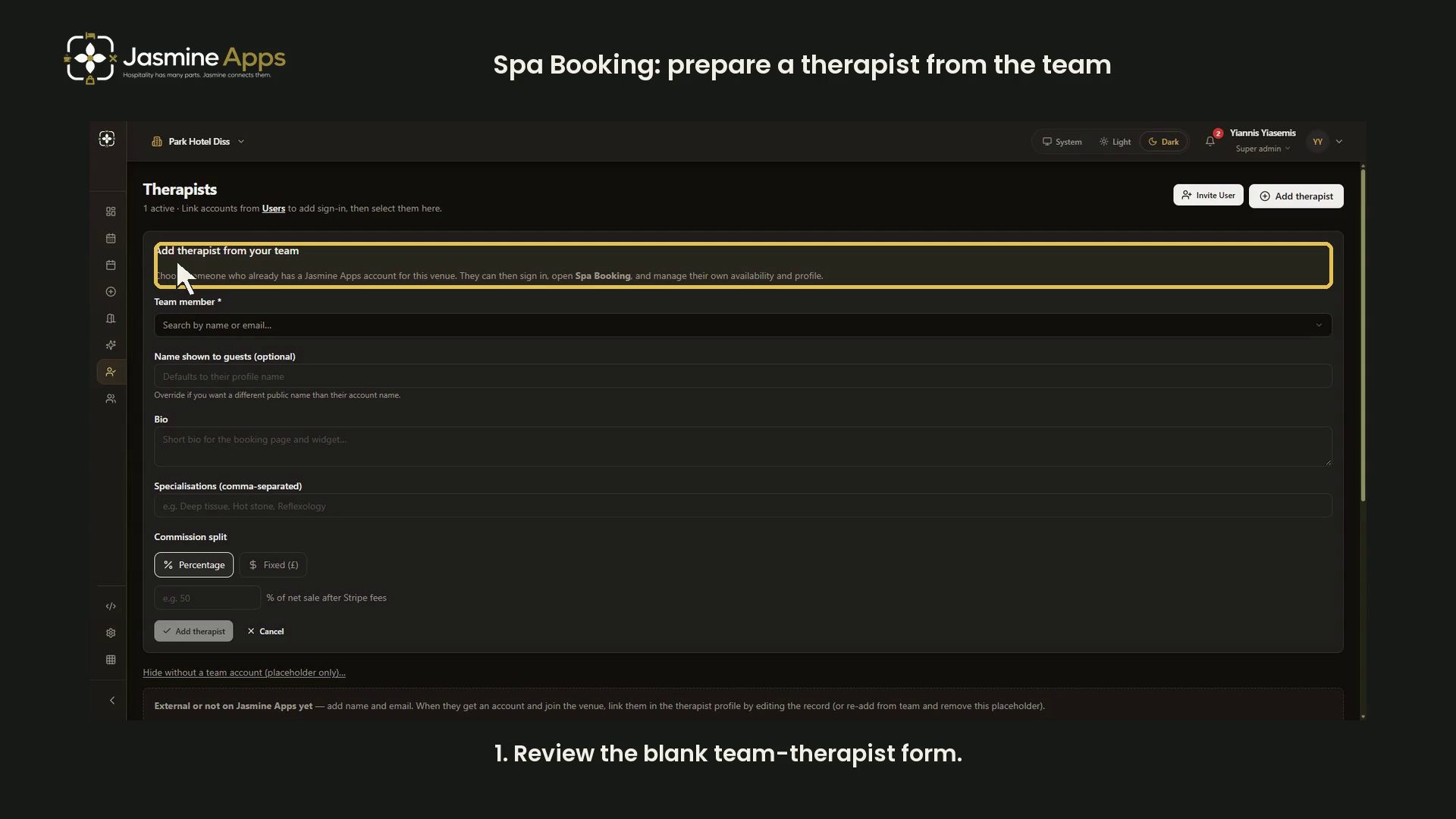
Spa Booking can link a therapist to someone who already has a Jasmine Apps account for the venue. This dark-mode guide reviews the blank preparation form and leaves live people, access and commission records unchanged.
Watch the walkthrough
Open the team-therapist form
Open Therapists, then Add therapist. The form is titled Add therapist from your team. Its helper says the chosen person must already have an account for this venue.
Review public profile fields
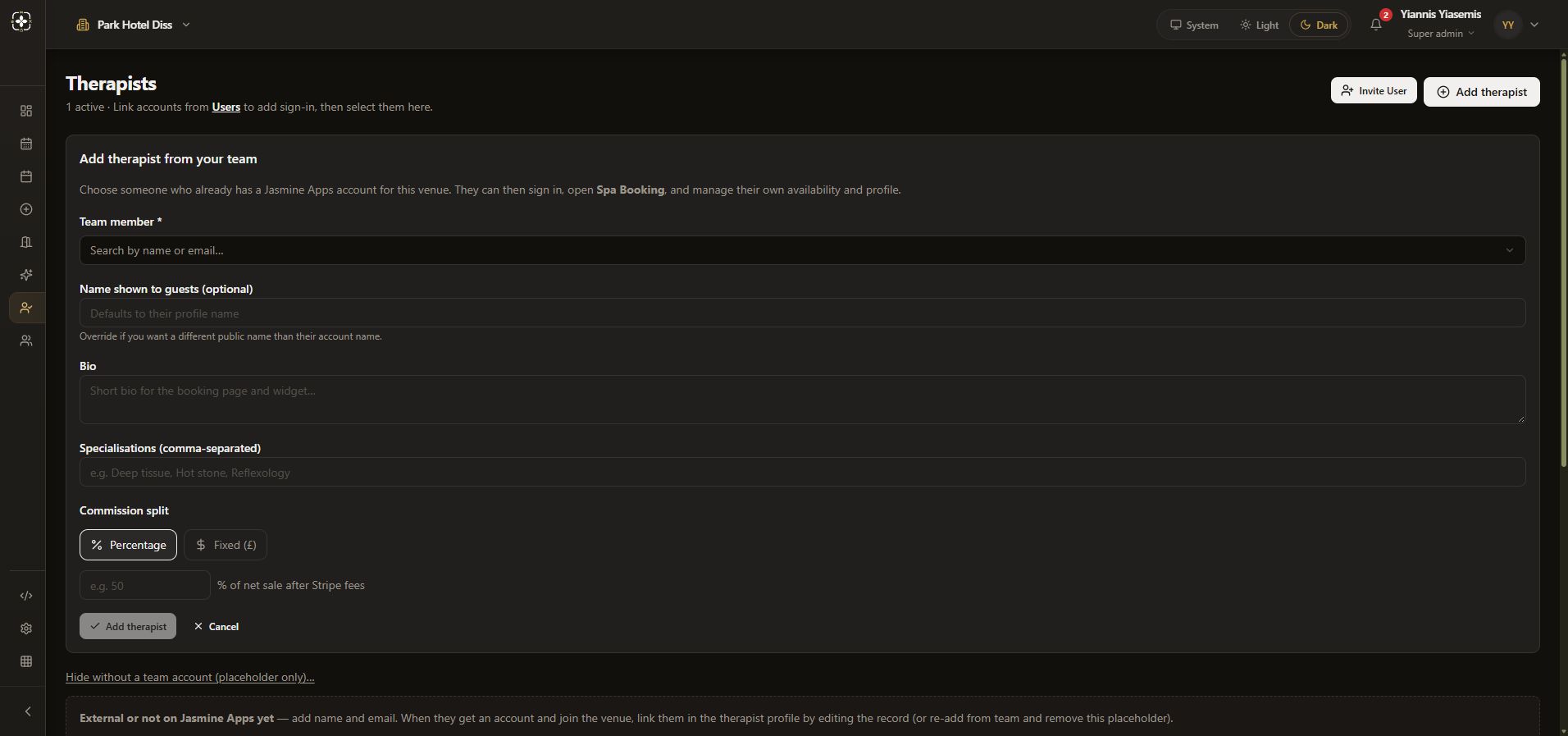
Team member is required. Name shown to guests (optional) can override the public account name. Bio and Specialisations (comma-separated) describe the therapist for booking pages and the widget. All remain blank in the demonstration; the team-member menu is not opened.
Compare commission inputs
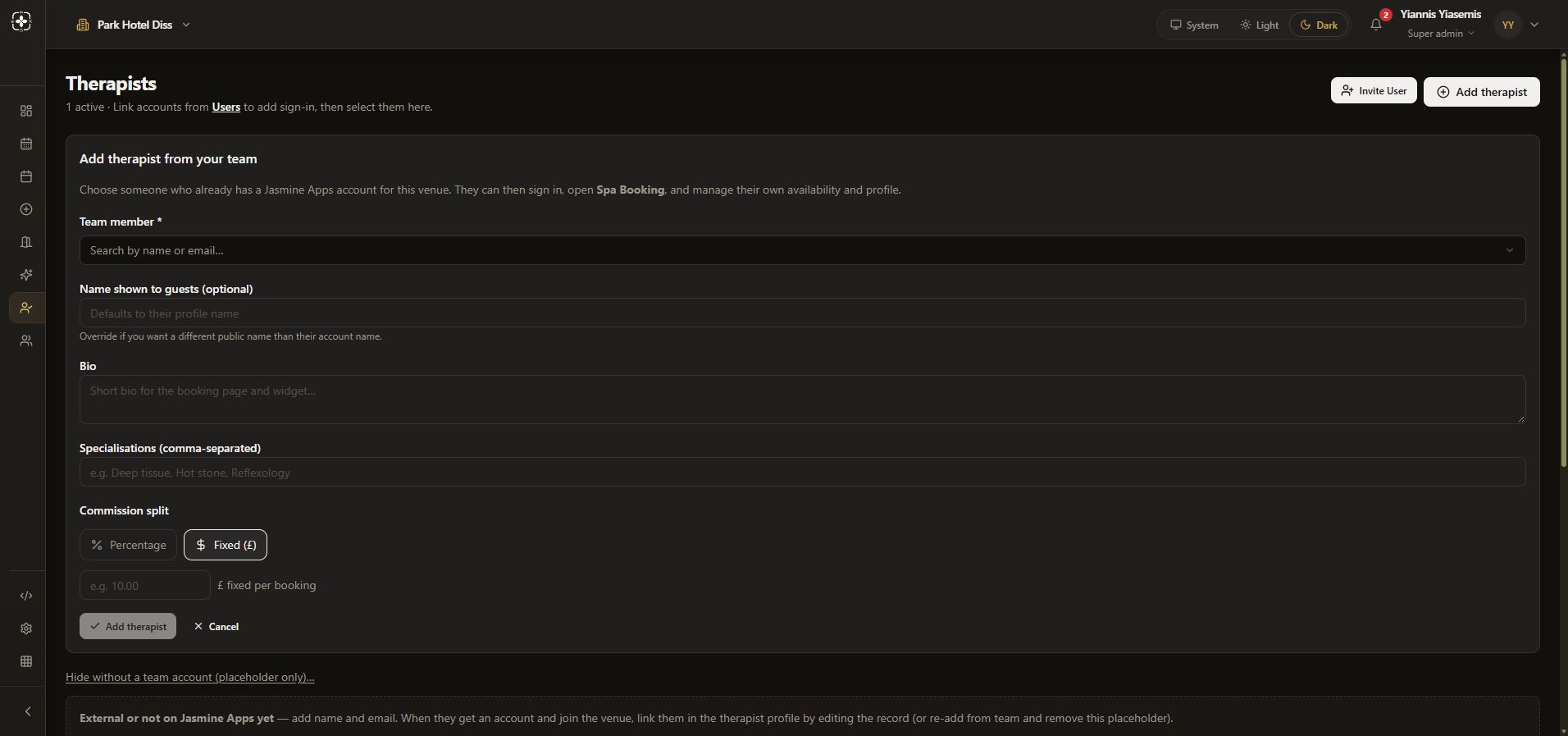
Percentage refers to a share of net sale after processing fees. Fixed (£) changes the helper to a fixed amount per booking. Faint example numbers are placeholders, not saved rates.
Cancel without creating a record
The main Add therapist remains disabled because no team member is selected. The separate placeholder-only form is visible below but also stays blank. The walkthrough uses Cancel and leaves without Save placeholder.
Invite User is not pressed. No login, access grant, invitation, therapist or commission record is created. See the separate commission explanation.