

TutorialIn-app guide
Spa Booking: prepare a treatment
· Jasmine Apps
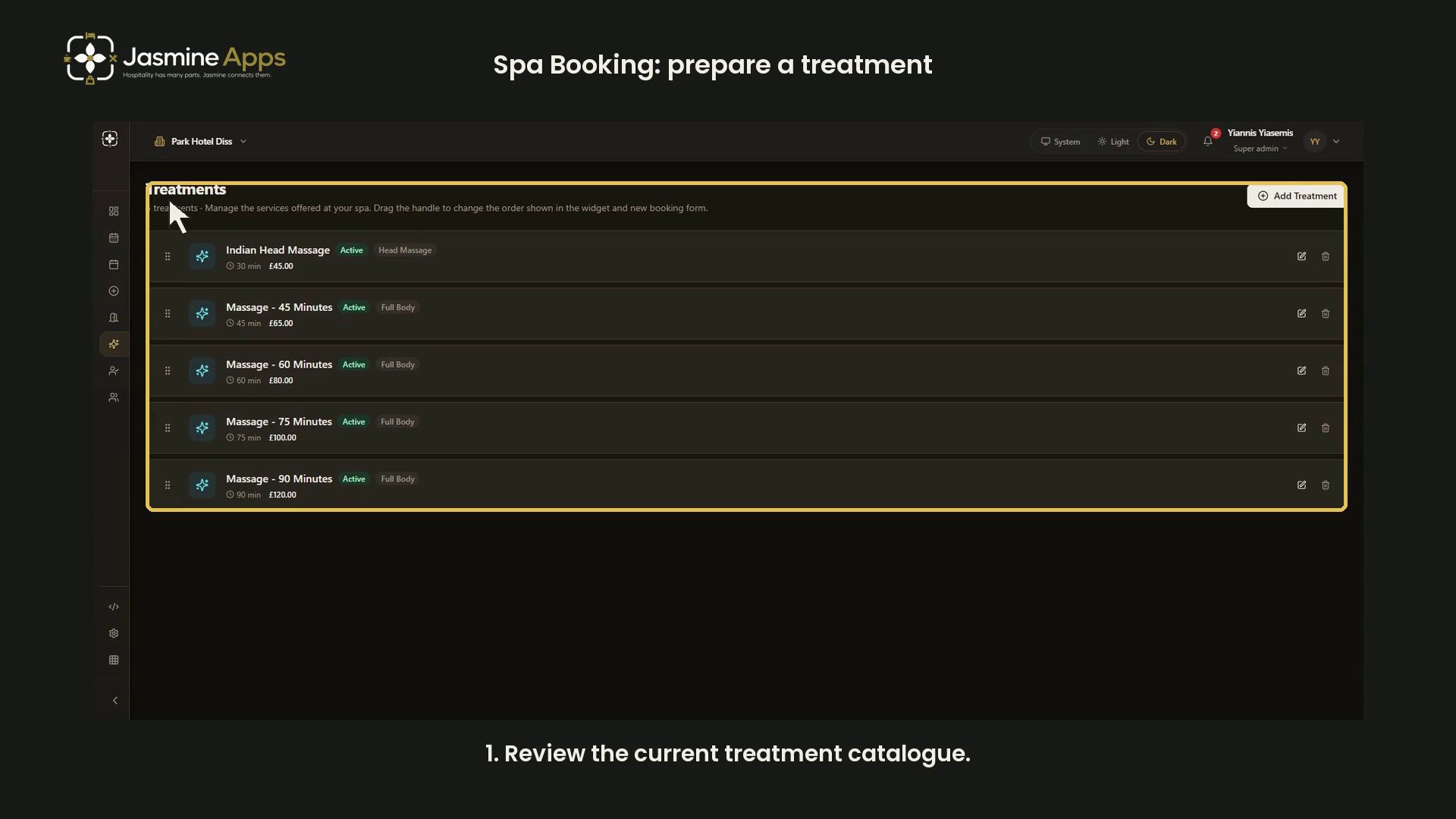
Spa Booking's Treatments page manages the services shown in the widget and new booking form. This dark-mode guide reviews the catalogue and an explicitly labelled unsaved training treatment.
Watch the walkthrough
Review the catalogue
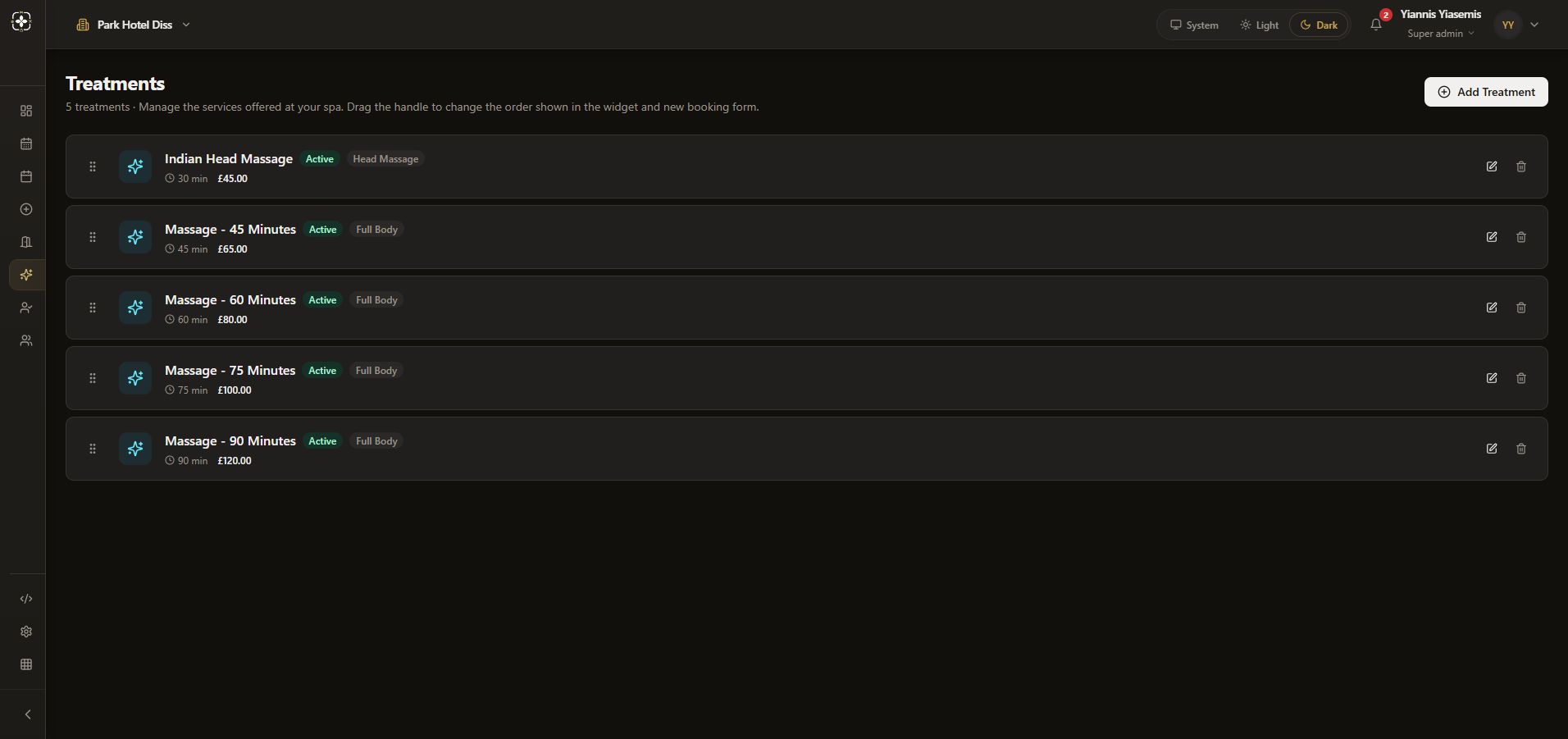
Open Treatments and check the venue. Each service shows its name, active status, category, duration and price. The page says the drag handle changes the order used in the widget and new booking form.
Prepare a treatment
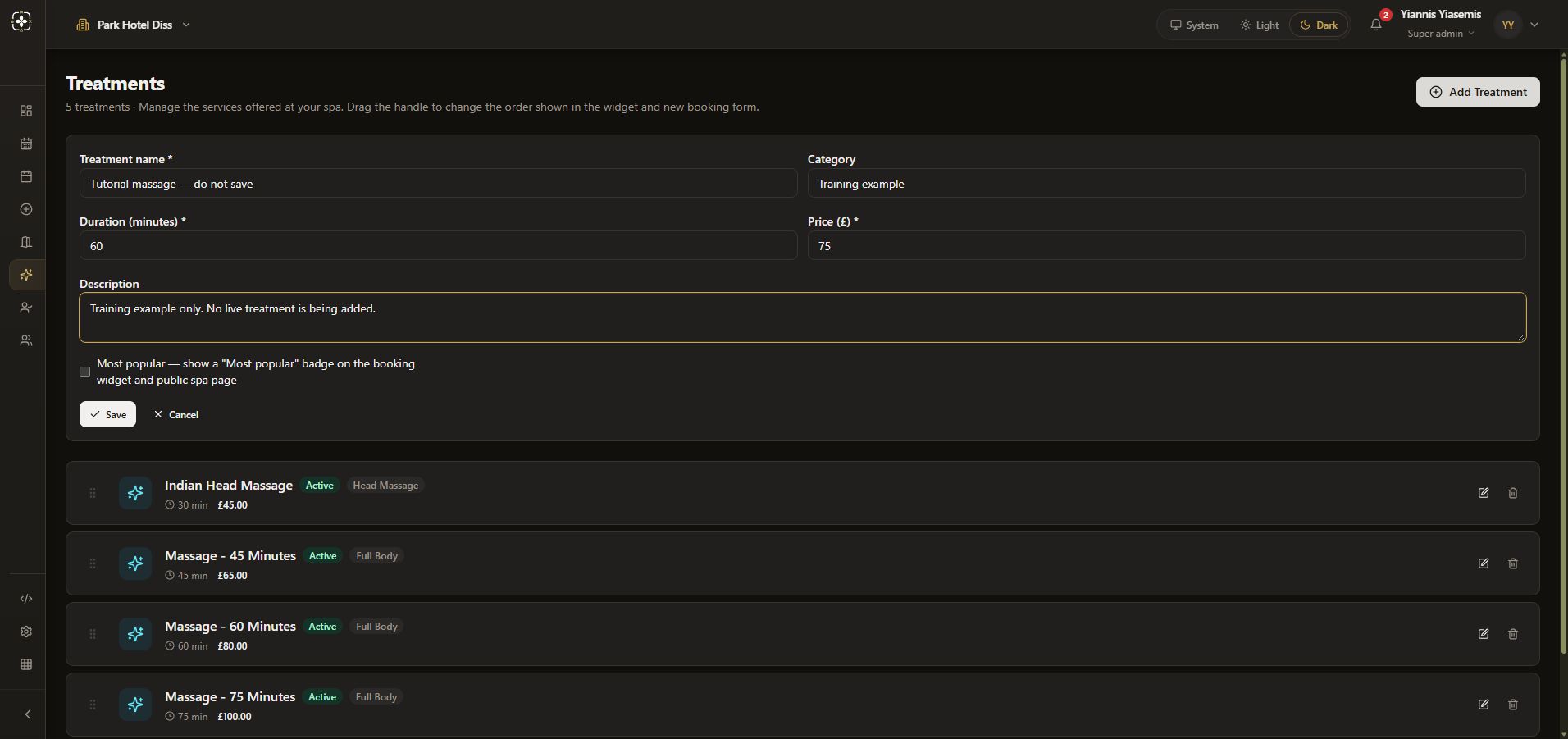
Choose Add Treatment. Enter a clear Treatment name and Category, then check Duration (minutes) and Price (£) together.
The demonstration uses “Tutorial massage — do not save”, category “Training example”, 60 minutes and £75. These are unsaved example values, not a change to the live catalogue.
Review the description and badge
Description explains the service. Most popular controls a badge on the booking widget and public spa page. The demonstration leaves it unchecked and does not move the existing treatments.
Save a real service or discard an example
Save stores the treatment. Cancel discards the unsaved form. This demonstration uses Cancel; the original five treatments remain unchanged.
Continue with treatment-room capacity or appointment preparation.