

TutorialIn-app guide
Jasmine TV rooms: review room and guest-stay controls
· Jasmine Apps
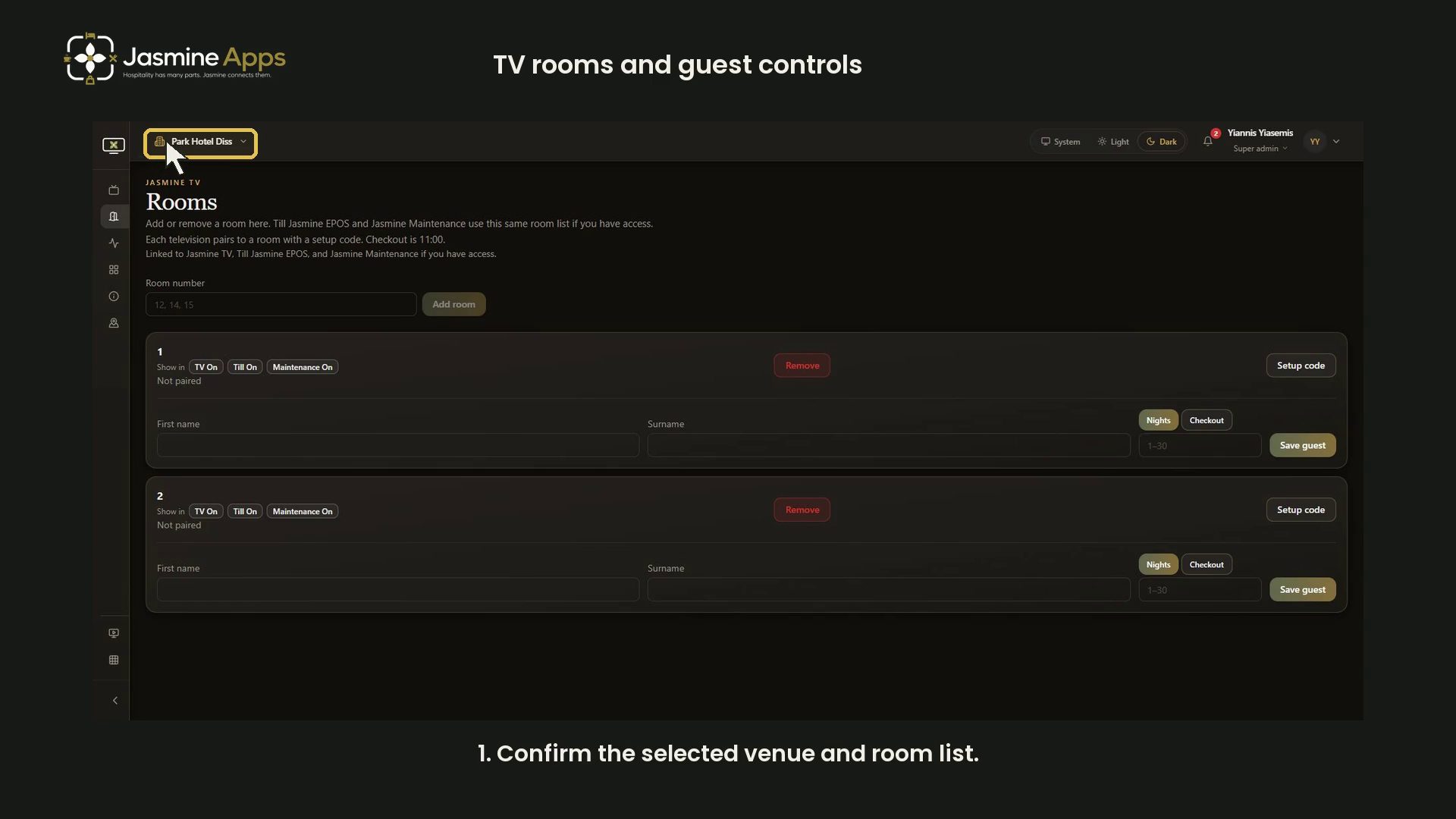
The Jasmine TV Rooms page brings together room names, shared-app indicators, television pairing status and guest-stay inputs. This walkthrough reviews the current controls using an unsaved example, with a narrated video.
Watch the walkthrough
Confirm the venue and room list
Open Rooms in Jasmine TV and check the selected venue at the top.
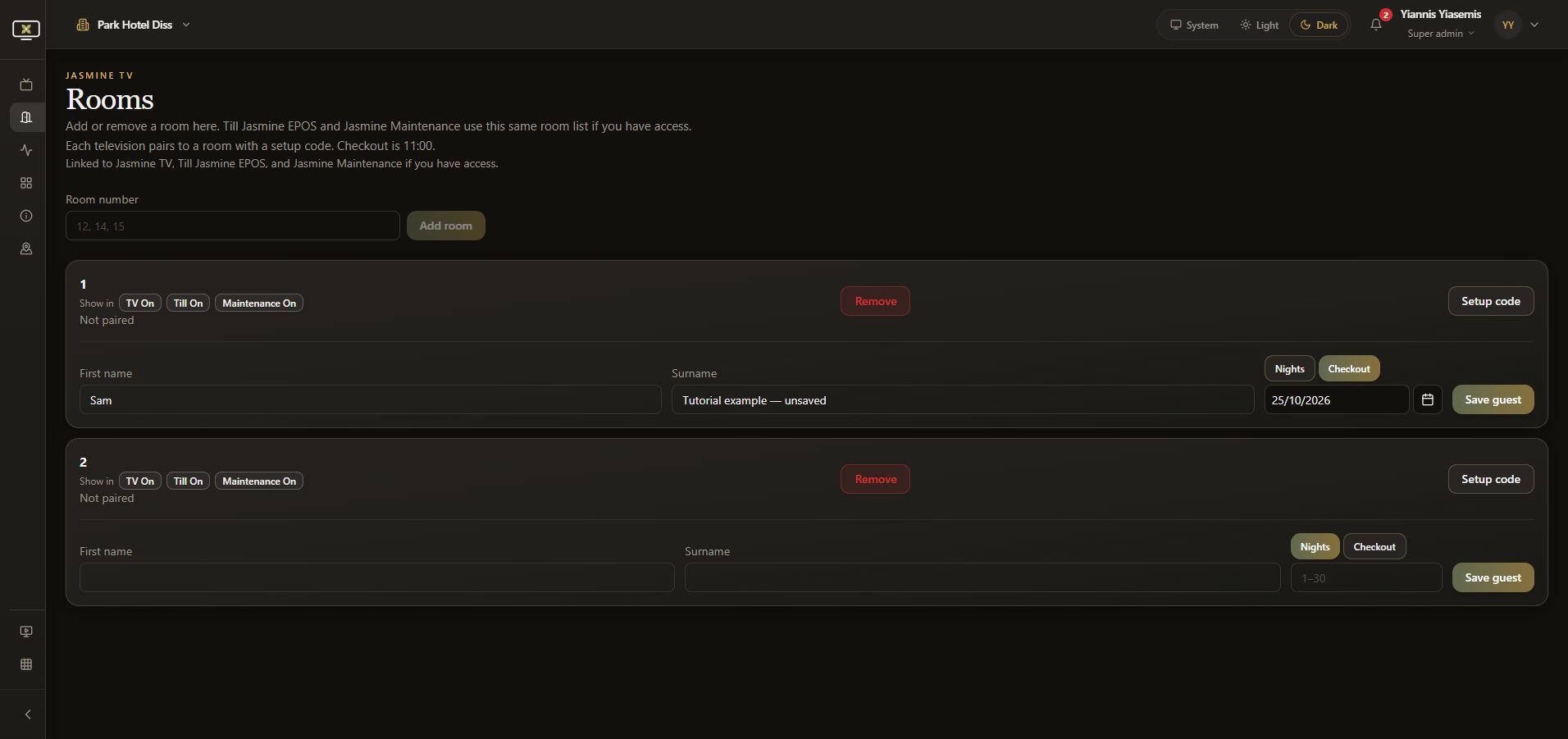
The page explains that Till Jasmine EPOS and Jasmine Maintenance use the same room list where you have access. The demonstration uses two Not paired rooms with empty guest fields; it publishes no real guest details.
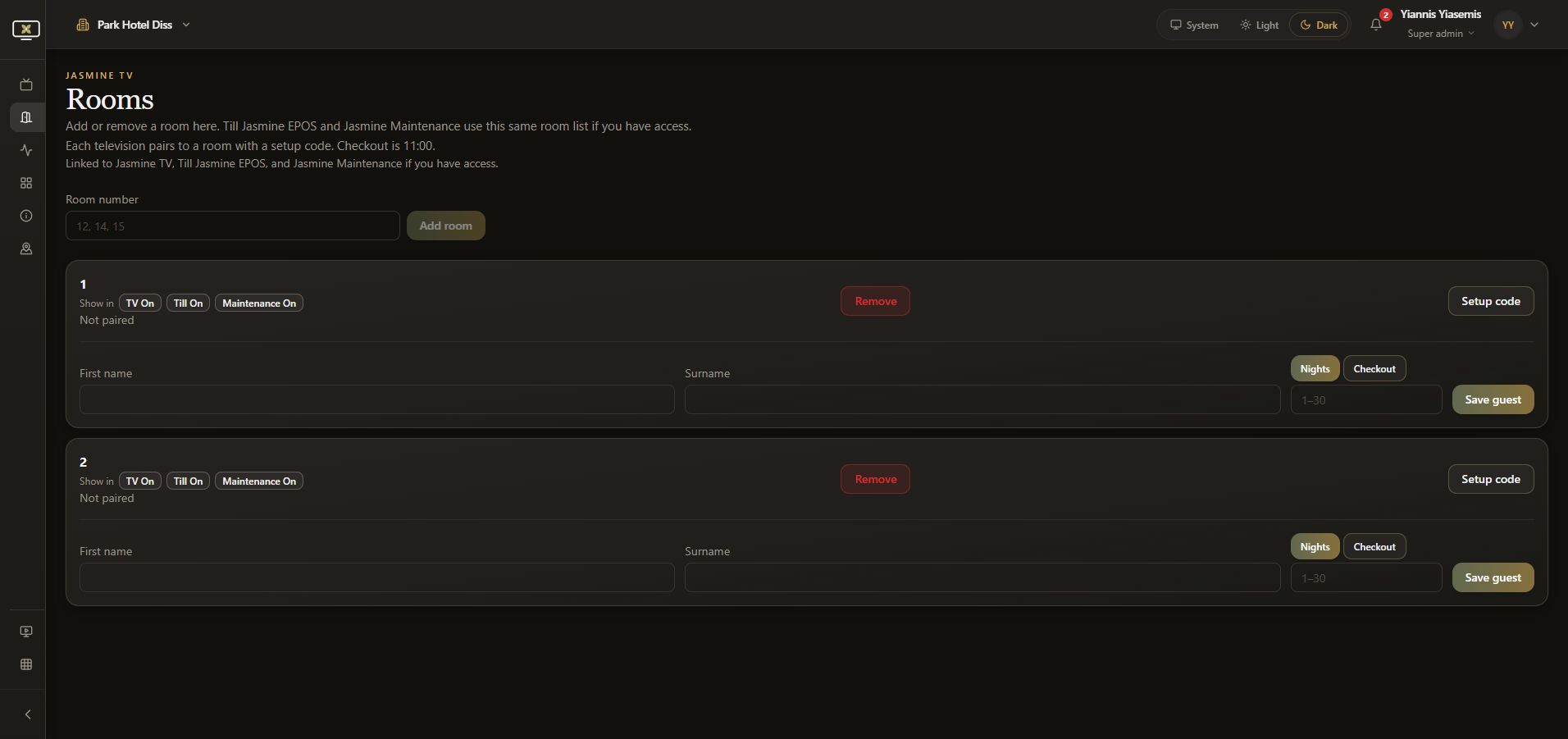
Review the new-room form
Room number is the entry field beside Add room. Check the existing list before creating another room. The example types Tutorial room — unsaved to demonstrate the field, then clears it without choosing Add room.
For the separate room-staging workflow in the maintenance area, see add and review room names.
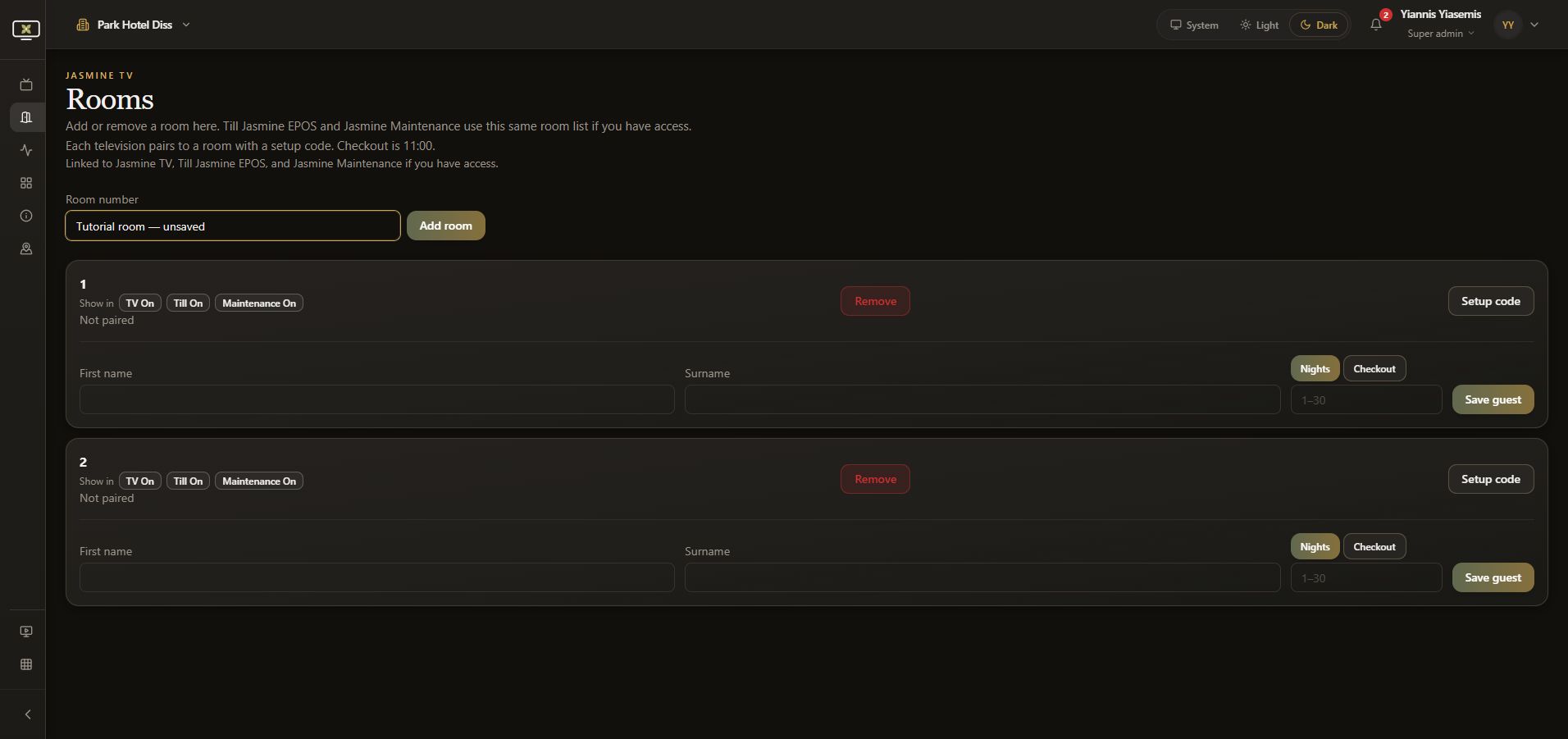
Read the room status and shared-app controls
Each room shows Show in indicators for TV, Till and Maintenance. Review these alongside the room name. The example leaves these controls unchanged.
Not paired describes the TV pairing status. Setup code is a separate device-pairing action; this guide does not generate a setup code or pair a device. Remove is another room-level action, separate from the guest form.
Enter guest details in the correct room
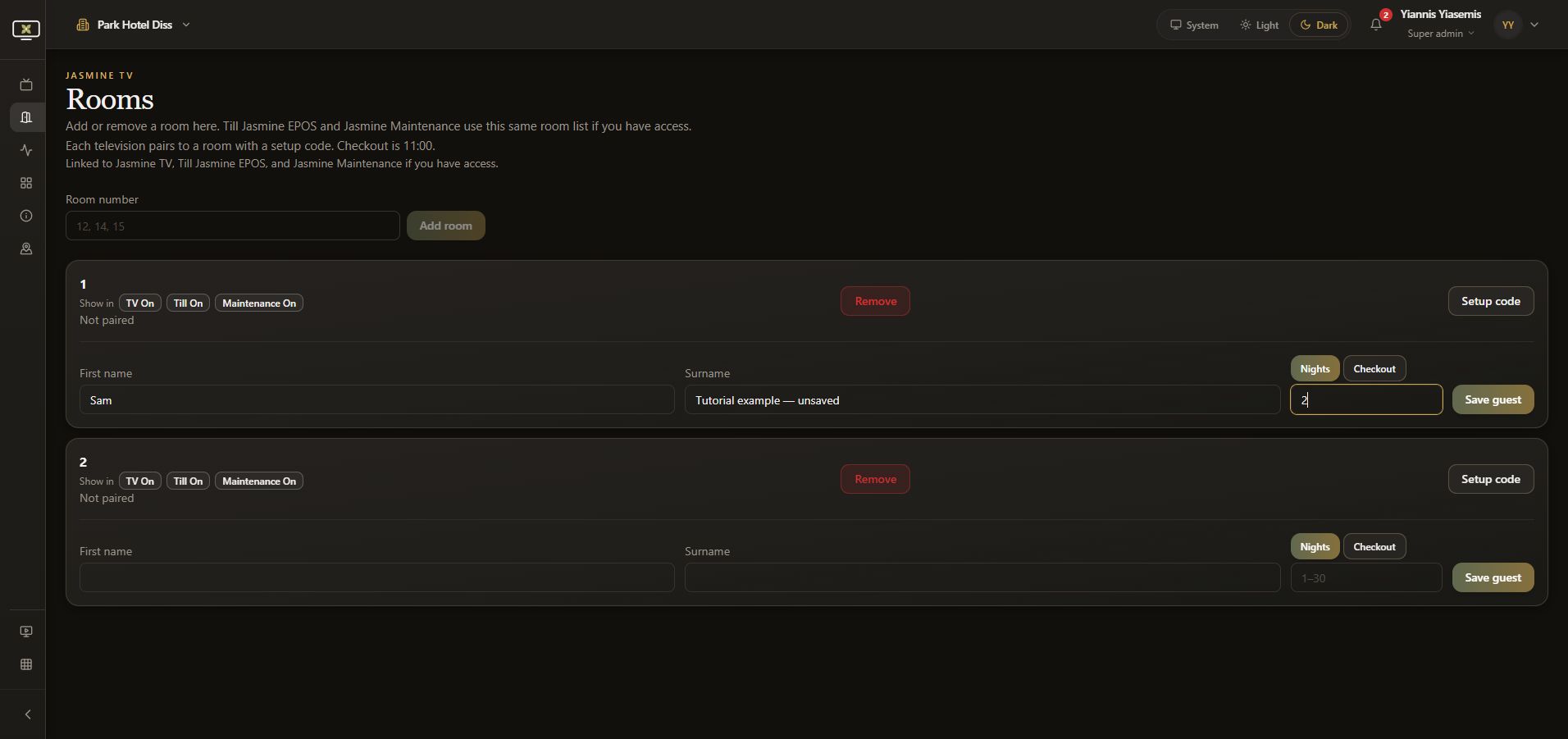
Within a room, First name and Surname are separate fields. Check the room before entering details for a real stay.
The example uses Sam and Tutorial example — unsaved. These are demonstration inputs and are never saved.
Choose Nights or Checkout
With Nights selected, the duration input shows a 1–30 placeholder. The unsaved example enters 2 nights.
Choose Checkout to use the date input instead. Check the day, month and year together with the checkout time described at the top of the page. This venue's screen shows 11:00; confirm the time shown for your venue.
Review before Save guest
Save guest is the separate action for keeping guest details. Review the room, name and stay duration together before saving a real stay. Room creation, shared-app controls and device pairing are separate from this guest form.
This walkthrough does not choose Save guest, Add room, Remove or Setup code. Reloading discards its unsaved inputs. Both guest-name fields return to empty and the two rooms remain unpaired.
Continue with Jasmine TV
See hotel information for guest-facing content, or explore the Jasmine TV overview.