

TutorialIn-app guide
Add Till Jasmine void reasons
· Jasmine Apps
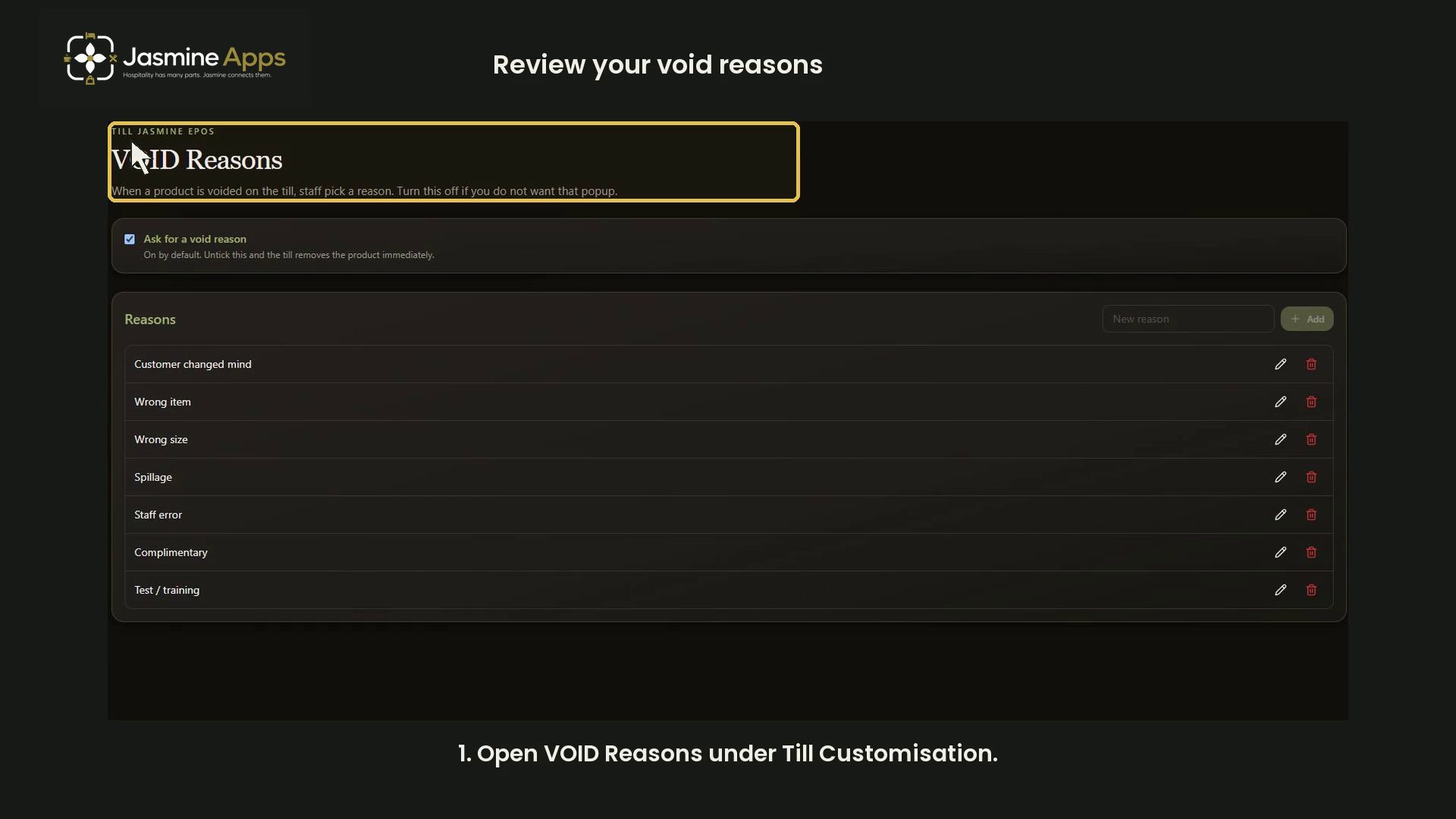
Review Till Jasmine void-reason settings and the choices staff can use. This tutorial adds no reason and changes no settings.
Watch the walkthrough
Before you start
Open Till Customisation → VOID Reasons with the appropriate venue access.
1. Review the prompt setting
Check Ask for a void reason. It is enabled in the recorded example.
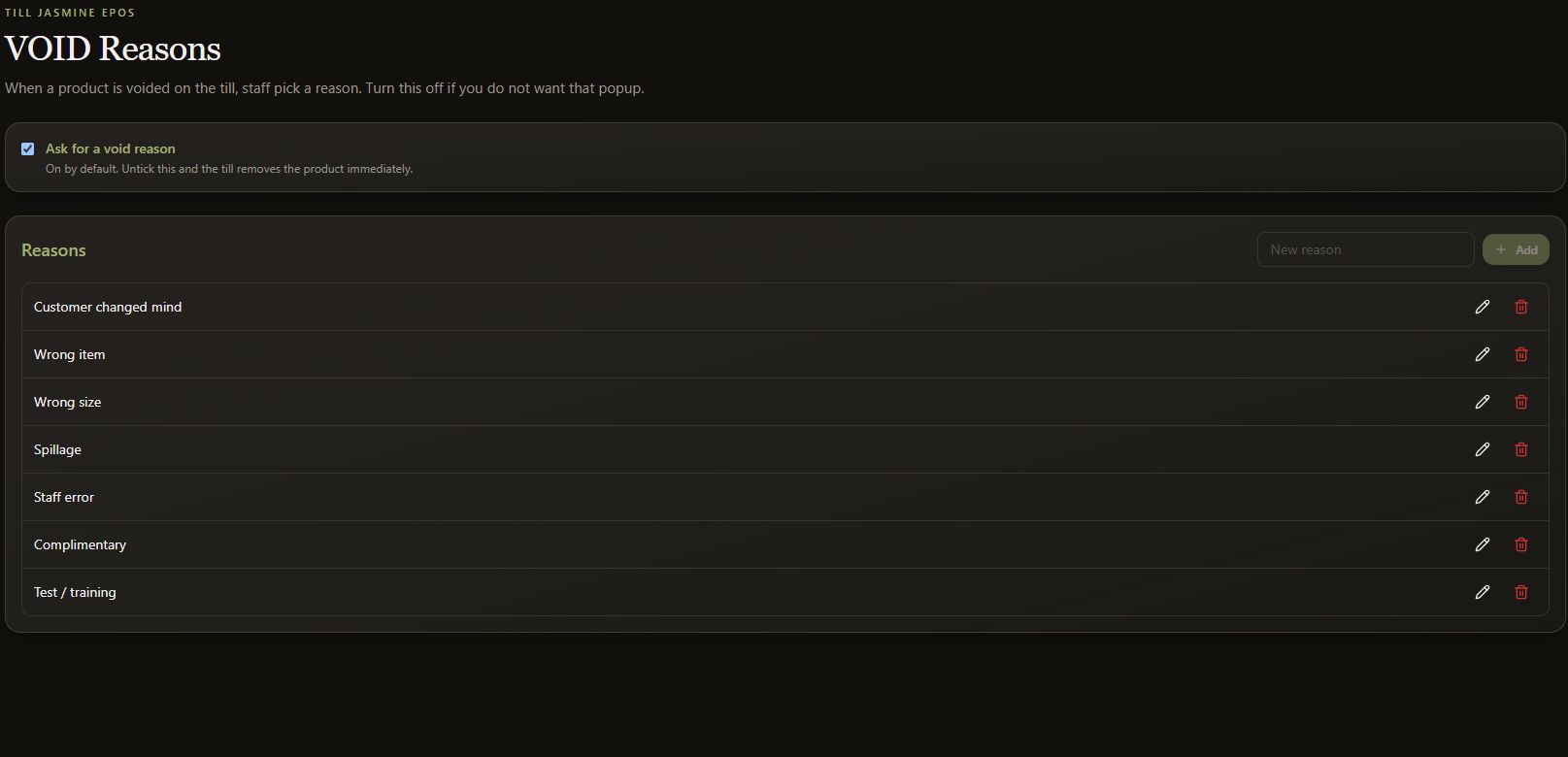
2. Review the available reasons
Look for clear, useful choices such as Wrong item or Spillage. Agree wording that staff can use consistently.
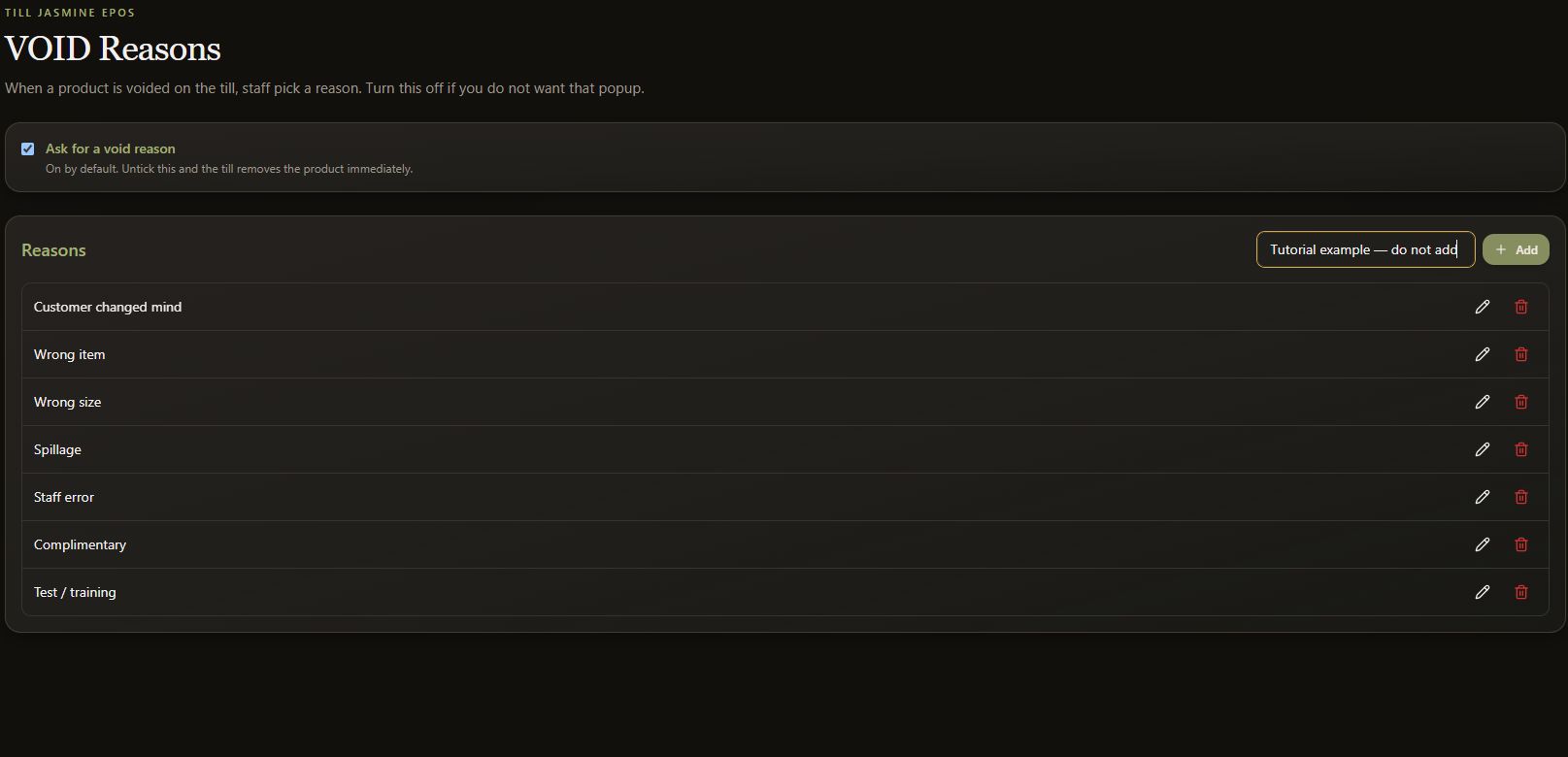
3. Prepare a new reason
Use New reason to type concise wording. The recording types a clearly labelled tutorial example but does not select Add.
4. Clear unused text
Clear the example before leaving. No reason is added, edited or removed, and the prompt setting remains unchanged.