

TutorialIn-app guide
Open Till Jasmine reporting
· Jasmine Apps
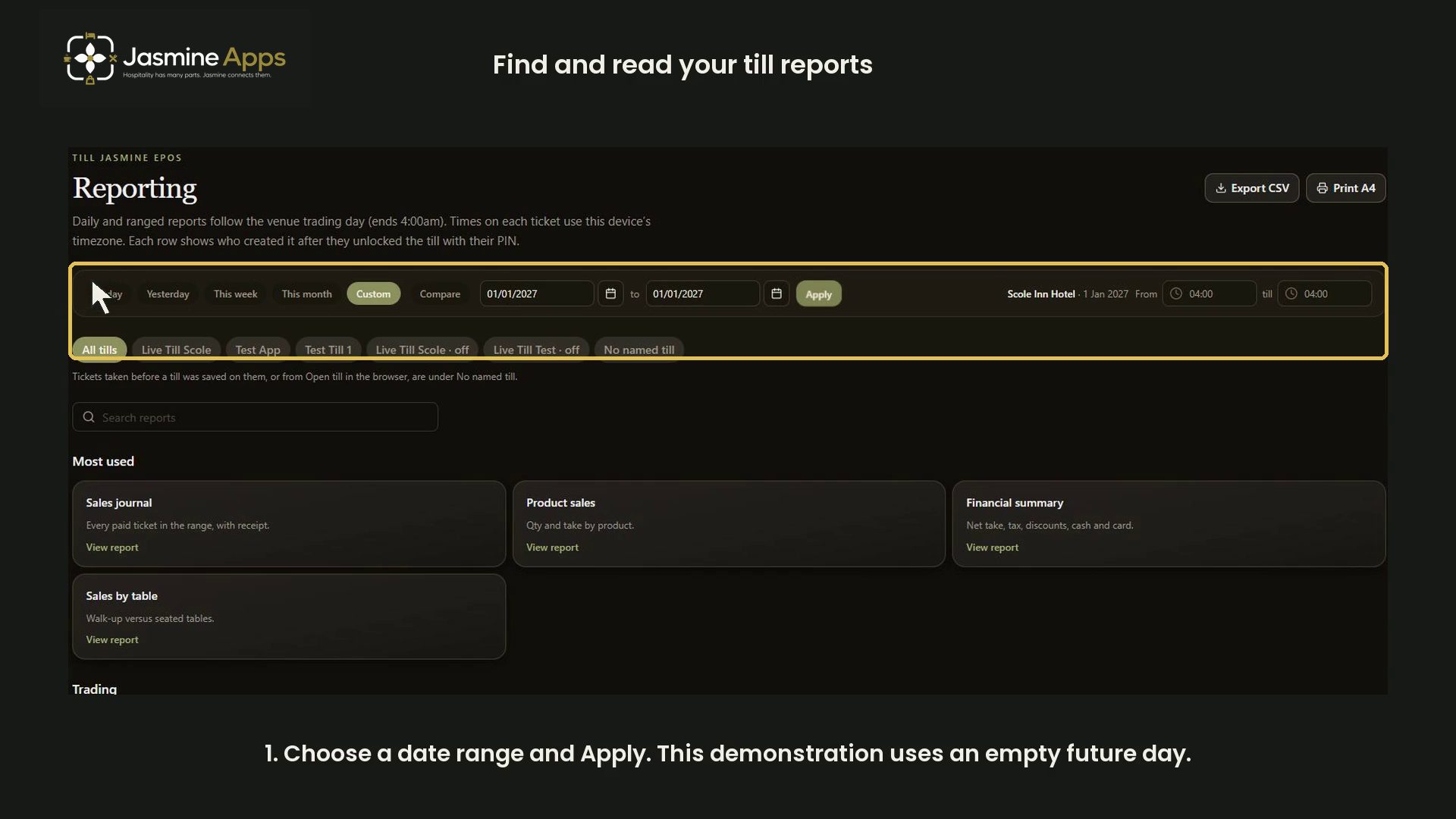
Review date filters, Financial summary, Payment types and Cash-up / reconciliation reports in Till Jasmine. The recording uses an empty example day and does not close a till.
Watch the walkthrough
Before you start
Open Reporting for the correct venue. Choose a relevant reporting period for your own review. The tutorial uses 1 January 2027, an empty future day at the time of recording, so its zero values do not represent venue performance.
1. Choose a date range
Set the period and select Apply. Check the active dates before interpreting any figures.
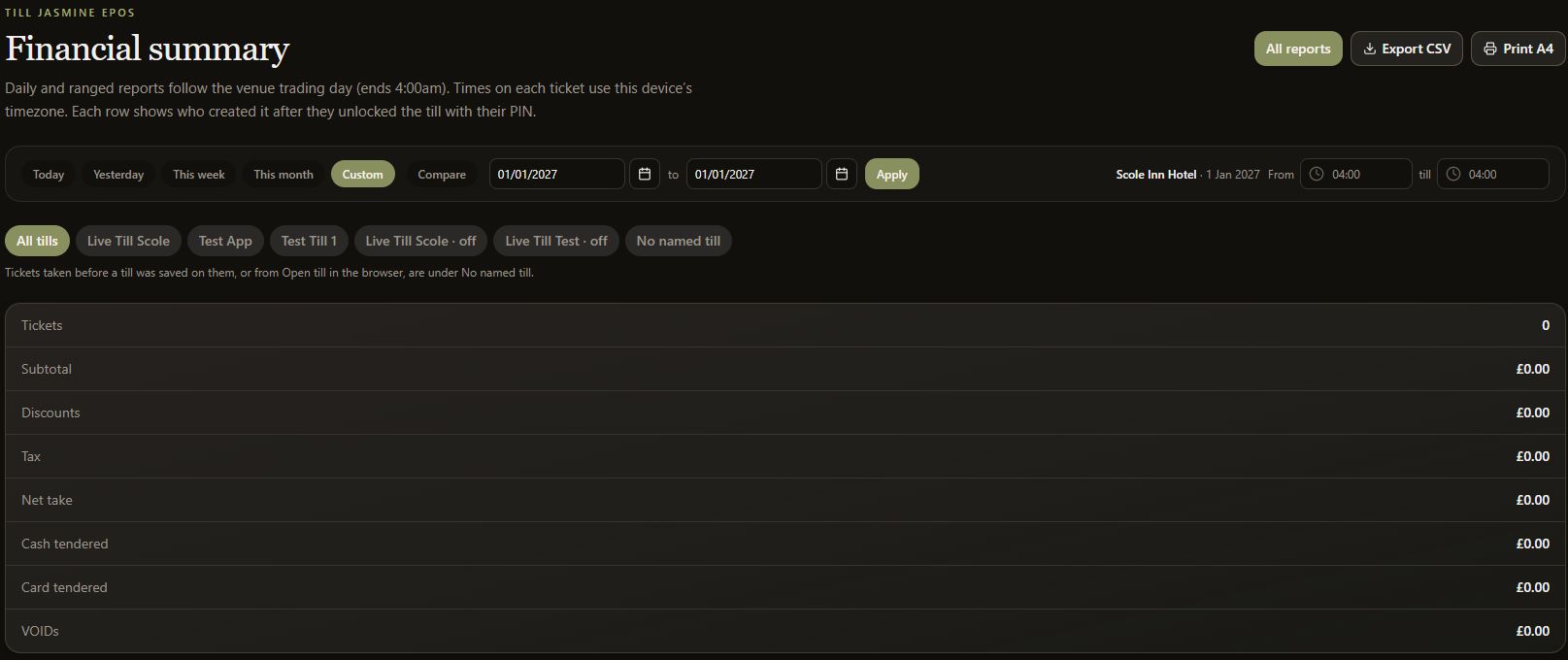
2. Review Financial summary
Review net take, tax, discounts and tender totals together. Check that the period and venue are correct.
3. Review Payment types
Open Payment types to review how payments are grouped. The tutorial period contains no payments.
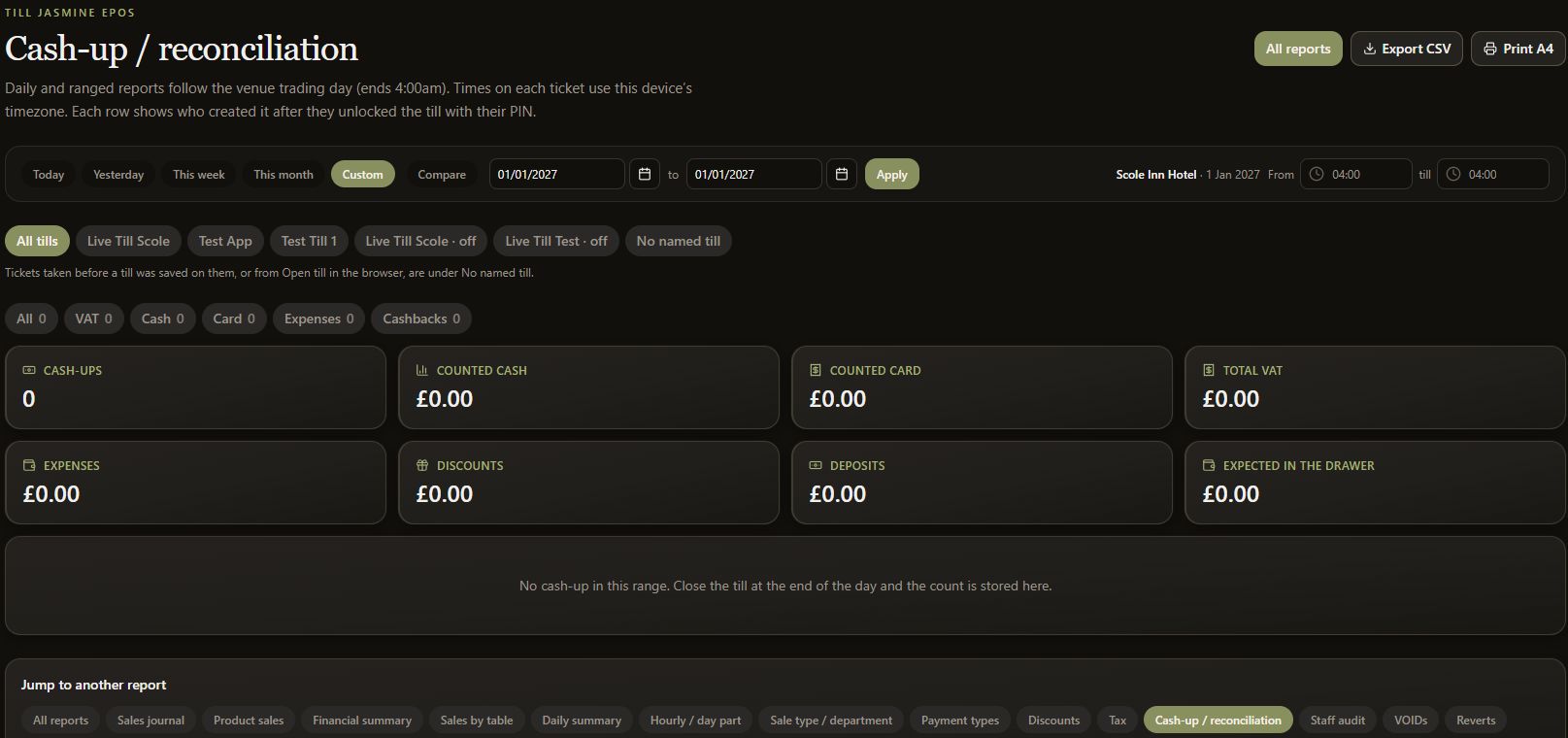
4. Review reconciliation
Open Cash-up / reconciliation to inspect stored counts. Reading this report does not perform a cash-up or close a live till. No reports are exported in this walkthrough.