

Staff Clock-in Queue: Can One Shared Kiosk Handle Your Arrival?
· Jasmine Apps
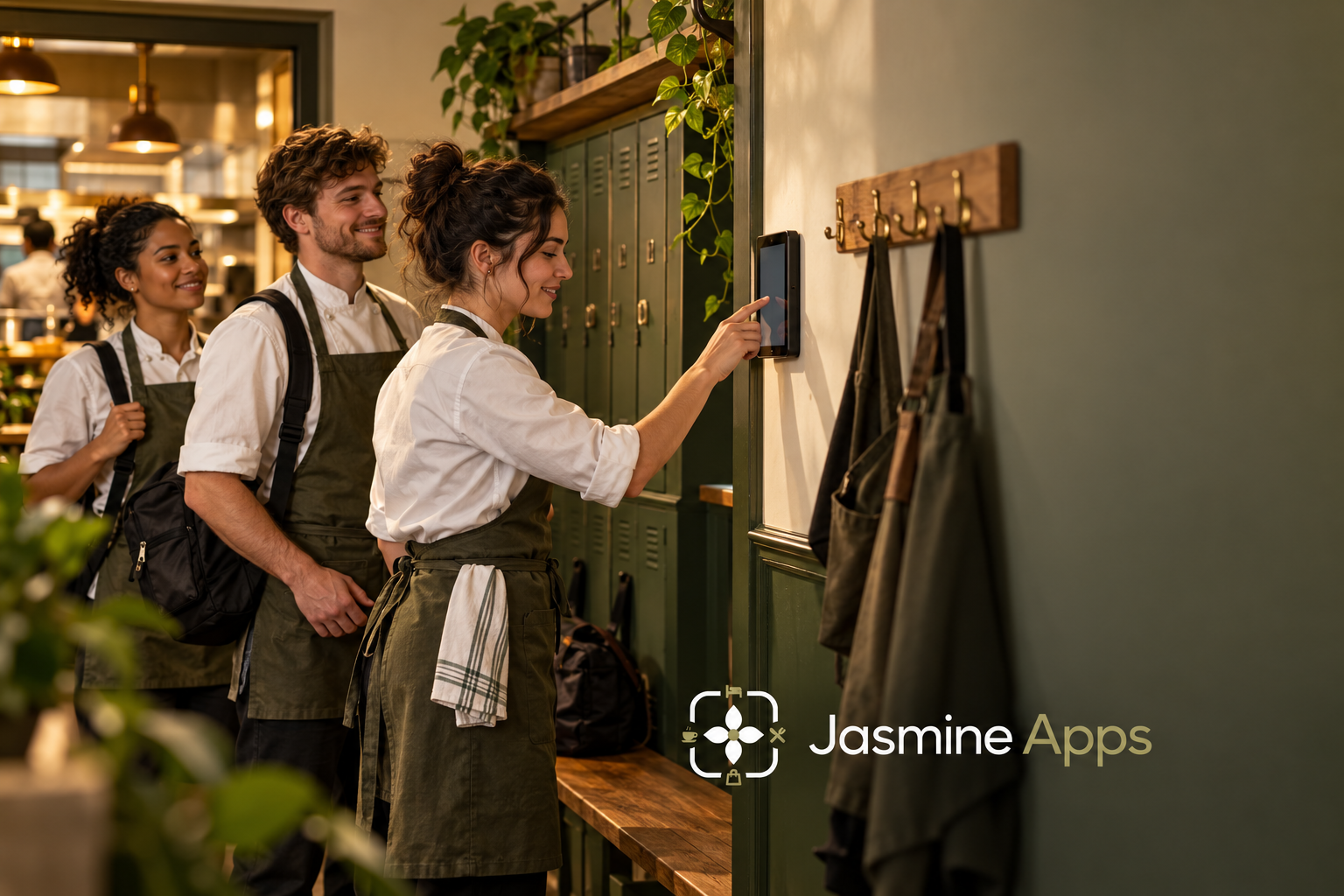
Your clock-in action can take only a few seconds while the last colleague still waits more than a minute. When a team arrives together, the shared device serves a batch rather than one isolated user. Your staff clock-in queue therefore needs a peak-arrival test, not just a quick demonstration with an empty room.
Clock Jasmine Kiosk supports a shared attendance point using personal PINs. You should assess how the complete action works when several colleagues need the same device at once.
Key Takeaways
- Measure the arrival batch as well as one action’s duration.
- Include PIN retries, breaks and action confirmation in your test.
- Keep the route clear without exposing personal codes.
- Review completed actions and corrections, not speed alone.
- Confirm device scope and the underlying Clock plan in your quote.
Understand a staff clock-in queue through batch arrivals
Your device may appear fast when a demonstrator uses it alone. The more relevant test is what happens when several colleagues arrive within the same short interval. Your last user experiences the work ahead of them as well as their own action.
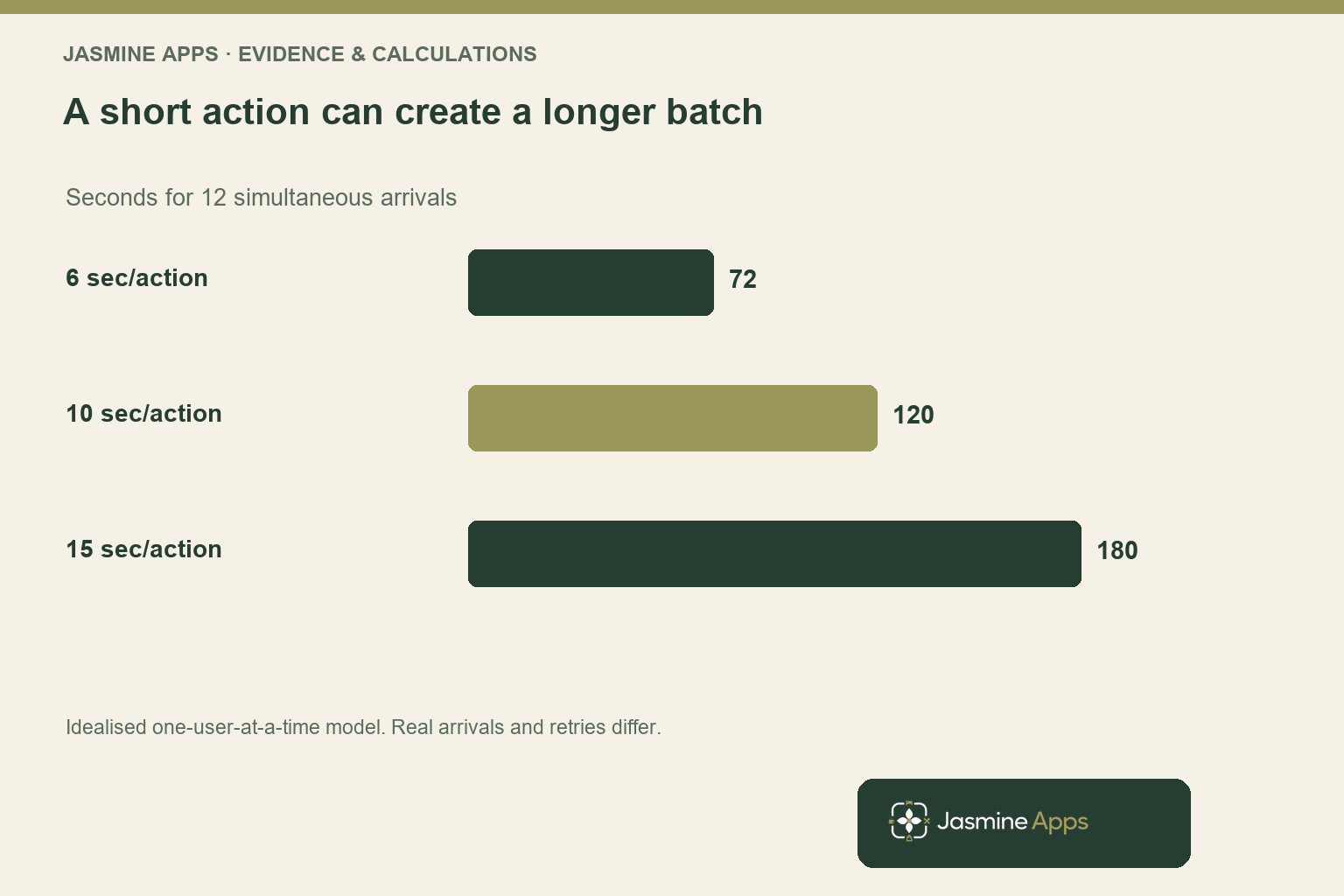
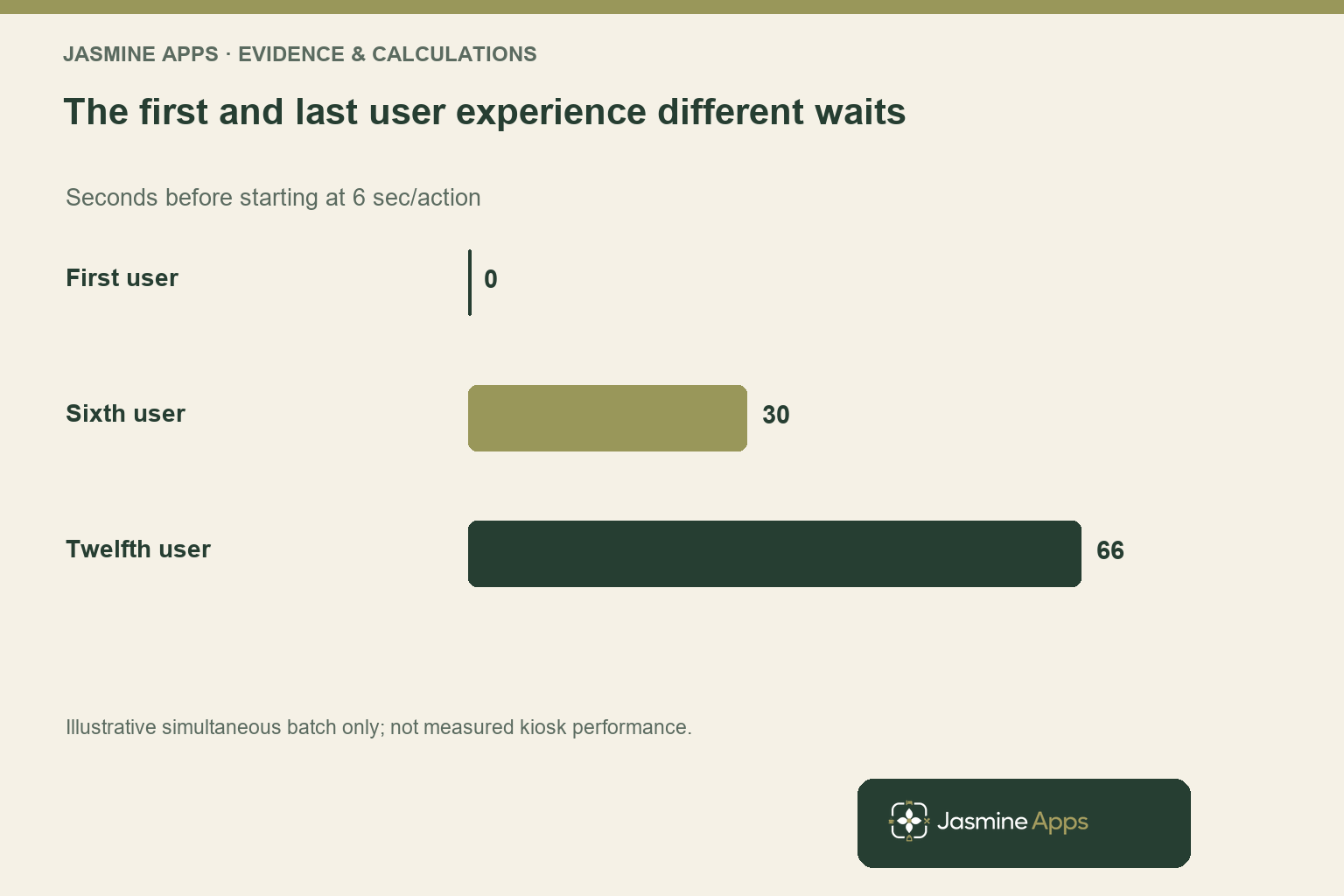
Consider a deliberately simplified batch of twelve staff arriving at exactly the same instant. If one complete action takes six seconds and the device serves one person at a time, processing the batch takes seventy-two seconds. The last colleague waits sixty-six seconds before starting their own six-second action.
That calculation is an illustrative deterministic model, not a forecast of your venue’s queue. Real arrivals can be staggered, and users can take different amounts of time. You should observe your own handover rather than treat the model as an industry average.
If the complete action takes ten seconds, the same idealised batch needs one hundred and twenty seconds. At fifteen seconds per action, it needs three minutes. A few seconds added to each interaction can therefore create a visible delay at the end of a tightly grouped arrival.
Your operational question is whether that delay affects the team’s preparation and the entry route. A queue beside a clear staff entrance can be manageable, while the same wait in a narrow passage may create difficulty. Review the practical conditions without using speed as a reason to compromise access or safe movement.
Use the staff clock-in tablet-placement guide for the physical setup. This article adds the batch-capacity question: whether your shared point remains workable when the relevant team arrives together.
Test the staff clock-in queue using the complete action
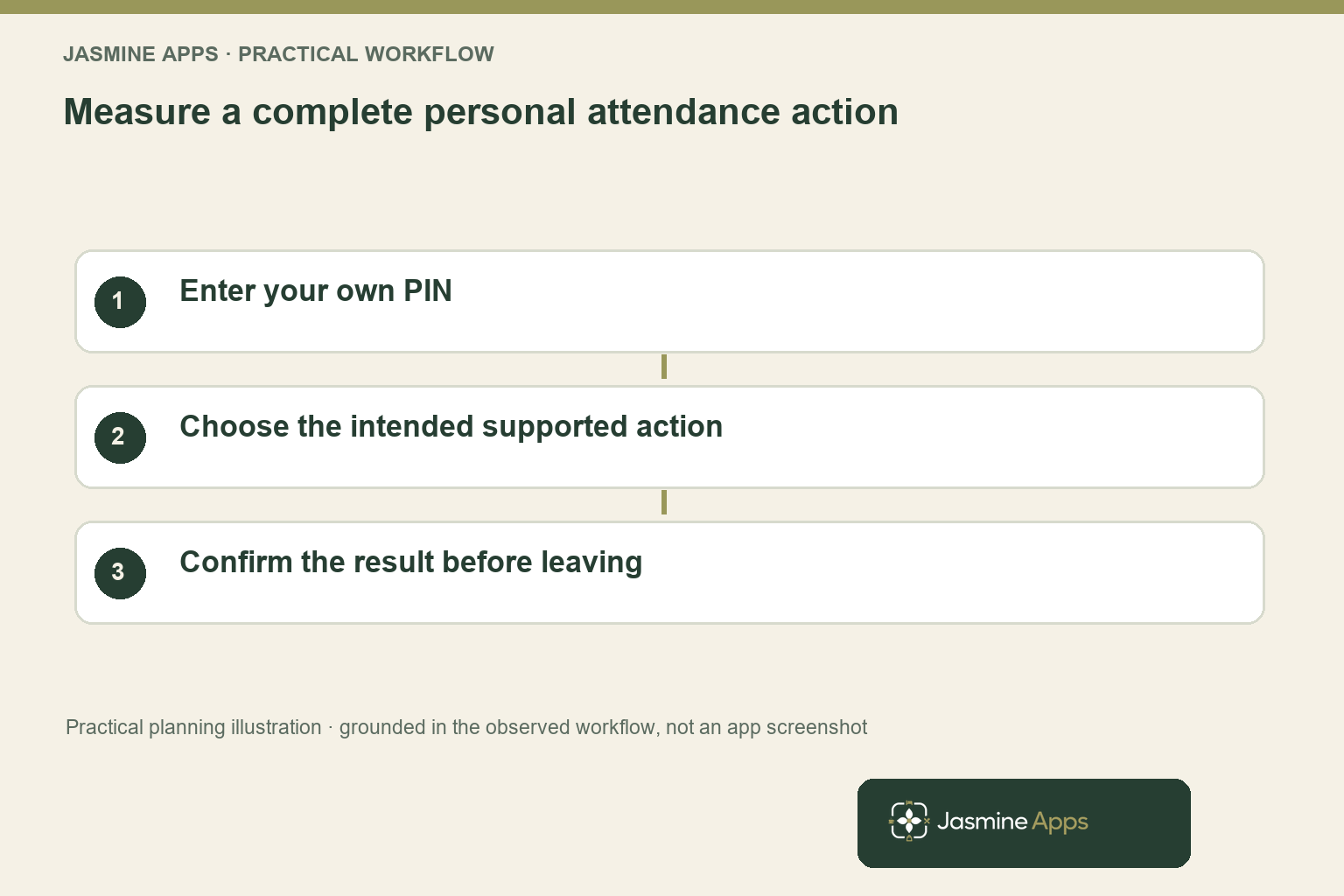
You should start your timing when the colleague is ready to use the device and finish when they can confirm the intended action succeeded. The interaction may include entering a personal PIN, choosing the correct action and checking the confirmation. A stopwatch ending at the first tap misses part of the task.
The live kiosk arrangement uses personal PINs for clocking in, clocking out and breaks. Its admin also shows location and last-seen information. You should demonstrate those actions with fictional test users rather than publishing personal codes or using a real staff attendance record as marketing proof.
Include a realistic exception in the demonstration. Ask what the user sees after an incorrect entry, how they recognise the successful action and what the supervisor does when the device is unavailable. Confirm the actual supported behaviour instead of inventing a retry or offline feature.
The GOV.UK guidance on measuring completion rate distinguishes completed transactions from attempts. You can apply that idea to your kiosk pilot: a fast action is useful only when it records the intended result. This is a measurement method, not an endorsement of the attendance product.
Record retries and subsequent corrections separately from the successful action timing. They may reveal a clarity or familiarity problem that affects the queue more than the device’s processing speed. Your training or setup decision should follow that evidence.
You should also test the normal break and end-of-shift actions. The arrival batch may be your largest queue, but repeated confusion during the day can create a different operational burden. A complete pilot follows the relevant attendance tasks without altering genuine records merely to produce an impressive demonstration.
Improve a staff clock-in queue without weakening the record
Your first response to a queue should be to understand its cause. If staff repeatedly hesitate over the next action, clearer instruction or practice may help. If the device is poorly positioned or unreliable, a faster PIN entry will not address the main constraint.
You can observe the arrival pattern without changing the paid-hours policy. Do not move recording away from the actual attendance event merely to make the queue disappear. Your venue’s rules and responsibilities should govern how clocking reflects work, with appropriate advice for any employment questions.
Keep personal PINs personal. A queue is not a reason to share one code, display a colleague’s code or ask someone else to record everyone’s attendance. Your purchasing test should preserve the intended identity and action rather than optimise speed by bypassing the purpose of the record.
If multiple devices or locations seem useful, ask for the supported configuration and price scope. The CRM lists Kiosk as a venue-based extension, but that does not independently establish an unlimited-device entitlement or every network arrangement. Your quote should resolve the deployment you actually need.
The supervisor’s exception route should be clear before launch. Ask how a missed or incorrect action reaches review in the underlying attendance workflow. Your team needs a dependable correction process without treating every unusual record as misconduct or changing someone’s outcome automatically.
Use the hospitality rota-changes article to keep scheduling and attendance distinct. A published shift describes the plan, while the kiosk action records an attendance event. Your supervisor should understand both before interpreting a queue, a late action or a correction.
Choose a kiosk scope from a real handover pilot
The CRM lists the Kiosk extension at £5 per venue per month or £50 per year. It sits alongside the underlying Clock plan, which is listed at £1 per employee monthly with a £25 monthly minimum. Your smallest simple monthly subscription illustration is therefore £30 before hardware and other agreed costs.
Confirm the device requirements, location scope, tax basis, setup and annual terms in your quotation. A £5 extension headline is not a complete purchase price for a venue that does not already have the required attendance plan. Keep your comparison aligned with the proposed deployment.
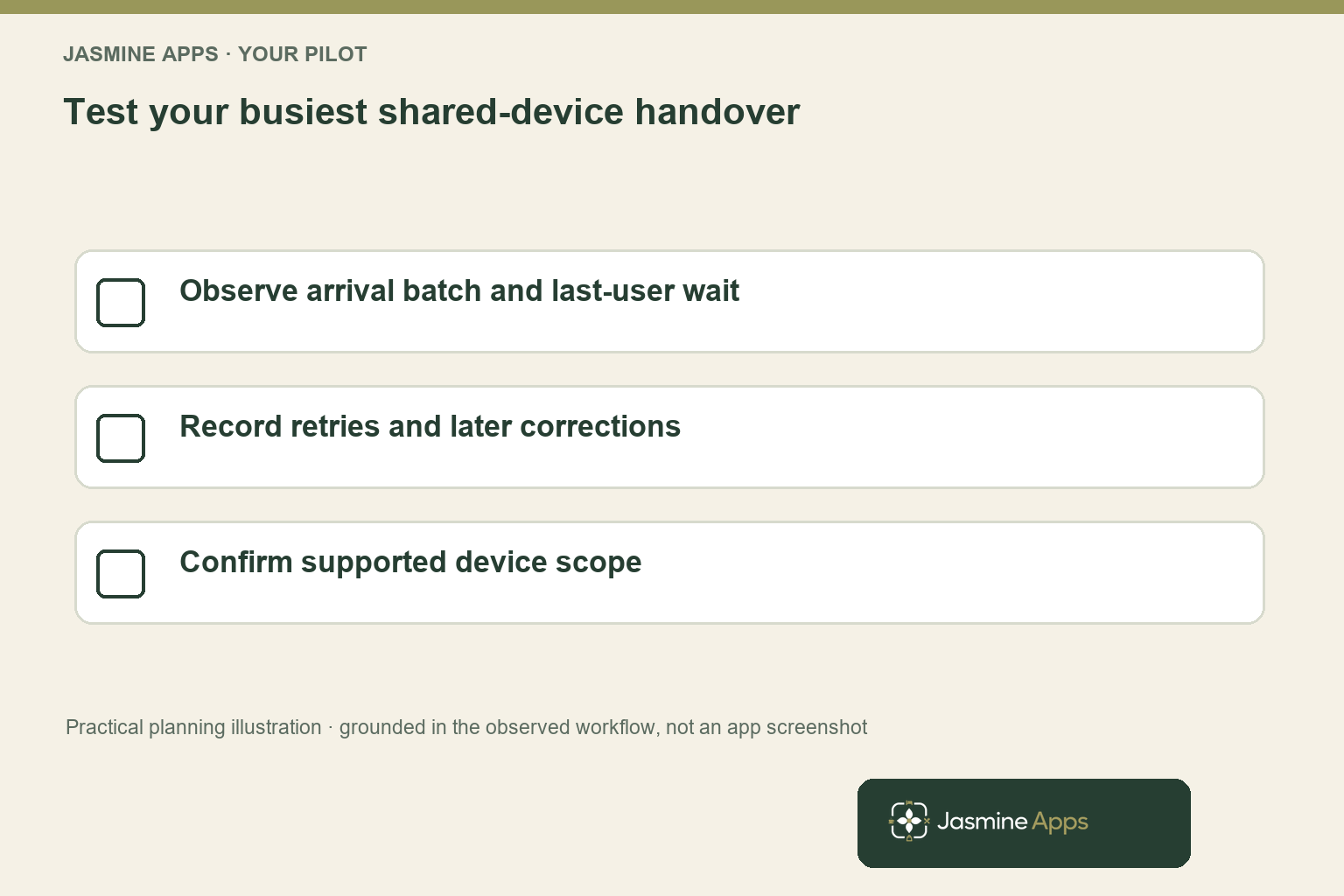
Choose a typical busy handover for the practical pilot. Record how many users arrive within each short interval, the complete action durations and the last-user wait. Note retries, unsuccessful attempts and corrections so the result covers reliability as well as throughput.
Review the conditions with your team. Your observer should distinguish time spent waiting for the device from time spent finding a PIN or discussing the action. Those causes point towards different improvements and should not be collapsed into one average.
You can then decide whether one shared point is suitable, whether the process needs clearer instruction or whether a different supported deployment deserves a quote. Your result should be specific to the observed team and arrival pattern rather than a claim that one kiosk handles every venue.
Before expanding, repeat only the relevant failed or uncertain part of the pilot. If the record and handover are dependable, you do not need an endless testing exercise. You need a measured configuration and a clear exception route that your staff can use during normal work.
Pro Tips
Watch the last user. Your batch may feel fast to the first colleague and slow to the last. Record the tail of the queue, not just the average action.
Include confirmation. End the timing when the user knows the intended action succeeded. Your measure should represent a complete attendance task.
Classify the delay. Separate device waiting, PIN uncertainty and action confusion. You can then improve the actual constraint instead of adding hardware blindly.
Common Mistakes
Testing one user only. You miss the shared-device effect at a grouped arrival. Use a representative handover batch.
Sharing PINs to speed the queue. You weaken the identity behind the attendance record. Preserve personal codes and the intended action.
Calling £5 the entire setup cost. You leave out the underlying Clock plan, device and agreed scope. Quote the deployment your venue actually needs.
Frequently Asked Questions
How many staff can use one clock-in kiosk?
You should assess your arrival pattern and the time needed for a complete action rather than use a universal staff-count limit. Twelve simultaneous arrivals at an assumed six seconds per action create a seventy-two-second processing batch in the simplified example. Your real timing, retries and staggered arrivals can differ. Test a representative handover, check completed records and confirm the supported device configuration before deciding whether one point suits your venue.
Why does a staff clock-in queue form?
Your queue forms when colleagues need the same attendance point faster than it can complete their actions. A grouped arrival can create waiting even when each interaction is short. PIN uncertainty, retries, unclear confirmation or device conditions may add delay.
You should observe those causes separately and measure the last-user wait. That evidence helps you choose between clearer instruction, a setup improvement or a different supported deployment.
Should you add a second clock-in tablet?
You should first identify whether the constraint is shared-device capacity, action confusion or an unreliable setup. Another tablet may not resolve a PIN or instruction problem. Ask for the supported multi-device arrangement and commercial scope before assuming the venue extension includes every configuration.
Your pilot should preserve personal attendance actions and check that the resulting records remain dependable. Choose the deployment from evidence of your actual handover pattern.
Does a kiosk replace attendance correction review?
You should retain a clear review route for missed or incorrect actions. A shared device can record attendance events, but it does not establish that every unusual record explains itself. Ask how exceptions reach the underlying Clock workflow and who approves the correction.
Keep scheduling and actual attendance distinct, and use appropriate staff processes for questions about worked hours. Your demonstration should show the practical exception route as well as a successful punch.
What is the full Clock Jasmine Kiosk subscription cost?
The CRM lists Kiosk at £5 per venue per month, alongside Clock at £1 per employee monthly with a £25 monthly minimum. That creates a £30 minimum simple monthly subscription illustration before hardware, tax and other agreed charges. The listed annual Kiosk rate is £50, while Clock annual terms need their own confirmation. Ask for a quote covering the actual devices, locations and employee scope you intend to deploy.
Staff clock-in queue: your next step
Your staff clock-in queue should be evaluated where it actually occurs. Request a Clock Jasmine Kiosk demonstration with your peak arrival batch and intended device setup. You can test complete actions, confirm the deployment price and choose a shared attendance point that fits your team’s real handover.