

Restaurant Booking Add-ons: Which Upgrade Solves Your Problem?
· Jasmine Apps

Your most useful booking upgrade may be the least expensive one you actually need. Adding every option can increase the bill while leaving your main operational problem unchanged. Your restaurant booking add-ons should follow a recurring service need, with a clear owner and a measurable outcome.
Table Jasmine has separately listed extensions for functions, guest messages, pre-orders, card deposits and Google Reserve. You can compare them as different tools for different problems, rather than treating the longest feature list as the best purchase.
Key Takeaways
- Name the recurring problem before comparing extensions.
- Separate discovery, communication, payment and meal-choice needs.
- Price the base subscription and chosen extension together.
- Test the complete guest and staff journey in a demonstration.
- Expand only after the first upgrade addresses its intended problem.
Choose restaurant booking add-ons by the work you repeat
You should begin with a week of practical evidence. Ask your team what they chase, re-enter or explain repeatedly, then group the answers by task. A booking that needs meal choices presents a different problem from a guest who cannot find your reservation route.
Your shortlist can then connect each problem with a relevant extension to investigate. Functions may suit a recurring event-booking workflow, while pre-orders relate to advance meal choices. Guest messages concern communication, card deposits concern the agreed payment step and Google Reserve concerns a particular discovery and booking connection.
Those descriptions are starting points for a demonstration, not a promise that every proposed workflow is included. You should ask how your exact party type, timing and staff handover work. In particular, distinguish a product’s commercial description from the controls and integration available in your deployment.
The GOV.UK service-design guidance includes the principle of understanding a user’s whole problem. Your restaurant can apply that idea by following a booking from guest decision through confirmation and service preparation. That is a design method, not a claim that a government guide endorses any specific hospitality software.
Write the result you want in plain language. You might want fewer meal-choice chasing messages, a clearer function handover or an approved deposit route. A measurable task gives your demonstrator something concrete to show and gives your manager a useful basis for reviewing the upgrade.
Avoid buying an extension solely because another restaurant uses it. Your guest mix, service format and existing processes can create different needs. Your purchase should resolve the repeated work or guest difficulty you have identified at your own venue.
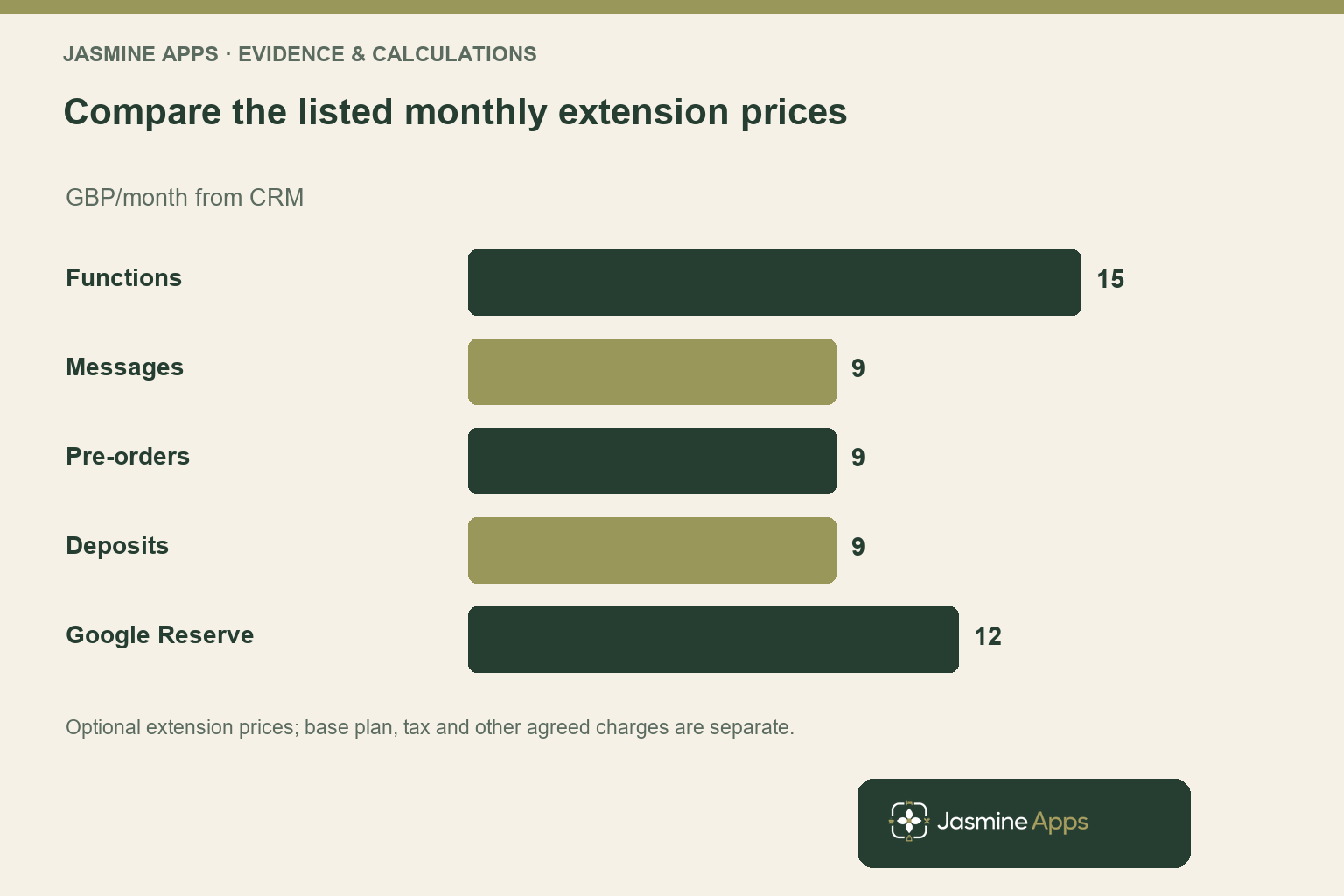
Compare restaurant booking add-ons with the listed subscription prices
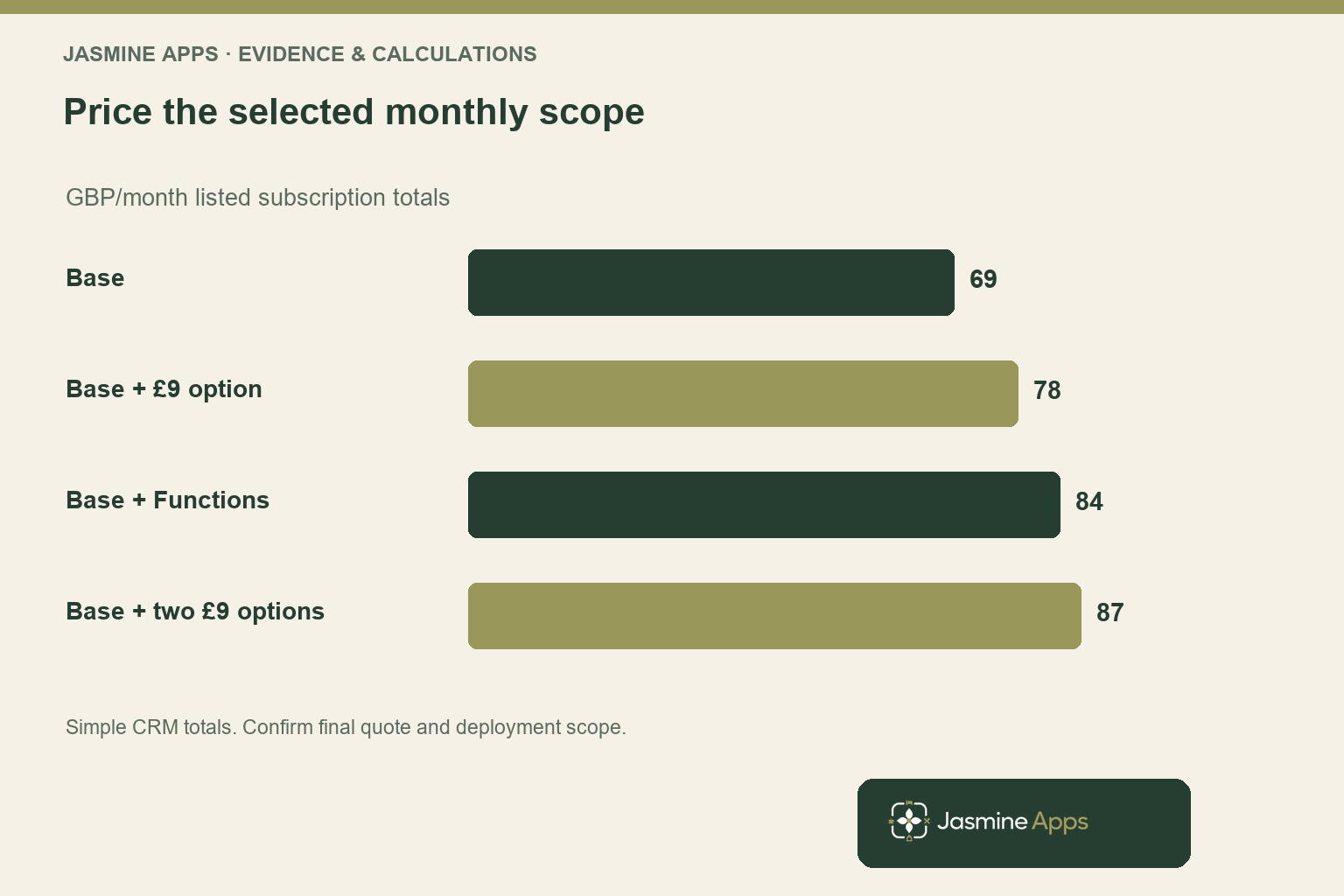
The CRM lists the base Table Jasmine subscription at £69 per venue per month or £690 per year with unlimited bookings. Your extension comparison should begin with that scope, then add only the options your quote confirms. Ask separately about tax, setup and other agreed services.
The monthly extension list is £15 for Functions, £9 for Guest Messages, £9 for Pre-orders, £9 for Card Deposits and £12 for Google Reserve. The corresponding listed annual prices are £150, £90, £90, £90 and £120. These are CRM commercial prices, rather than estimates invented for a blog.
For a simple monthly illustration, the base plus one £9 extension is £78. The base plus two £9 extensions is £87, while the base plus Functions is £84. These totals exclude any other charges or differences in the final agreed scope.
Your value comparison should relate to the chosen task. Suppose a recurring meal-choice process uses twenty minutes for each of six groups per month. If a tested process takes eight minutes per group, the illustrative difference is seventy-two minutes. At an assumed £18 hourly value, that represents £21.60 of released capacity, not automatic cash savings.
Do not apply that example to every extension. Discovery, deposits and event preparation have different outcome measures and different operating risks. You should choose a suitable test rather than force every feature into a time-saving model.
You also need to avoid double-counting work. If two extensions jointly improve the same handover, you cannot attribute the entire released time independently to each. Price the combined workflow and measure its result once, with the assumptions visible to whoever approves the purchase.
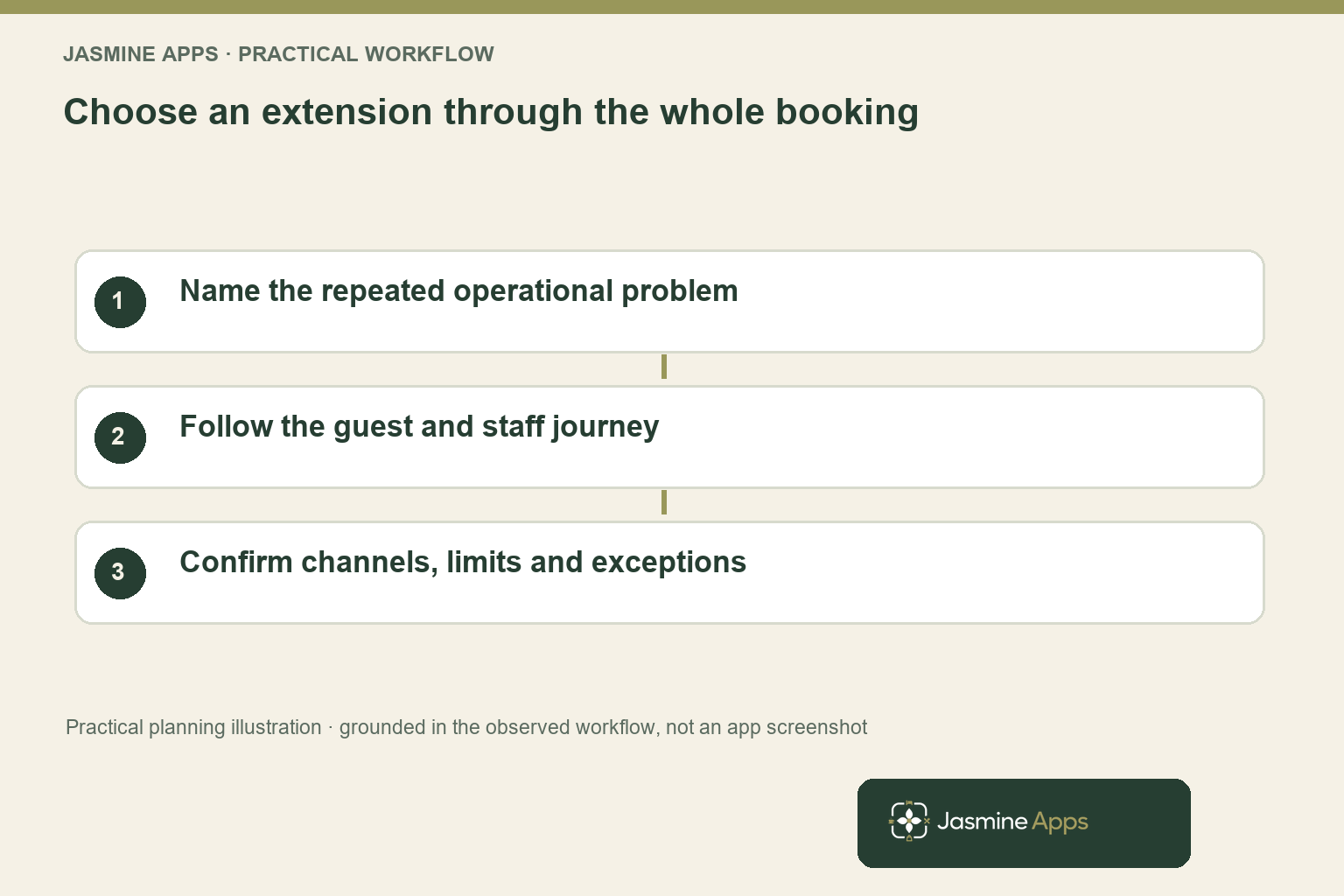
Test restaurant booking add-ons through the actual guest journey
Your demonstration should begin before the staff dashboard. Ask what the guest sees, what information they provide and what they understand about the next step. Then follow the same record into the staff workflow so you can see how the useful information reaches the right colleague.
For pre-orders, bring a realistic group menu and ask how choices, changes and deadlines are handled. Your live Table admin includes function menus and pre-order choice information, but you should confirm your intended rules and kitchen handover. A meal-choice collection step is valuable only when your operation can act on its result.
For communication, ask about the specific message types and sending arrangements you need. Confirm channel, timing, limits and responsibility rather than assuming that a named messaging extension includes every SMS or automated sequence you imagine. Your quotation and demonstration should resolve those details.
For a deposit workflow, your venue needs approved payment and cancellation terms as well as suitable software. Ask how the agreed amount and conditions appear to the guest, and what staff do when a booking changes. Do not treat a payment step as a guarantee that no-shows disappear.
For Google Reserve, confirm the provider relationship and venue eligibility. The Google booking-provider guidance explains the relevant context. A listed extension does not prove every location receives the same discovery placement or booking volume.
Use the booking-conversion guide to inspect friction across the whole journey. Your practical test should show that the extension resolves the chosen problem without introducing a new explanation, chasing loop or confusing handover elsewhere.
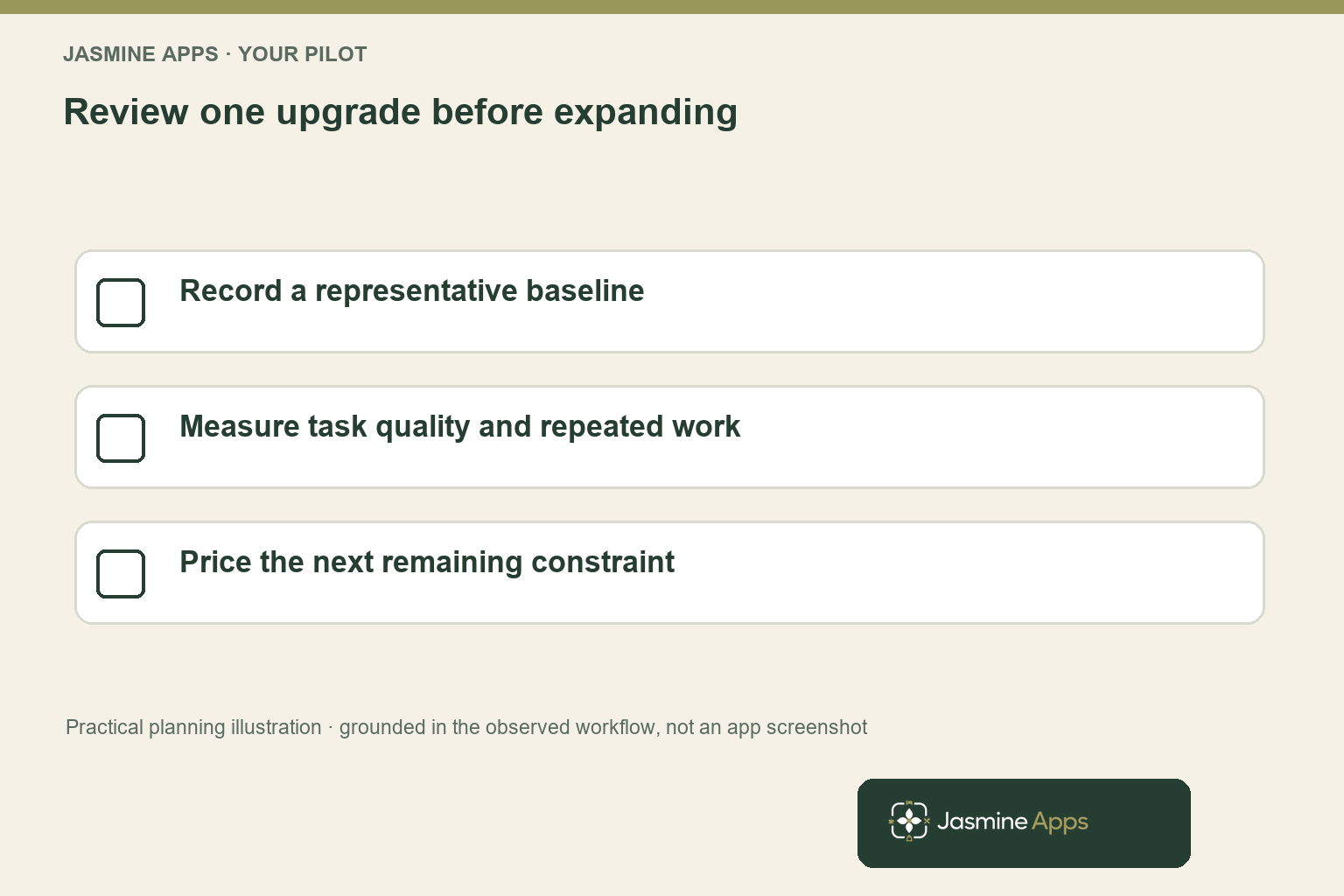
Buy the next upgrade after you have evidence from the first
You can implement a focused upgrade more confidently when you define its review before launch. Choose a baseline, a named process owner and a short list of measures tied to the problem. Your team should know what counts as success and which exceptions need recording.
For a meal-choice pilot, you might record groups completed by the agreed deadline, chasing contacts and kitchen corrections. For a communication pilot, you might record successful handovers and unresolved guest questions. Choose measures that reveal usefulness rather than simply counting how often a feature was opened.
Compare representative periods and note changes in group size or service type. A quieter month can reduce chasing even when your process has not improved. You should also review the quality of the information, since a faster incomplete handover may create more work during service.
Keep your upgrade sequence tied to the next constraint. If the pre-order problem improves but function details still arrive in scattered emails, a different extension may deserve investigation. That decision should follow evidence rather than a plan to activate every option regardless of need.
Your existing restaurant midweek-bookings article offers a related commercial test. You can decide whether an extension supports a spare-capacity offer, but the software does not replace a relevant proposition or a service your team can deliver.
Before approving the spend, ask for a written scope covering the selected extensions, venue, annual or monthly basis and other agreed costs. You then have a concrete purchase to evaluate and a focused pilot to review, instead of a vague expectation that more features should make everything better.
Pro Tips
Use one problem statement. Describe the repeated task in one sentence and bring a real example to the demonstration. Your shortlist becomes much easier to compare.
Measure the joined workflow once. When extensions work together, review the combined cost and result. You avoid counting the same released time twice.
Check the exception path. Ask what happens when a guest changes a meal choice or booking. The useful upgrade must work beyond the ideal first submission.
Common Mistakes
Buying every extension at once. You increase cost and make it harder to identify which change resolved the problem. Start with the clearest recurring need.
Assuming a product name defines every channel. You may expect messaging or integration details that are not in your scope. Confirm the actual workflow and limits.
Using one ROI model for unrelated tools. A discovery connection and a kitchen handover create different benefits. Choose measures appropriate to the task.
Frequently Asked Questions
Which restaurant booking add-ons should you buy first?
You should buy around the recurring problem you can describe and measure most clearly. Meal-choice chasing, guest communication, function preparation, payment requirements and discovery routes point towards different extensions. Bring a representative booking to your demonstration and follow both the guest and staff journey. You can then compare the selected option’s cost with the task it improves, rather than assuming every restaurant needs the same upgrade sequence.
How much do Table Jasmine extensions cost?
The CRM monthly list is £15 for Functions, £9 each for Guest Messages, Pre-orders and Card Deposits, and £12 for Google Reserve. The base Table subscription is £69 per venue per month. Your listed annual prices are available separately, so confirm the chosen billing basis and scope in a quote. You should also clarify the tax basis, setup and any other agreed services before treating a simple total as your final cost.
Are pre-orders useful for restaurant group bookings?
You may benefit when your team repeatedly chases meal choices or struggles to provide a dependable kitchen handover. You should test your actual menus, deadlines, changes and exceptions before buying. Your useful measure is whether the required information arrives complete and on time, with fewer corrections or chasing contacts. A pre-order step can also create work if the choices are unclear, so review the complete process rather than collection alone.
Does a booking deposit guarantee guests will attend?
You should not treat a deposit workflow as a guarantee of attendance. Your guest can still cancel, encounter a problem or misunderstand the conditions. You need approved terms, a clear payment step and a staff process for changes and exceptions.
Evaluate the result through completed visits, disputes and operational work as well as payment collection. Ask for a demonstration of the exact arrangement your venue intends to use.
Can you add another booking extension later?
You should confirm the commercial and activation arrangements in your quotation, then plan an upgrade sequence around your needs. Starting with a focused problem makes the first result easier to assess. If another recurring constraint remains after the pilot, you can investigate the relevant next extension with clearer evidence. Avoid assuming every feature is included in every package or that later activation has identical terms without checking your agreed scope.
Restaurant booking add-ons: your next step
Your restaurant booking add-ons should make a specific guest or staff task work better. Request a Table Jasmine extension comparison with your most time-consuming booking example. You can test the relevant option, confirm its scope and price, and invest in a measurable improvement before expanding the package.