

AI Menu Scanning for Restaurants: When Does £10 Pay Back?
· Jasmine Apps
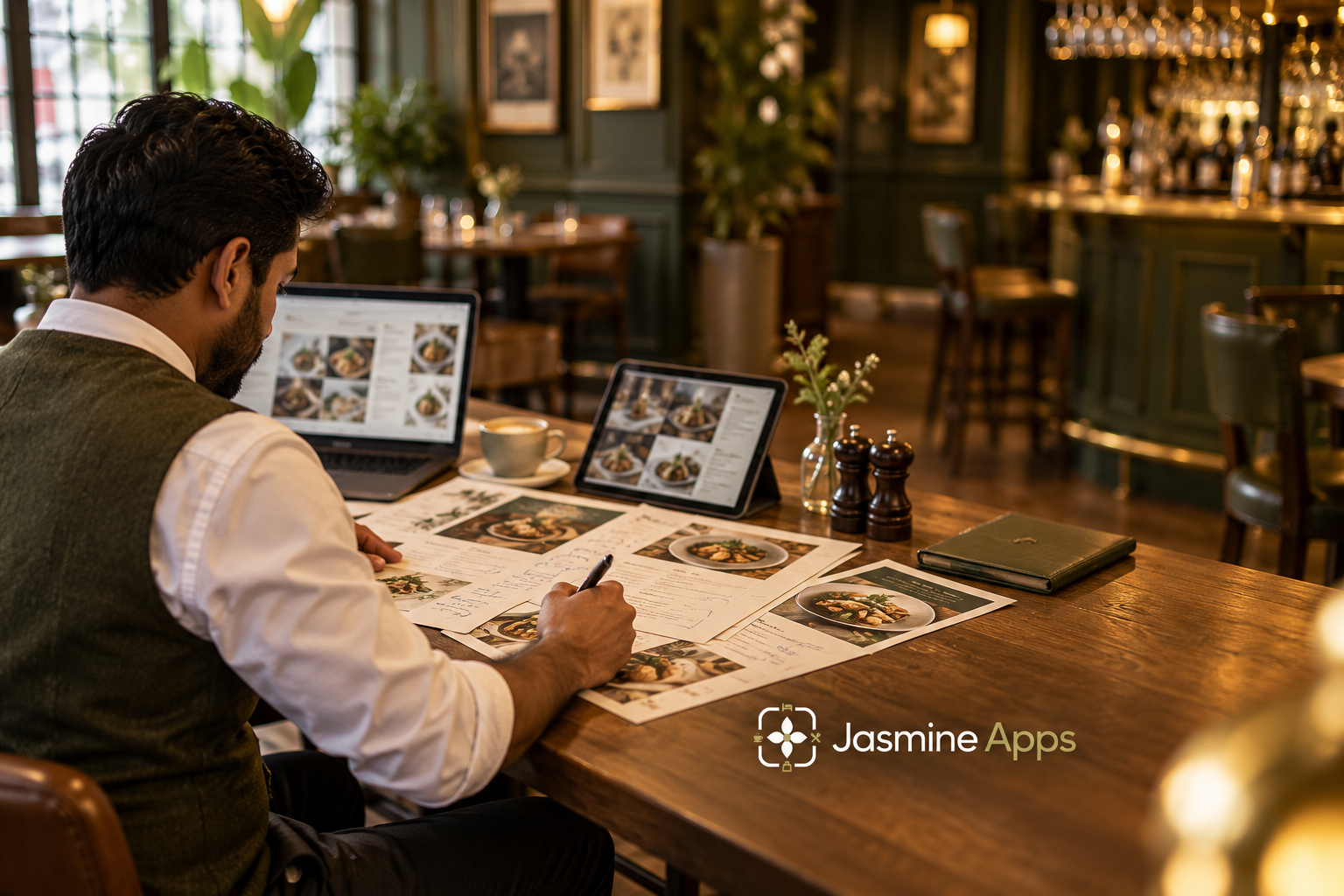
Your menu scanner can be faster at reading a page and still fail to save you money overall. If you rarely revise menus, or spend the saved time correcting ambiguous prices, the subscription may not earn its place. Your AI menu scanning for restaurants needs a complete workflow comparison, not a stopwatch on the first extraction.
The CRM lists Menu Scan as a £10-per-month extension for Till Jasmine. You should assess how often you would use it and what remains for your team to verify before the menu is ready to sell.
Key Takeaways
- Compare the complete manual and scanned workflows.
- Keep price, size and product review inside the time calculation.
- Use revision frequency to test the incremental £10 cost.
- Treat missing or ambiguous information as an exception to resolve.
- Confirm the review and publication steps in your demonstration.
Assess AI menu scanning for restaurants from source to approved product
Your printed menu is a communication document, not necessarily a complete till specification. It may show one headline price while different portion sizes, options or service rules live elsewhere. A successful import needs the structure your team intends to sell, not just an accurate copy of visible words.
The CRM describes Menu Scan as reading dishes and prices from PNG, JPG and PDF files. The live product admin also includes a Scan menu control. Those observations establish the intended entry point and described file types; they do not establish an independently measured recognition accuracy or prove every menu layout can be imported without review.
You should ask for a demonstration with a representative menu. Include the layouts you actually use, such as a drinks list with sizes or a seasonal page containing crossed-out items. Your purchasing question is what happens when the page is unclear, rather than whether a clean sample looks impressive.
The NIST generative AI risk-management profile provides a general framework for evaluating AI-related risks. Your practical application here is to retain human review of consequential product information. That is a workflow recommendation, not a claim that NIST has tested or endorsed Menu Scan.
Define the approved source before you start. If your team scans an outdated PDF, a perfectly faithful extraction can still create an incorrect menu. Keep your current prices and product decisions in a controlled version that your manager has approved.
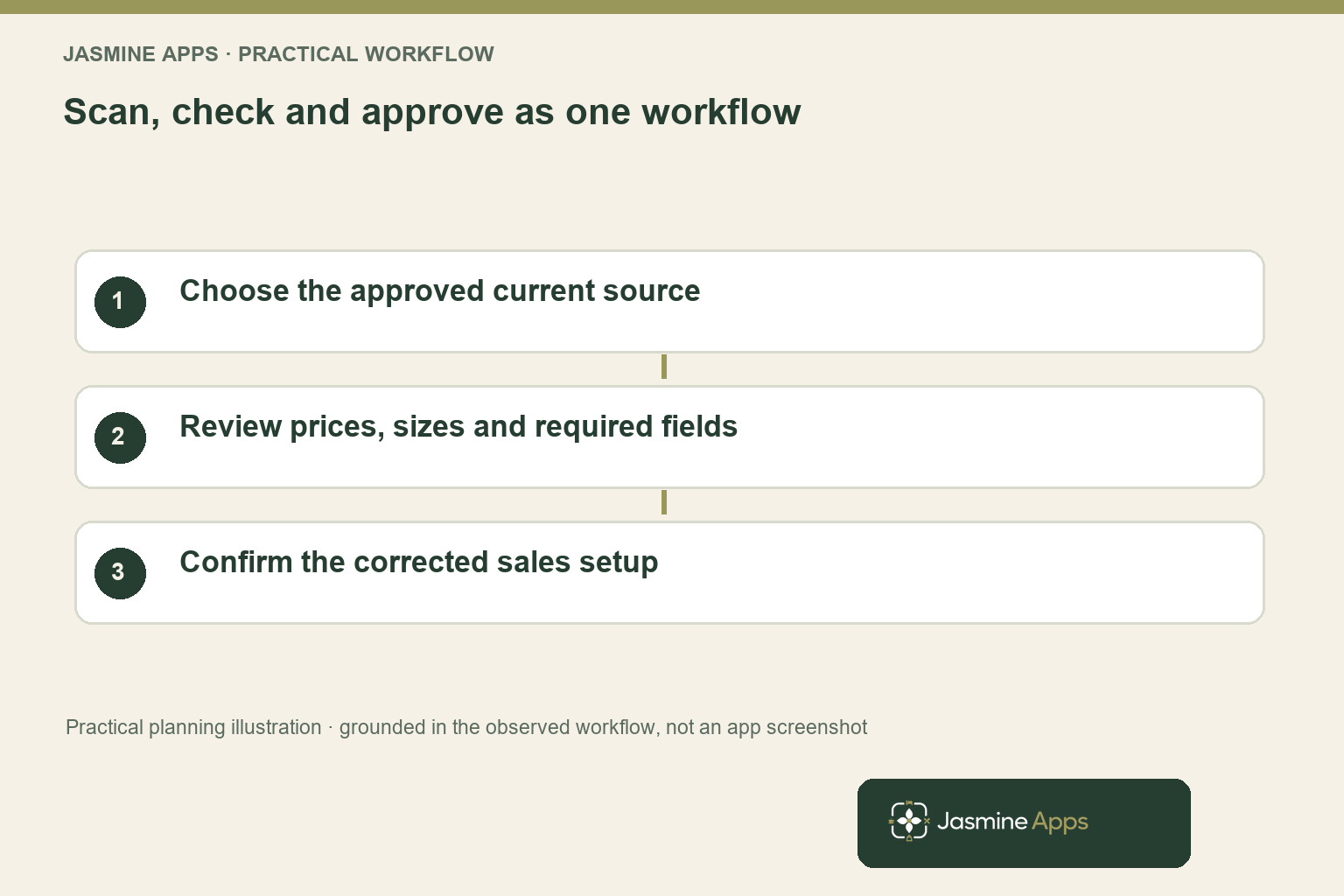
Your review should check more than spelling. Verify the selling price, relevant size, category and any product fields your till workflow requires. You should never assume a scanned page supplies complete allergen, tax or recipe-cost information unless those details are separately approved and supported.
Calculate AI menu scanning for restaurants with review time included
For an existing EPOS customer, begin with the extension’s incremental cost. Your comparison should measure the time needed to reach the same approved result manually and through scanning. Include file preparation, checking, corrections and any final product setup in both totals.
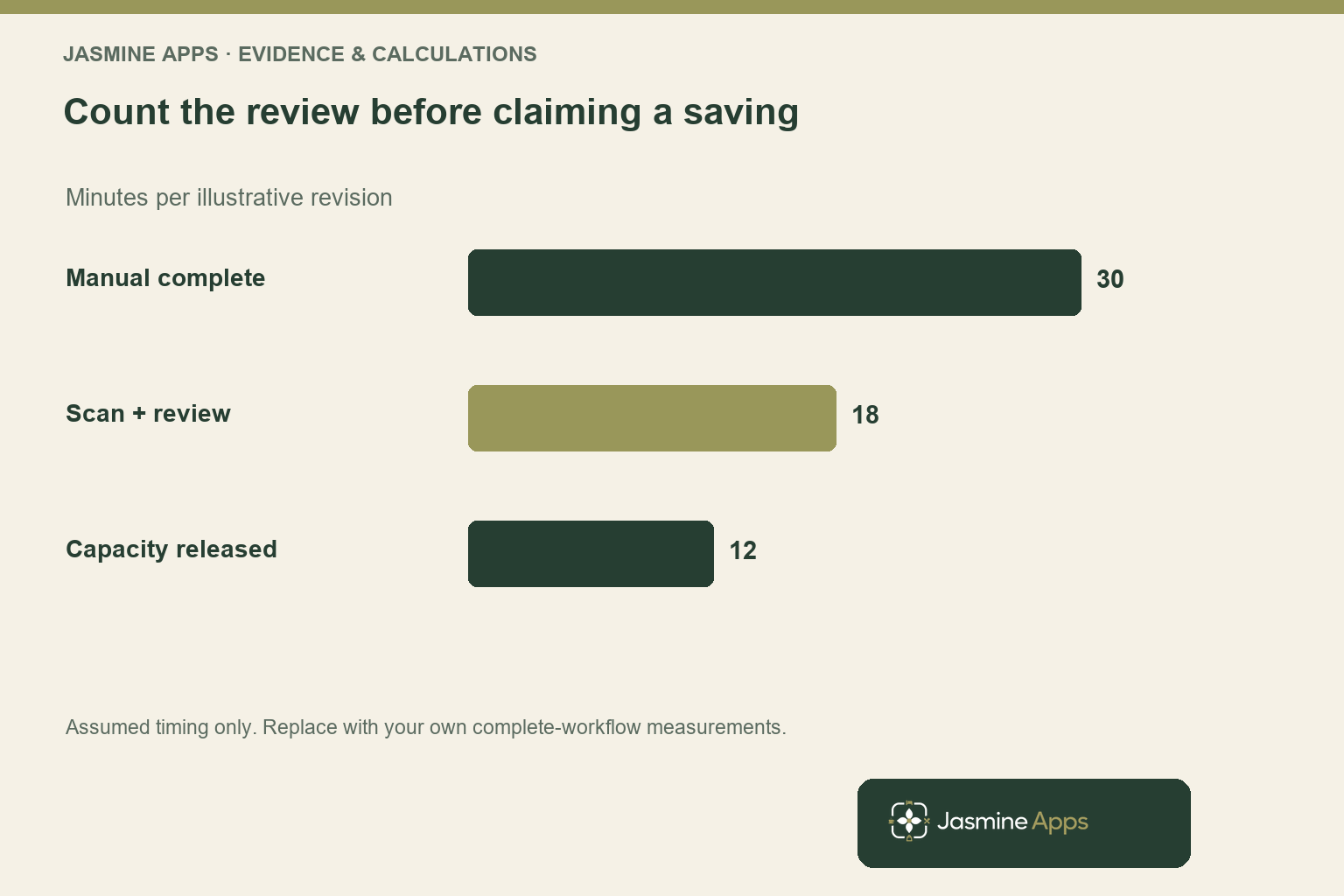
Consider an illustrative menu revision that takes thirty minutes manually. Suppose scanning and preparation take eight minutes, then review and correction take another ten. Your complete scanned workflow is eighteen minutes, leaving twelve minutes of released staff capacity per revision.
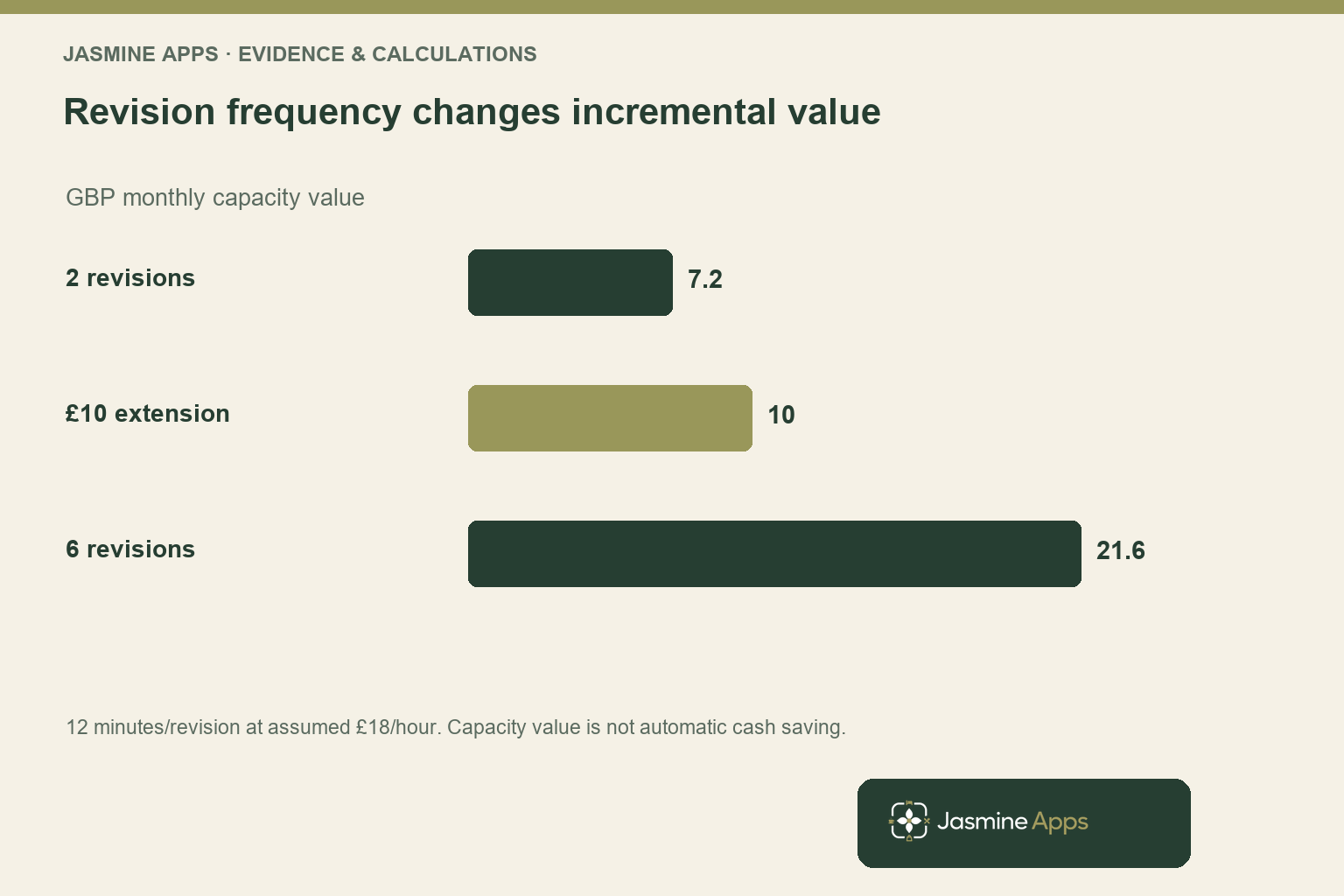
At an assumed £18 hourly time value, twelve minutes is worth £3.60 in capacity. Two revisions per month release £7.20 of that value, below the £10 monthly extension charge. Six revisions release £21.60, leaving £11.60 after the extension charge within this simplified calculation.
Those values are assumptions for a worked example, not measured performance from the app. Your menus, staff familiarity and exception rate can change every input. You should time several representative revisions before treating the comparison as your business case.
Released capacity also differs from a cash saving. If your colleague remains on the same paid shift, the financial benefit depends on what the freed time allows them to do. You may avoid overtime or another paid task, but you need evidence of that change before claiming reduced expenditure.
For a new customer considering the standalone £59 monthly EPOS plan plus Menu Scan, the simple listed subscription total is £69 per month. Your wider till comparison should include the agreed scope and other quoted costs. Do not sell the extension’s isolated time calculation as the return on the entire new system.
Review AI menu scanning for restaurants where mistakes are expensive
Your most useful review sequence follows the cost of an error. A misspelled description may be obvious, while a misplaced price or incorrect portion size can affect every sale until someone notices. Put those high-consequence fields near the beginning of your checking process.
Create an exception list for the layouts your team finds difficult. You might flag a price applying to several dishes, a handwritten change, a repeated item name or a size that appears only in a column heading. Ask how the demonstrated workflow handles each case instead of assuming the software resolves the intended meaning.
Your product admin includes price, cost, tax, category, sale type, course and on-till information. You should confirm which of those fields are populated by scanning and which require separate decisions. The existence of a field in the admin does not prove the scanner can infer the correct value from your document.
Keep approval separate from extraction. Your menu should not reach the sales workflow merely because a file was processed successfully. Ask the demonstrator to show how you review the result, correct a value and confirm the product is available where staff need it.
For dietary and allergen information, use your approved food-information process rather than relying on a picture or an inferred label. The Food Standards Agency guidance is a relevant starting point for your operating responsibilities. A digitisation tool does not replace your team’s source verification.
You should also preserve a clear version reference. When staff report a mismatch between the menu and till, your manager needs to know which source was scanned and which values were approved. That record makes an exception easier to investigate without treating every discrepancy as a mysterious AI failure.
Decide whether Menu Scan suits your actual revision pattern
The CRM lists Menu Scan at £10 per month or £100 per year. Your quotation should confirm the extension’s scope, the underlying EPOS plan, tax treatment and any setup requirements. A listed annual rate does not prove the monthly version is automatically included in every bundle.
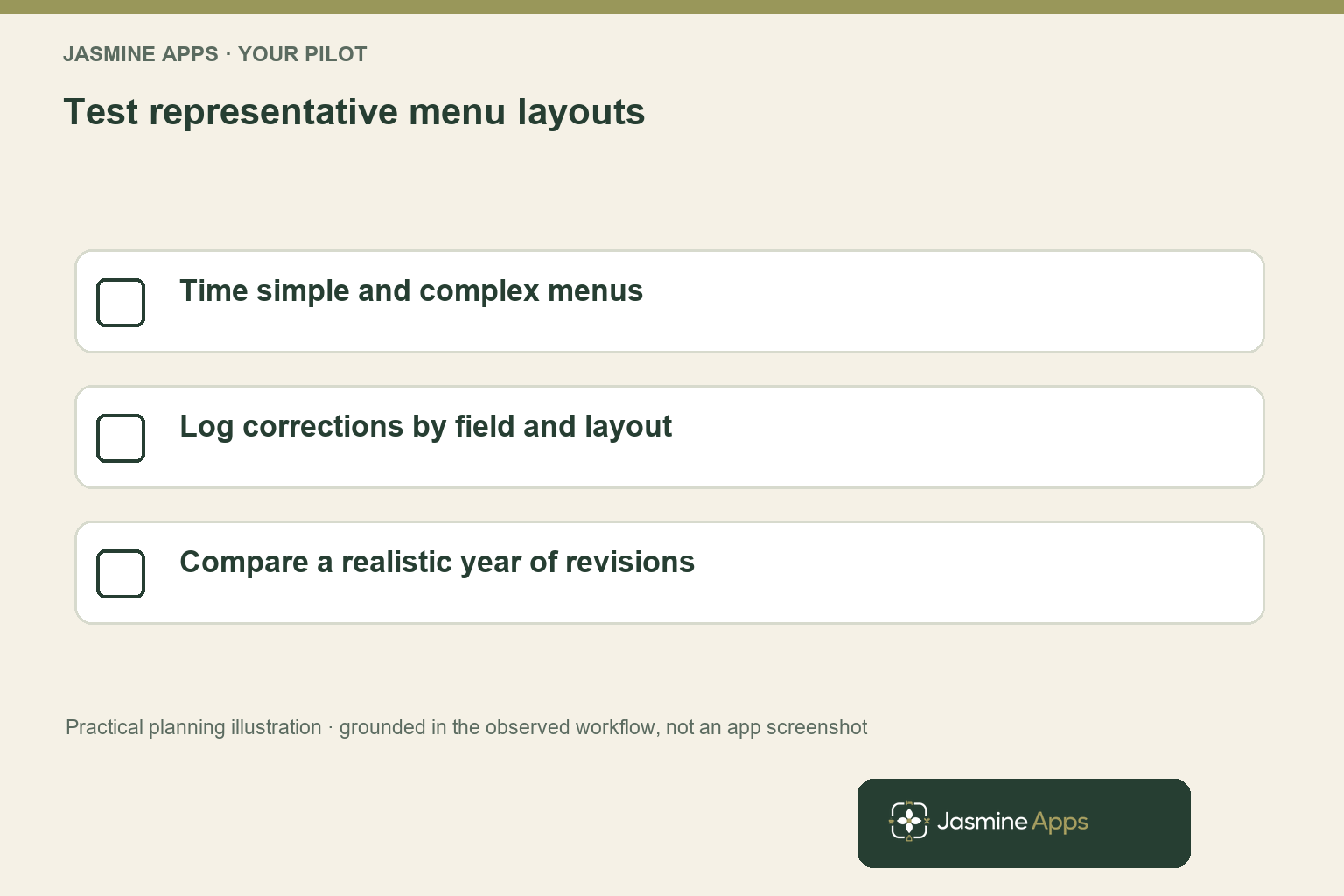
Choose three representative revisions for a practical trial: an uncomplicated page, a layout with options and your most awkward seasonal menu. Time the complete manual and scanned processes. Record corrections by type so you can see whether one layout creates most of the remaining work.
You should compare the final approved outputs, not just the duration. If a faster workflow leaves unchecked prices or creates duplicate products, it has transferred work into service rather than removed it. Include the time your team needs to identify and resolve those problems.
Your frequency estimate should reflect a normal year. A busy seasonal month can make an annual subscription appear more valuable than the quieter periods justify. Equally, several frequent small changes may create more repeated work than a single large menu redesign.
Use the restaurant menu-profitability article to decide what you want to analyse once your products are dependable. Faster data entry is useful, but the commercial gain may also come from keeping relevant product information current enough to support better decisions.
Before committing, bring your real file formats and an anonymised example to the EPOS demonstration checklist. Ask to see extraction, review, correction and sales availability as one sequence. Your best purchase case is the workflow you can repeat with your own team.
Pro Tips
Time the endpoint. Stop the clock when the approved product is ready for your sales workflow. A quick extraction with unfinished review does not measure the complete job.
Separate routine and awkward menus. Keep timing results by layout. Your average can hide a difficult document that repeatedly needs manual correction.
Use the existing-customer comparison correctly. Assess the incremental extension cost when you already have the required EPOS plan. Use the full proposed solution when you are buying both.
Common Mistakes
Leaving review out of the saving. You overstate released time and can move errors into service. Include checks and corrections before comparing workflows.
Treating extracted text as approved product policy. Your scanner cannot establish which source version or commercial decision you intended. Keep a named approver and verified source.
Annualising your busiest month. A seasonal spike can exaggerate normal revision volume. Use a realistic year and show the quiet periods in your purchase case.
Frequently Asked Questions
How does AI menu scanning work for a restaurant?
The CRM describes Menu Scan as reading dishes and prices from supported image and PDF files, and your product admin includes a scanning entry point. You should ask for a demonstration of the complete process with your actual menu layout. Check which fields are extracted, how you correct ambiguous values and what approval is needed before staff can sell the products. Your final review remains essential to a dependable menu setup.
Does menu scanning remove manual menu entry?
Your scanner may reduce repetitive entry, but you should expect to review the output and resolve information the source does not clearly provide. Sizes, shared prices, categories and other product decisions can need attention. Measure the whole workflow to see how much work remains for your menus. You should not assume an extraction tool replaces recipe-cost approval, tax decisions or your approved allergen-information process without demonstrating that specific capability.
Is a £10 menu-scanning add-on worth it?
Your answer depends on revision frequency, the time each revision releases and the value of that capacity. In the illustrative example, twelve saved minutes at £18 an hour are worth £3.60 per revision, so two revisions do not cover £10 while six do within the simplified model. Replace those assumptions with measured results. Include review time and distinguish released capacity from an actual reduction in paid expenditure.
Which menu files can you use with Menu Scan?
The CRM description lists PNG, JPG and PDF formats. You should confirm the current limits and test the layouts and image quality your team actually supplies. A supported format does not guarantee that a crowded photograph, handwritten change or complex drinks matrix will be interpreted exactly as intended. Bring representative files to your demonstration and ask how exceptions are reviewed before the result enters your product workflow.
Can AI menu scanning get prices wrong?
You should plan for unclear or incorrectly interpreted values rather than assuming every source produces a perfect result. A price can be attached to the wrong size or dish even when the visible digits are read correctly. Review high-consequence fields and compare them with your approved source.
You should also check product duplication and final availability. Your demonstration should show how you identify, correct and approve those exceptions.
AI menu scanning for restaurants: your next step
Your AI menu scanning for restaurants should earn its place through repeatable, checked work. Request a Menu Scan demonstration with your typical files and monthly revision count. You can assess the complete Till Jasmine workflow, price the required scope and decide whether the released capacity justifies the extension for your venue.