

TutorialIn-app guide
Jasmine Loyalty: scheme rates and redemption settings
· Jasmine Apps
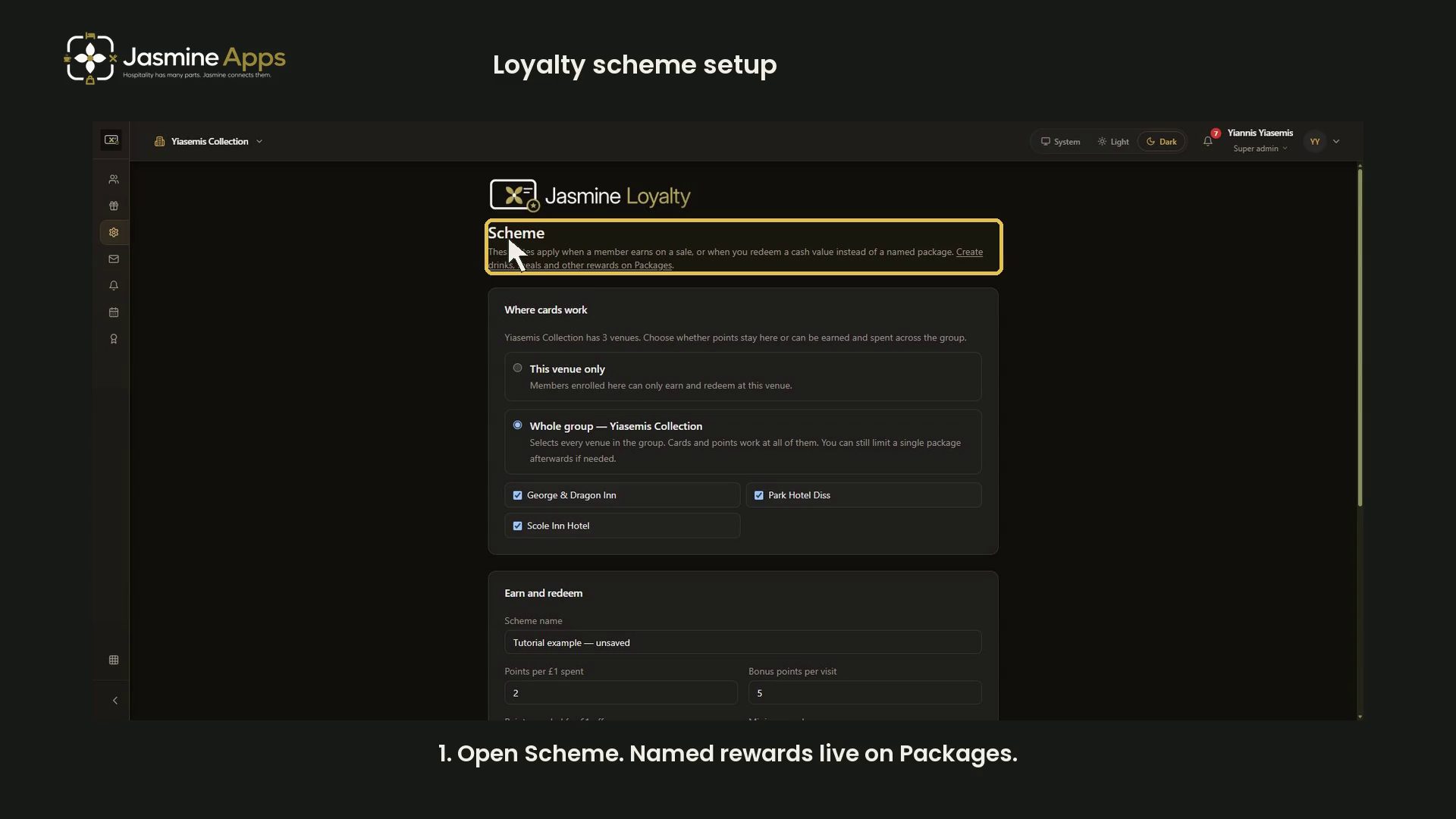
Jasmine Loyalty scheme settings control how members earn points and how cash redemption works. This guide walks through the controls with an unsaved example and a narrated video.
Watch the walkthrough
Open Scheme and review venue scope
Open Scheme in Jasmine Loyalty. The page explains that these rates apply when a member earns on a sale, or redeems cash value instead of a named package. Drinks, meals and other named rewards belong on Packages.
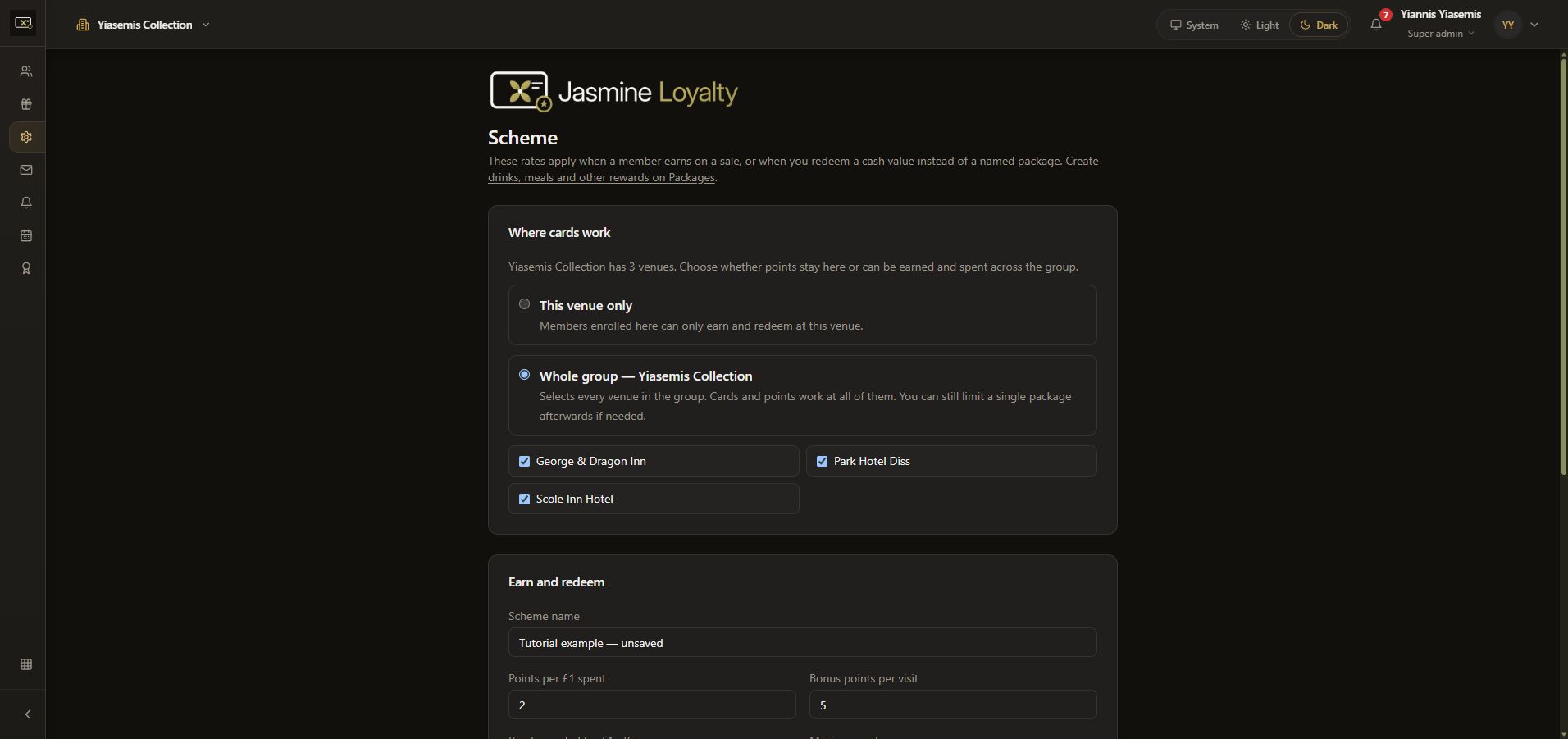
Under Where cards work, review This venue only or Whole group and the venue checkboxes. The whole-group option includes the group's venues; a package can still have its own venue limit. Confirm the intended scope before saving changes.
Name the scheme and set earning controls
Under Earn and redeem, enter the Scheme name. Points per £1 spent and Bonus points per visit are separate controls.
Our demonstration shows Tutorial example — unsaved, with 2 points per £1 and a 5-point visit bonus. These are example inputs for the walkthrough, not recommended commercial rates. They were discarded after recording.
Review redemption and expiry
Review each control separately:
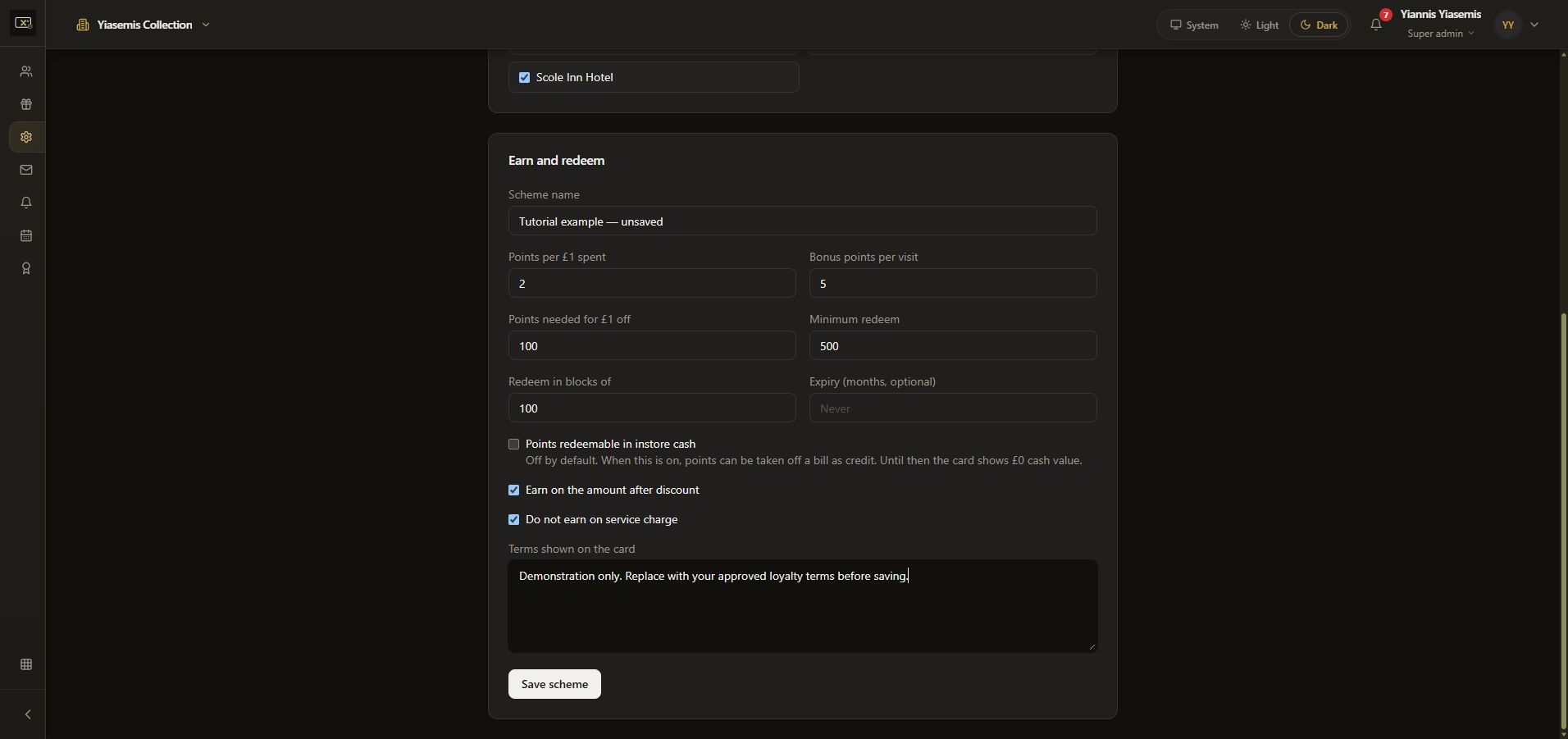
- Points needed for £1 off: the conversion rate for cash credit.
- Minimum redeem: the minimum redemption setting.
- Redeem in blocks of: the redemption block size.
- Expiry (months, optional): the expiry period in months. An empty field shows Never.
The example displays 100 points per £1 off, a minimum of 500 and blocks of 100.
Points redeemable in instore cash is a separate checkbox. Its help says enabling it lets points reduce a bill as credit. While it is off, the card shows £0 cash value. A conversion rate alone does not mean this checkbox is enabled.
Check earning rules and card terms
Review Earn on the amount after discount and Do not earn on service charge. Both are selected in the demonstration. Check these choices alongside the earning rates.
Add your approved wording under Terms shown on the card. Make sure it matches the scope, earning, redemption and expiry settings you intend to use.
Save a finished setup
Read all the settings before choosing Save scheme. Changing a live scheme affects subsequent earning and redemption behaviour, so explain the final rules to the team before using them with customers.
This demonstration did not click Save scheme. Reloading discarded the sample name, rates and terms; the original values remained in place.
Continue with Jasmine Loyalty
Use Packages for named rewards, and see the welcome email guide for the message new members receive. Explore Jasmine Loyalty for the app overview.