

TutorialIn-app guide
Jasmine Loyalty: review venue profiles and events
· Jasmine Apps
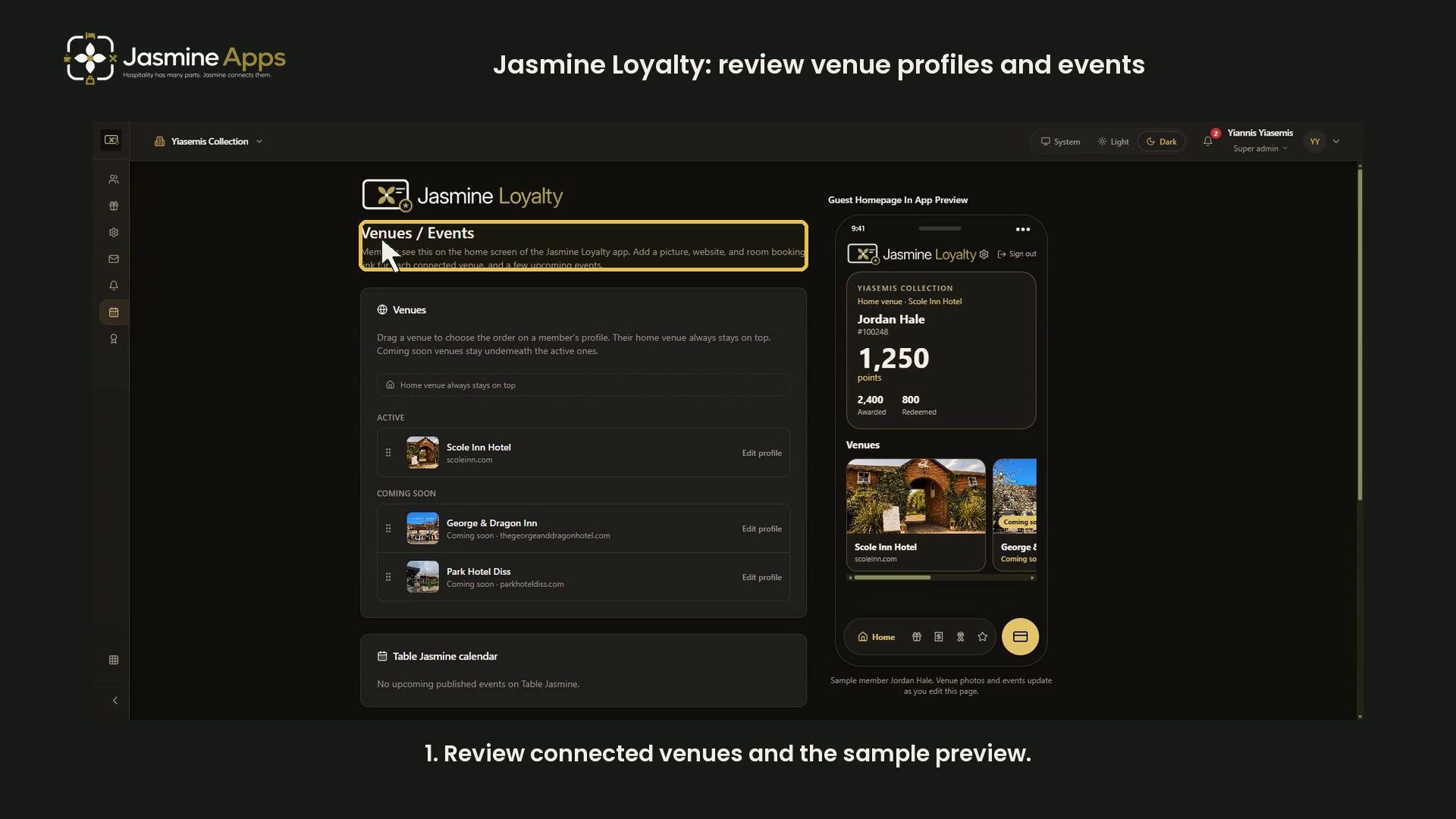
Jasmine Loyalty's Venues / Events page provides profiles and events for the guest homepage. This dark-mode guide reviews the controls using the app's explicitly labelled sample-member preview. No customer record is used.
Watch the walkthrough
Review connected venues
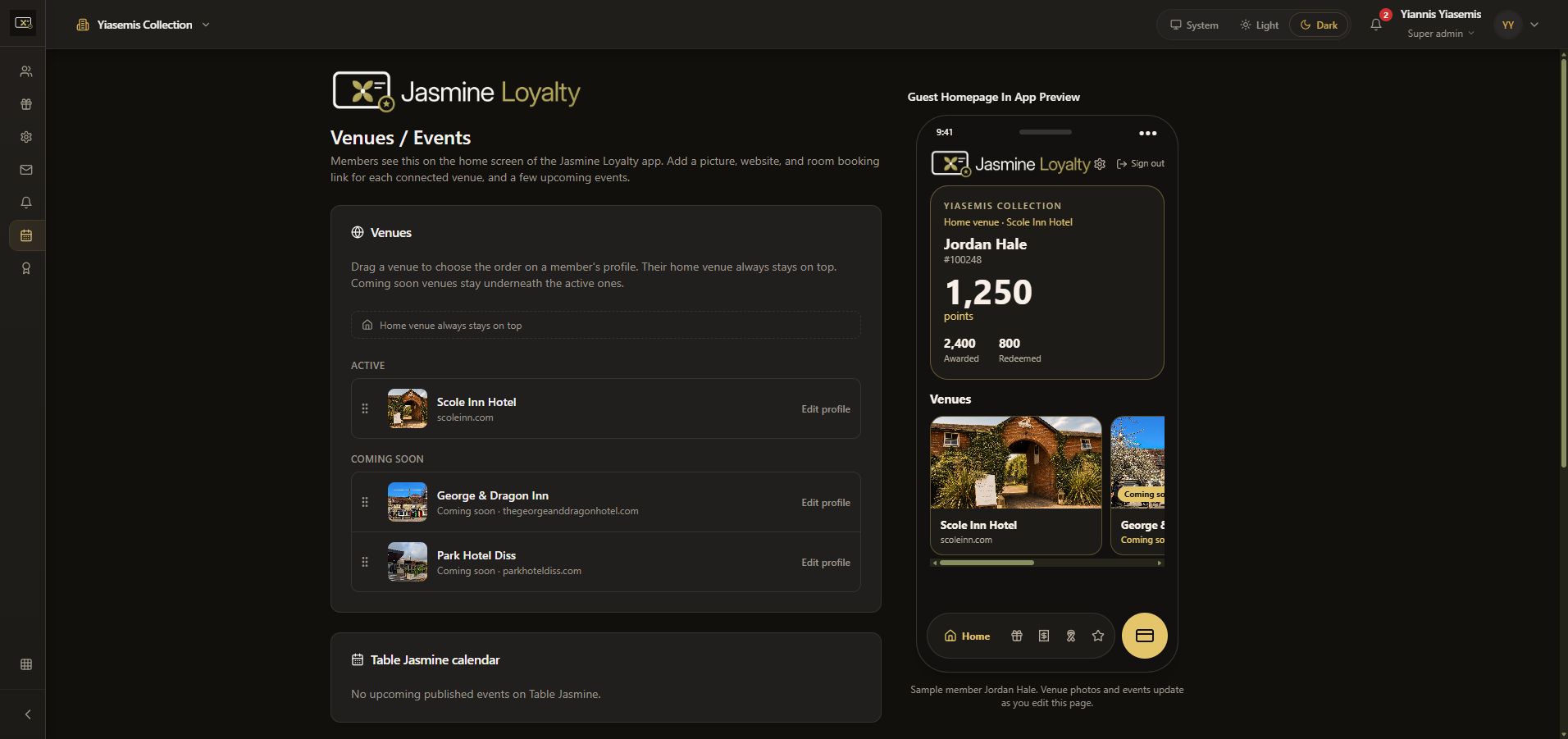
Open Venues / Events. The page explains that a member's home venue stays on top and Coming soon venues appear below active venues. The walkthrough does not drag or reorder venues.
Open a venue profile
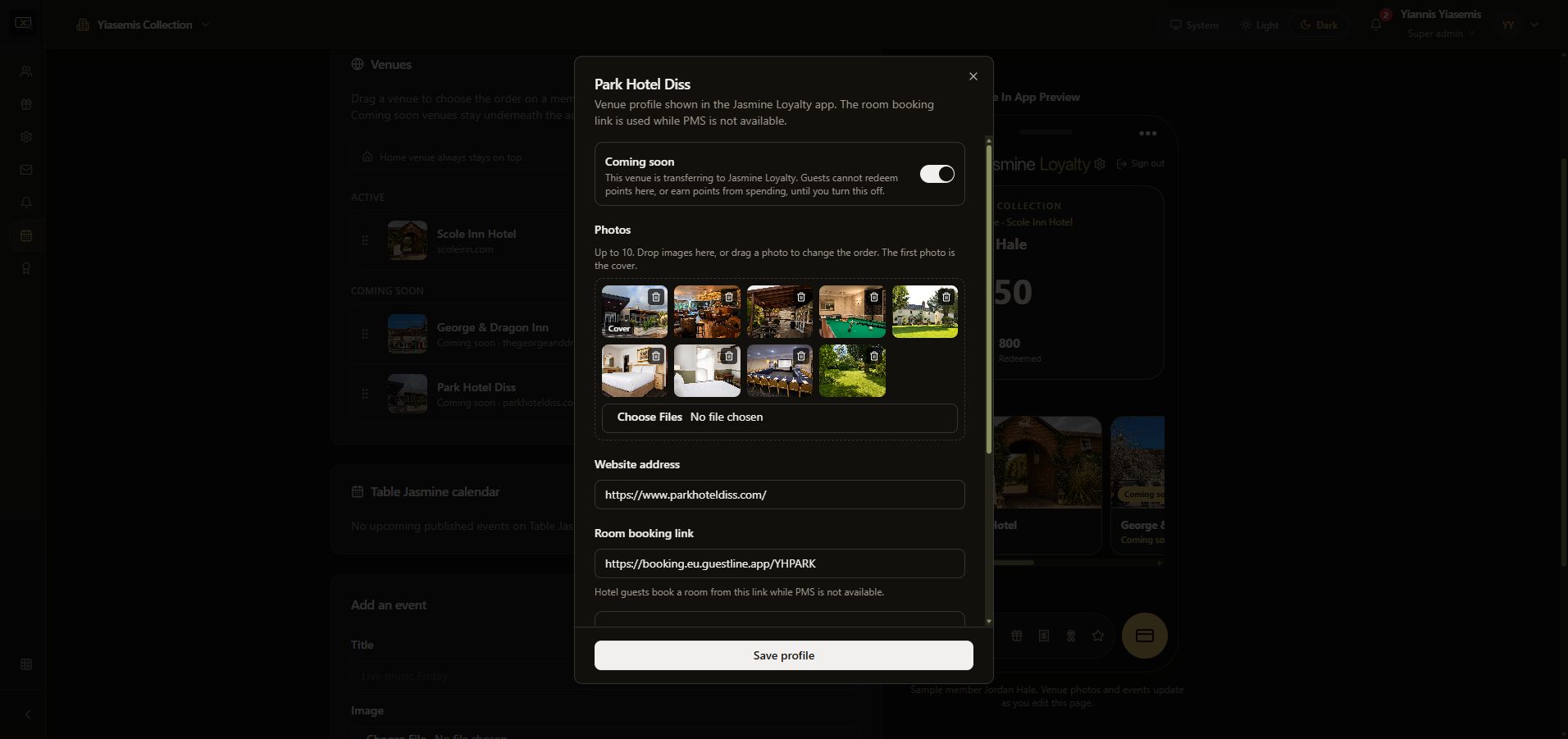
Choose the venue's Edit profile area. The profile includes photos, a website address and a room booking link. The first photo is the cover.
Coming soon includes an explanation of points earning and redemption at that venue. Read it before changing an actual venue. The demonstration leaves the setting unchanged.
Review booking links and visibility
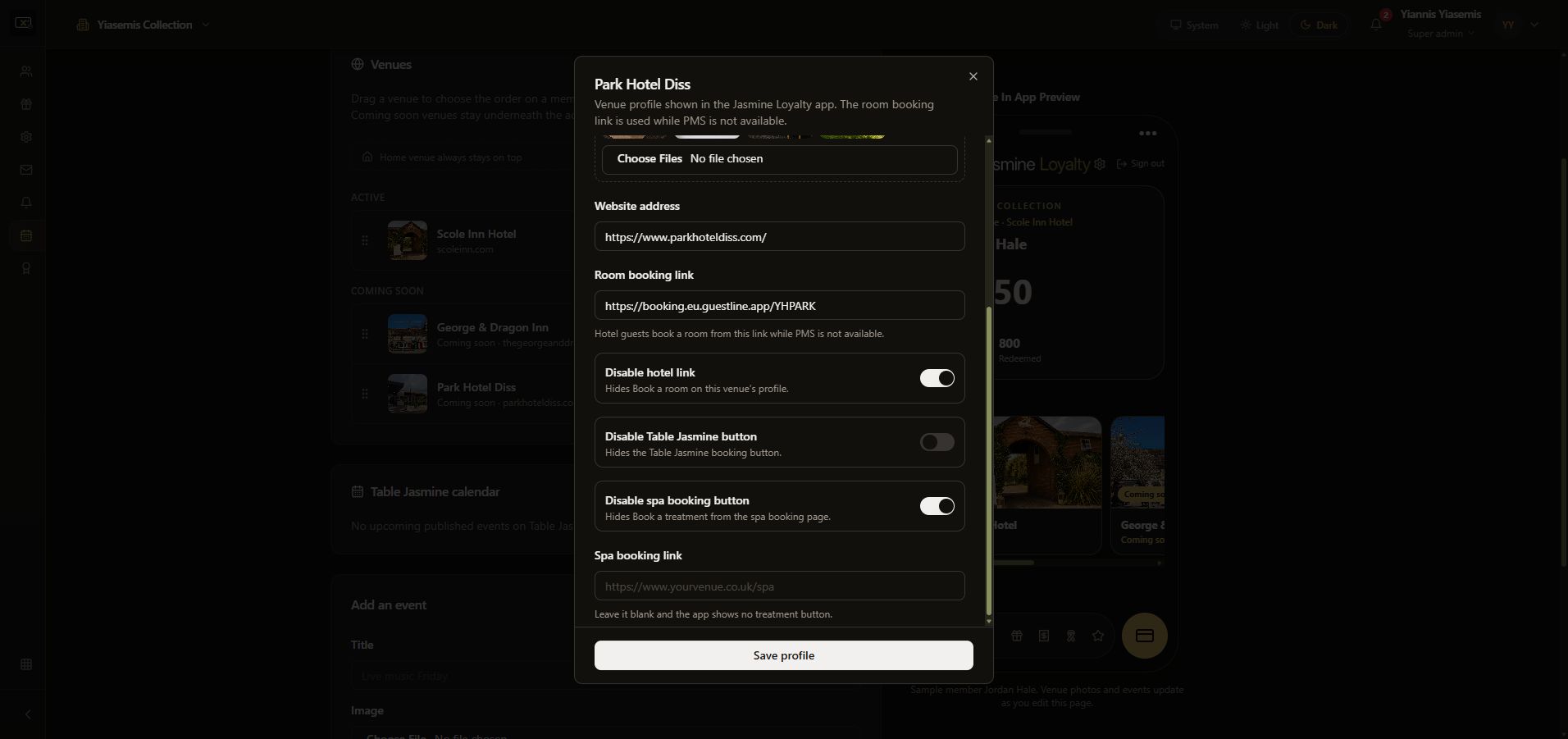
The lower profile controls can hide the hotel, Table Jasmine and spa booking buttons. A separate spa booking link is also available. The walkthrough closes the profile without saving or toggling controls.
Review event preparation and the sample homepage
Table Jasmine calendar can show upcoming published events; this example has none. The blank Add an event form provides Title, Image, Date, Link, Short line and Show on the app.
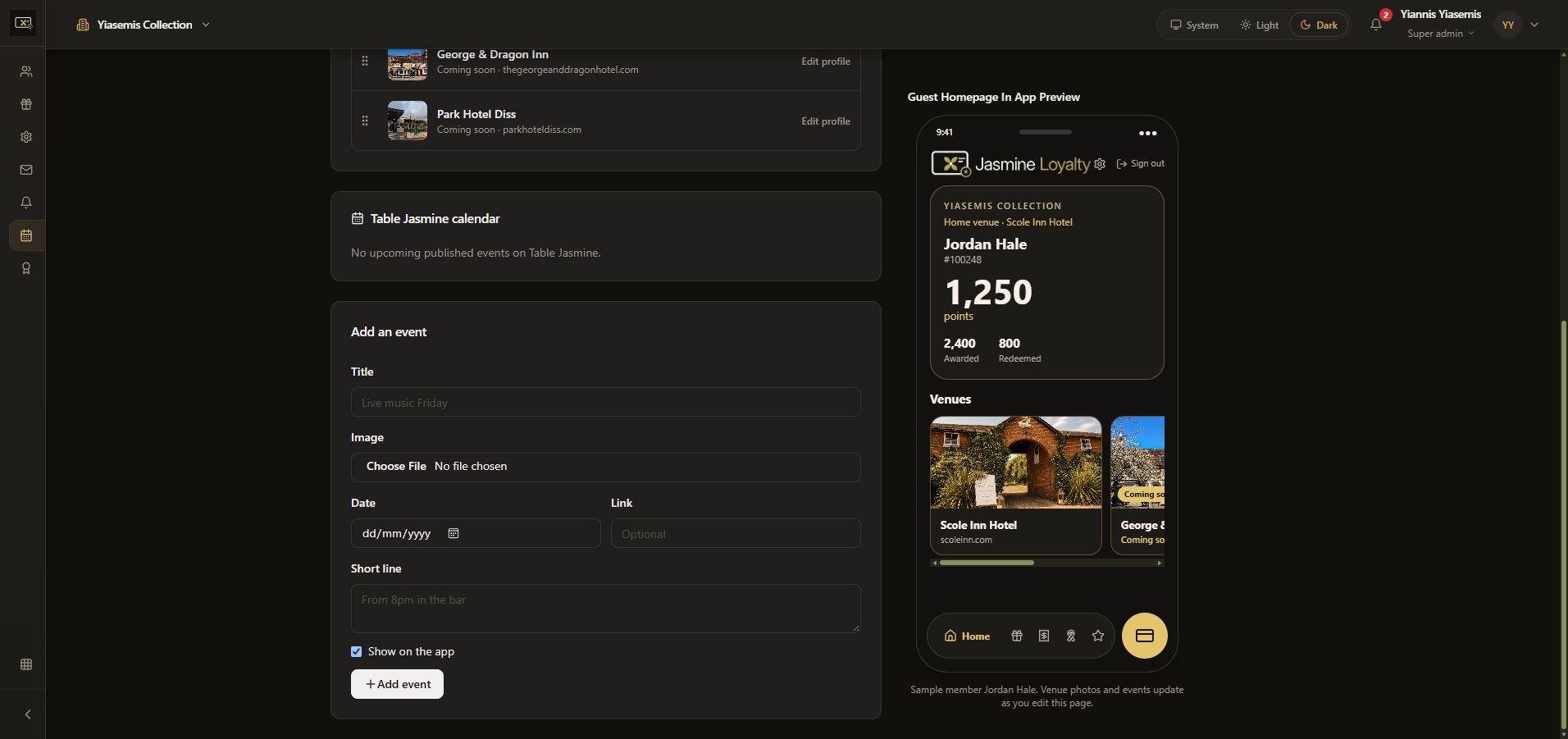
Add event creates a real event and is not pressed. The Guest Homepage In App Preview is labelled “Sample member Jordan Hale”; its card values are demonstration data. Use the preview to assess the layout without accessing real members.
No event, profile, venue order or points setting was changed. See the guest sign-in and homepage preview.